

September 26, 2026
On-Premise to Cloud Migration Checklist: 10 StepsUse this on-premise to cloud migration checklist to plan assessment, compliance, backups, sequencing, testing, cutover, and optimization for SMBs.
Read Full Post%20(1).webp)
Usman Malik
Chief Executive Officer
March 30, 2026
Accessing your dependable home tech login is the gateway to managing your medium-sized organization's most critical smart systems. From office security cameras to integrated building controls, this portal is your only secure entry point.
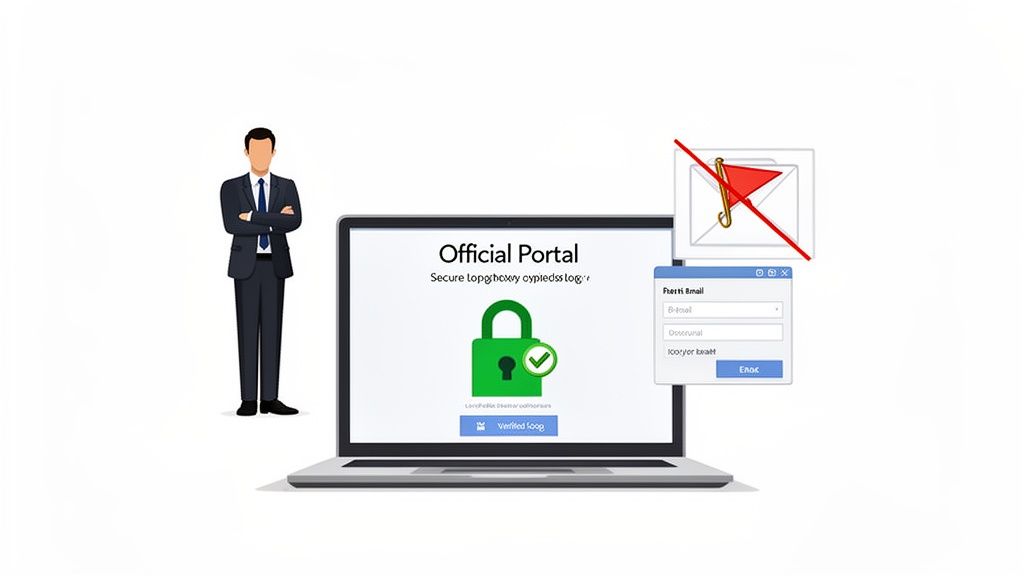
Ensuring your team uses the correct login portal from day one is a non-negotiable part of your cybersecurity strategy. For businesses in sensitive sectors like healthcare or finance, using the legitimate access point is a core compliance requirement, not just a suggestion. It takes only one employee logging into a fraudulent site to expose your entire network to a catastrophic breach.
The problem is that cybercriminals are masters of disguise. They create incredibly convincing fake login pages designed to steal credentials. These phishing attacks often arrive in an email disguised as an urgent security alert, pressuring your team members to act quickly without thinking.
So, how do you ensure everyone is on the right page? The single most reliable way to find your dependable home tech login is to refer to the official documentation from your vendor or IT partner. Once you have that link, bookmark it. Make it the one and only place your team goes to log in.
Resist the temptation to use a search engine. Hackers can manipulate search results to push their malicious links to the top.
Instead, ingrain these best practices into your team's workflow:
https:// to show it's secure.The table below breaks down the core stages of accessing your dependable home tech, ensuring a secure and successful connection every time.
| Stage | Objective | Key Action for Users |
|---|---|---|
| Verification | Confirm the login portal's authenticity. | Always use a bookmarked URL or a link from an official source. Never use search engines or unsolicited links. |
| Authentication | Prove your identity to the system. | Enter your credentials (username/password) and complete any Multi-Factor Authentication (MFA) prompts. |
| Authorization | Gain access to the appropriate resources. | Once logged in, ensure you have the correct permissions for your role. Report any unexpected access levels. |
Following these pillars turns a routine login into a powerful security checkpoint for your organization.
A critical part of modern business security is training your team to be skeptical. If a login request feels unusual or urgent, it’s a signal to slow down and verify its authenticity before proceeding. This simple habit can prevent major security incidents.
For professionals managing systems that fall under Canadian regulations like PIPEDA, proving you access systems through verified channels is essential during an audit. This first step of finding and using the right portal builds a foundation of control and compliance.
Of course, finding the portal is only half the battle. You also need a strong password policy. If you're looking for guidance, you can learn about the best way to manage your passwords in our detailed guide.
Once you have your team set up and ready to use the dependable home tech login portal, you have crossed the first hurdle. The next challenge is managing those credentials, especially when multiple people need access.
For a business, a forgotten password is more than just a small hiccup. It is a genuine operational roadblock that can bring productivity to a standstill and even introduce safety risks.
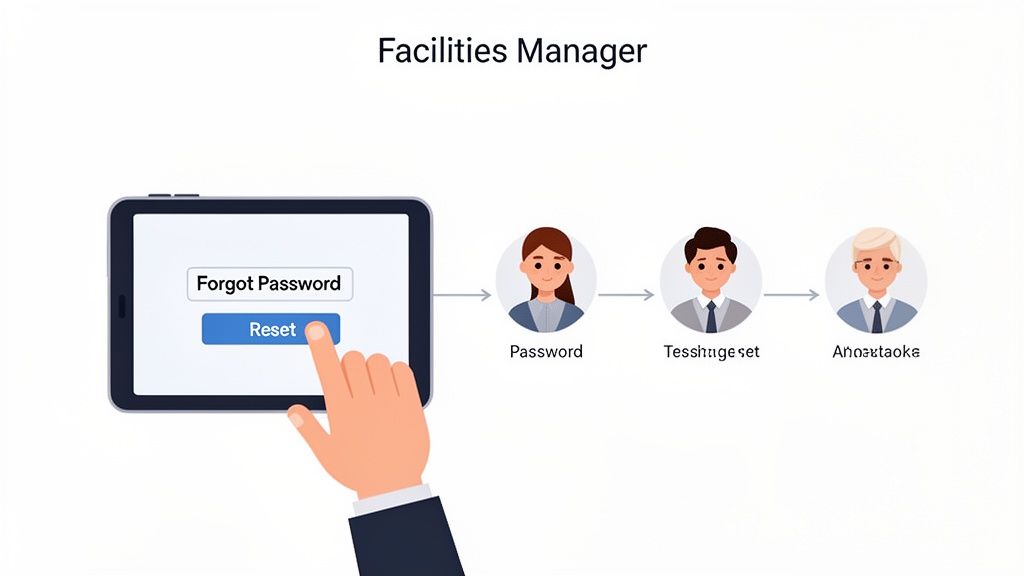
Think about a facilities manager who needs to remotely adjust a smart HVAC system on a frigid weekend to stop your inventory from freezing. If they cannot log in, the potential losses could be significant. This scenario shows why a smooth, secure password reset process is just as critical as the login itself. It has to be quick for your people but an iron gate for everyone else.
When a team member gets locked out, their first instinct might be to phone a colleague for their password or start guessing old ones. Both are massive security risks. The only safe way forward is to use the official "Forgot Password" or "Reset Password" link, found directly on the verified login page.
This process is built to securely confirm the user's identity before allowing them back in. It usually involves sending a unique, one-time link or code to the email address tied to their account. Insisting that your team always follows this rule is key to preventing shared credentials and maintaining a clean audit trail.
For growing teams, handling access issues and support requests can be a real headache. This is where an ultimate guide to internal help desk software can be a lifesaver. These systems bring order to the chaos, making sure lockouts get fixed quickly and securely by the right people.
A forgotten password is a predictable event. By establishing a clear, secure reset policy, you transform a potential crisis into a routine, manageable task. It's about planning for the inevitable instead of reacting in a panic.
Juggling individual logins and handling constant reset requests for an entire team can quickly become a full-time job for an internal manager. This is exactly where a managed IT partner like CloudOrbis provides incredible value. We can lift that weight off your shoulders, giving your team a single, reliable point of contact for any access problems.
Here is how a partnership makes credential management easier:
Delegating credential management to an expert partner ensures your dependable home tech login remains a secure and powerful tool for your business, rather than a source of risk and frustration. If you're interested in learning more about securing accounts with multi-user access, you may find our guide on what is privileged access management helpful.
Relying on passwords alone is like leaving your business’s front door unlocked. While a strong password is a good start, it is just not enough to keep determined attackers out anymore. To truly secure your dependable home tech login and other critical systems, you need to add more layers of defence.
This is where Multi-Factor Authentication (MFA) and Single Sign-On (SSO) come into play. These are not just fancy tools for large enterprises; they are essential security measures for any Canadian business handling sensitive data or relying on remote access for its operations. They create a powerful barrier against unauthorized access, protecting everything from your client information to building management systems.
Multi-Factor Authentication adds a simple but incredibly powerful step to your login process. After you enter your password (something you know), you have to provide a second piece of evidence—a "factor"—to prove it is really you.
This second factor is usually one of two things:
Even if a cybercriminal manages to steal your password, they hit a wall. Without that second factor, they cannot get in. This one requirement is enough to block the vast majority of automated and phishing-based attacks dead in their tracks.
Implementing MFA is one of the single most effective security upgrades you can make. It immediately neutralizes the threat of stolen passwords, which are behind a huge percentage of data breaches.
For businesses juggling multiple cloud services—like Microsoft 365, a CRM, and your dependable home tech platform—Single Sign-On is a game-changer. SSO allows your team to log in just once with a single, secure set of credentials to access all their work-related applications.
Instead of trying to remember dozens of different passwords, employees use one secure entry point. This not only makes their day-to-day work easier but also centralizes your security management. When you combine SSO with MFA, you create a truly formidable defence. Your team gets the seamless access they need, while your IT administrators get a single point of control to enforce security policies across the entire organization.
As Canadian households embrace more smart technology, security concerns are growing. A recent report notes that while the smart home security market is booming, over 75% of consumers are anxious about data breaches tied to their login-dependent gadgets. You can find more insights about the Canadian smart home market trends on mintel.com.
For businesses, the stakes are even higher. Think about a healthcare clinic in Toronto that needs to maintain PIPEDA compliance or a manufacturing firm in Calgary that requires a scalable, secure network—a breach could be devastating.
Rolling out these advanced security measures can feel complicated, but it does not have to be. Partnering with a managed IT provider like CloudOrbis ensures your MFA and SSO solutions are configured correctly for your unique business needs, giving you maximum security with minimal disruption. Be aware that attackers are always adapting; you can read more about how to protect your business from MFA fatigue attacks in our other article.
We have all been there. You type in your password, hit enter, and… Access Denied. While it is a minor annoyance for one person, across a business, a locked account can bring work to a screeching halt, leaving employees frustrated and productivity plummeting.
Knowing how to quickly sort out common issues with your dependable home tech login is a huge time-saver. It empowers your team to handle minor snags on their own. But just as crucial is knowing when a simple error message is masking a more serious security threat that needs an expert eye.
When someone on your team cannot log in, it is almost always one of a few usual suspects. Instead of hitting the panic button, they can work through the most likely causes one by one. This approach turns a frustrating roadblock into a quick fix.
Here are the errors we see most often and the best way to handle them:
The "Invalid Credentials" Message: This is the bread and butter of login errors. It simply means the username or password entered does not match what the system has stored. The first move is always to carefully re-type both. Check for pesky typos, an accidental space at the end, or the Caps Lock key being on. It is also a good idea to double-check they are using the right username—sometimes it is an email, other times it is a specific employee ID.
The "Account Locked" Notification: This message usually pops up after too many wrong password attempts. It is a built-in security measure to block brute-force attacks. Most of the time, the account will unlock itself after a short period, like 15-30 minutes. If access is needed right away, or if the user is certain they were not the one making the failed attempts, it is time to call your IT support provider. That could be a sign someone else is trying to get in.
The MFA Code Is Not Working: When a Multi-Factor Authentication code gets rejected, it is often a simple time-sync issue. The clock on the user's phone has drifted out of sync with the server's clock. The fix is to go into the phone's date and time settings and make sure it is set to update automatically.
This flowchart shows how modern login security is not just about one password anymore. It is about building layers of protection.
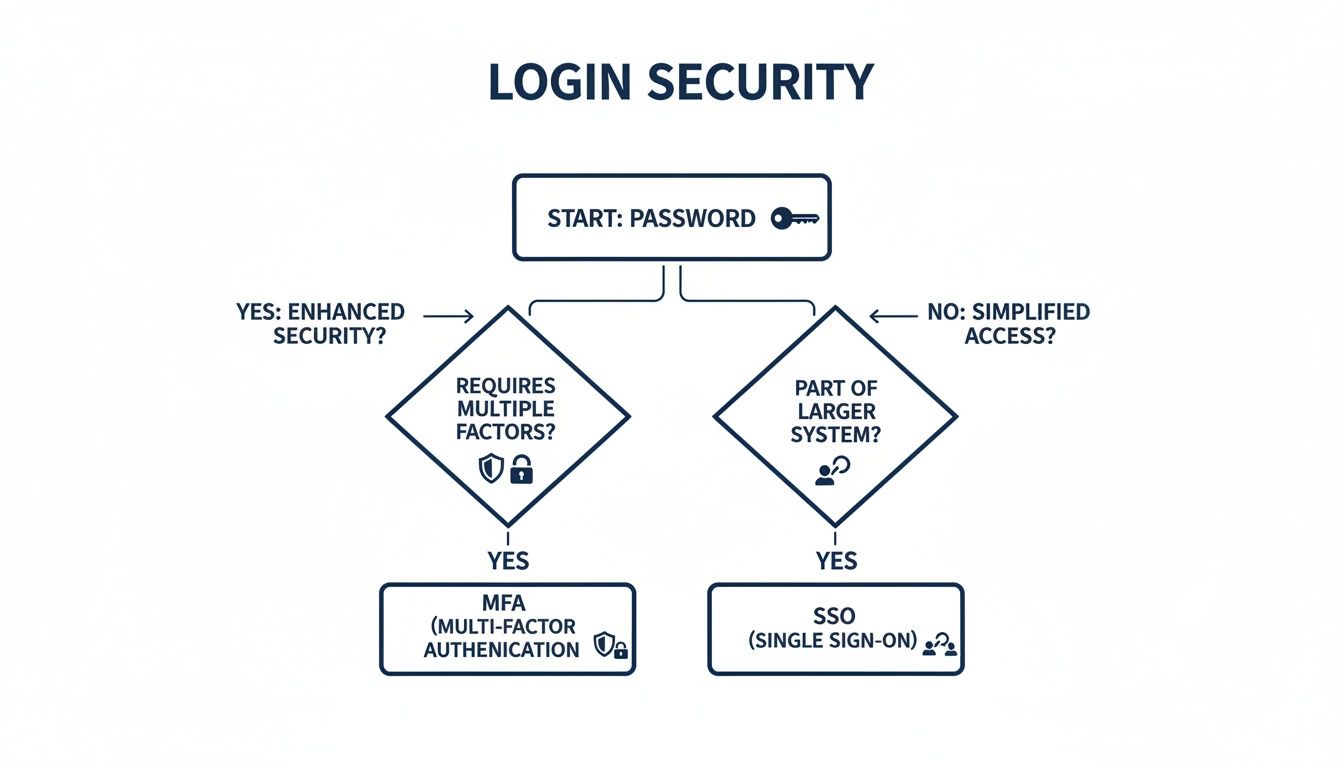
As you can see, a password is just the first line of defence. Real security comes from adding layers like MFA or streamlining access with Single Sign-On. For a deeper dive into a specific corporate system, our guide on the Oracle Fusion login process is a great resource.
Giving your team the tools to fix small problems is fantastic, but some issues really do need a professional. It is vital to have clear rules on when to escalate a problem to your IT partner, like CloudOrbis.
Knowing when to ask for help is a critical part of a strong security culture. A quick call to your IT partner can be the difference between a minor hiccup and a major security incident.
This quick escalation is more important than ever. The Canadian smart home market is valued at USD 3.1 billion in 2024, and with that growth comes an explosion of connected devices that all need secure logins.
With 75% of Canadians already worried about data breaches, having an expert team on standby is not a luxury—it is essential. For businesses in Toronto and Calgary, it is about protecting your most valuable digital assets.
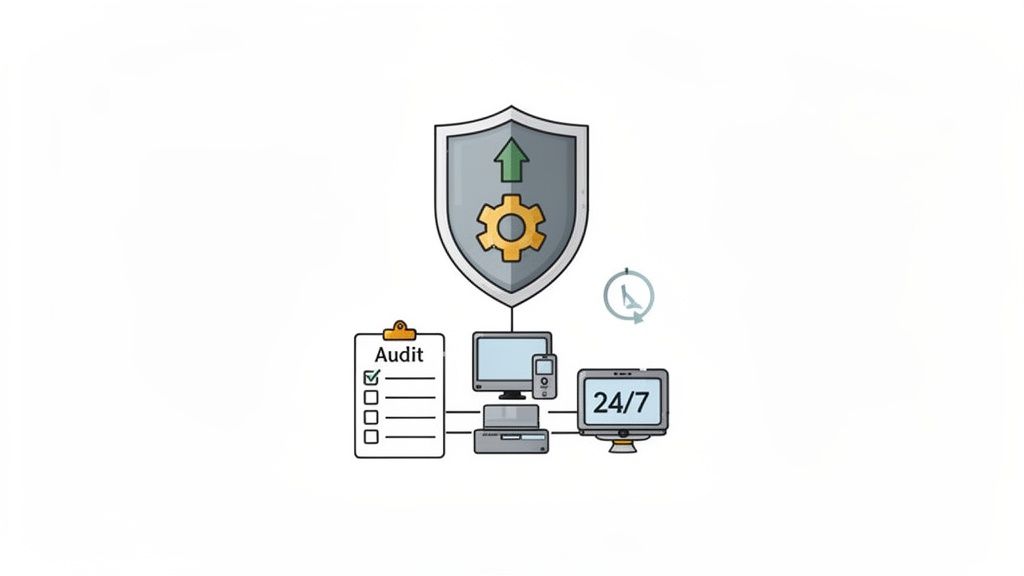
Too many businesses treat IT security like a firefighter, only showing up after the blaze has started. A truly secure business does not just react to problems—it builds a framework that stops them from ever happening. This proactive stance is what turns your technology from a potential weak spot into a reliable asset, protecting your data and keeping operations running smoothly.
Thinking beyond a secure dependable home tech login is the first step. True security is a continuous effort. It means running regular password audits, ensuring all your device firmware is kept up to date, and, crucially, training your team to spot the subtle warning signs of a compromised account.
The old "break-fix" model of IT, where you only call for help when something is broken, just does not cut it anymore. A proactive approach flips this on its head, using continuous monitoring and maintenance to keep your systems optimized and secure. It is the difference between preventing a data breach and scrambling to recover from one.
Some key proactive measures that make a real difference include:
These practices create powerful layers of defence. For any business, strong credential security is non-negotiable. If you want to dive deeper into protecting sensitive information, this guide on DevOps secrets management is an excellent resource.
Think of a proactive IT strategy like preventative medicine for your business. By catching and treating risks early, you avoid the painful, expensive surgery required to fix a full-blown security disaster.
This shift is not just a good idea; it is becoming a necessity. The Canada smart home market is expected to hit a revenue of USD 9,072.7 million by 2026, showing just how quickly Canadian businesses are adopting tech that relies on secure access. In fact, security and access controls are the biggest revenue drivers in this market, which tells you everything you need to know about how critical reliable authentication has become.
A managed IT services provider like CloudOrbis can be your partner in building this defensive posture. With our 24/7 monitoring and vulnerability assessments, we help transform your IT security from a constant source of stress into a foundation for confidence. If you're ready to build a more resilient business, take a look at our guide on IT security services to see exactly how we can help.
Even with a solid security plan in place, questions about managing day-to-day access are bound to pop up. Here are some of the most common questions we hear from business leaders about keeping their team's logins and company tech secure.
The real answer here is to move away from shared credentials altogether. The old advice of a 90-day password rotation is a relic from a different era. It often just encourages people to make small, predictable changes, like changing "Password123!" to "Password124!".
Instead, every single user should have their own unique login for any system they touch. This is not just a "nice-to-have"—it gives you a crystal-clear audit trail. You will know exactly who accessed what and when. For any business in a regulated field, this level of accountability is often a core compliance requirement. A managed IT partner can help you set up a system where individual logins, backed by Multi-Factor Authentication (MFA), create a far more secure and auditable environment.
Reusing logins across different services is one of the biggest—and most easily avoidable—security risks you can take. It is like using the same key for your house, your car, and your office.
If just one of those services gets breached, criminals can take that stolen password and email combination and try it everywhere else. This is a common attack called "credential stuffing." We strongly recommend using a unique, complex password for every single service, with no exceptions. The easiest way to manage this is with a reputable password manager, which can generate and store these for you. In a business context, Single Sign-On (SSO) is the gold standard for centralizing security and simplifying access for your team.
Adopting a "one service, one password" rule is a simple but powerful habit. It effectively quarantines the risk of a single breach, preventing it from spiralling into a multi-system compromise.
If you think an account has been breached, you need to act immediately. Every second counts.
Ready to stop worrying about login security and focus on your business? CloudOrbis Inc. provides proactive, 24/7 managed IT services to protect and optimize your technology. Secure your business with CloudOrbis today.
September 26, 2026
On-Premise to Cloud Migration Checklist: 10 StepsUse this on-premise to cloud migration checklist to plan assessment, compliance, backups, sequencing, testing, cutover, and optimization for SMBs.
Read Full Post
September 25, 2026
Is VoIP Good for Small Business in Canada? a 2026 GuideIs VoIP good for small business in Canada? Explore costs, benefits, reliability, security, and migration tips for SMBs considering VoIP in 2026.
Read Full Post
September 24, 2026
Helpdesk vs Service Desk: Choosing the Right IT SupportHelpdesk vs service desk: understand the key differences and choose the right IT support model for your organization in 2026.
Read Full Post
