

September 14, 2026
Vulnerability Management vs Vulnerability AssessmentVulnerability management vs vulnerability assessment explained for Canadian SMBs. Compare scope, process, tools, and how to choose the right approach.
Read Full Post%20(1).webp)
Usman Malik
Chief Executive Officer
December 13, 2025
When you realize critical business data has vanished, the first few moments are crucial. For any Calgary organization facing potential data loss, the single most important action is to stop everything. Immediately shutting down the affected device can be the difference between a successful recovery and permanent data loss.
That sinking feeling when a file disappears or a drive fails is a familiar nightmare for many business leaders. Panic is natural, but your next move is critical. Think of it like a vehicle's engine making a grinding noise on the Deerfoot Trail—you wouldn't keep driving, hoping it fixes itself. You would pull over and turn it off to prevent catastrophic failure. The same logic applies to your data. The goal is to freeze the situation exactly as it is.
Powering down the computer, server, or external device stops the operating system from writing new information. Every action, from opening a browser to saving a new document, risks overwriting the very data fragments you are trying to save.
To help you navigate those first critical minutes without worsening the situation, here is a quick reference guide. Following these steps helps preserve the data, making professional recovery far more likely.
Sticking to the "Do" column and avoiding the "Never" column provides the best possible chance of a full recovery.

Sometimes, the cause is obvious, like a spilled coffee. In those cases, knowing how to properly handle liquid-damaged devices (hint: it does not involve rice) is just as vital.
Once you have stabilized the situation, the next step is to get expert help. If you are wondering what that process looks like, our guide on choosing a data recovery service can walk you through the key considerations.
For business and IT leaders in Calgary, understanding why data vanishes is the first step toward preventing a crisis. It is rarely a dramatic, Hollywood-style system meltdown. More often, it begins as a small, seemingly harmless glitch that spirals into a significant problem. The causes vary, but they generally fall into a few key categories that every business leader in Alberta should recognize.
The most common culprit is straightforward hardware failure. A server's hard drive is like a car's engine; after enough kilometres, parts begin to wear down. One day, you might hear a faint clicking or grinding noise instead of the usual quiet hum. That is the sound of a physical component failing and is a massive red flag. A server crash is even more abrupt—like a sudden power outage hitting your digital office, bringing everything to a screeching halt.
While failing hardware is a frequent issue, it is far from the only threat. Your data can just as easily become inaccessible due to software issues, human error, or a targeted attack.
Data loss is often the result of a chain reaction, not just a single point of failure. A minor power flicker might corrupt a critical file, or an overlooked software update could leave a backdoor open for a hacker to exploit.
Recognizing these different scenarios is vital. A clicking hard drive demands a completely different response than a ransomware warning on your screen. Knowing what you are up against is key to determining the right next steps for recovering your data safely. Each situation brings unique challenges, which is why a professional diagnosis is the only safe option when your business data is on the line.
Engaging a professional data recovery service is like moving from a home kitchen to a Michelin-star restaurant. You might be able to prepare a decent meal at home, but the specialized tools, controlled environment, and level of expertise are on completely different levels. The approach for retrieving a few lost family photos from a laptop is worlds away from rebuilding a complex RAID server array that powers your entire Calgary operation.
A one-size-fits-all approach is a recipe for permanent data loss. That is why professional recovery always begins with a precise diagnosis. We must determine the root cause—is it a logical error, physical damage, or something more obscure? This initial assessment dictates every subsequent step, ensuring the right techniques are used for your specific situation.
When dealing with physically damaged drives—the ones making those terrifying clicking or grinding sounds—the work must happen in a specialized cleanroom. This is not just a tidy office; it is a controlled environment far cleaner than a hospital operating room. A single speck of dust, invisible to the naked eye, can land on a hard drive's magnetic platter and act like a wrecking ball, destroying any data it touches.
A certified cleanroom filters the air to remove microscopic particles while maintaining specific humidity and temperature levels. This is the only safe way to open a hard drive for internal repairs, like replacing a failed read/write head, without risking total data destruction.
Not all data loss involves a physical crash. The recovery process splits into two main paths depending on the type of failure your business is facing. Understanding the difference helps clarify why some recoveries are quicker and more straightforward than others.
The infographic below shows the most common starting points for these recovery scenarios.

As you can see, the path forward begins by determining if the problem is physical, software-related, or a simple mistake.
Rebuilding a multi-drive RAID array from a failed server is one of the most complex jobs in data recovery. It involves meticulously analyzing each drive to determine the array's original configuration, stripe size, and data parity. It is like a high-stakes digital puzzle where one wrong move could corrupt the entire volume permanently. This is precisely why expert intervention is not just recommended; it is essential for any Calgary business facing a critical data loss event.
For a deeper dive into preparedness, our data backup and recovery guide provides additional valuable insights.
When your business grinds to a halt due to data loss, every second matters. In these stressful moments, understanding the potential costs and timelines for professional data recovery in Calgary, Alberta helps you make a calm, informed decision rather than a panicked one.
There is no simple price list because every data loss scenario is unique. Think of it like taking your vehicle to a mechanic. A simple software glitch is like changing a fuse—quick, easy, and affordable. However, a physically damaged hard drive that is clicking and grinding is more like a full engine rebuild, requiring a sterile lab, specialized tools, and hours of expert work. The final cost always comes down to the complexity of the job.
Several key variables directly shape the final quote for any recovery project. A reputable provider will always insist on a thorough diagnosis before providing a firm price—it is the only way to accurately assess these factors.
Be cautious of any service that offers a flat-rate quote over the phone without examining your device. A professional diagnosis is non-negotiable for an honest estimate. It protects you from hidden fees and sets clear expectations from the start.
Ultimately, the goal of any trustworthy data recovery Calgary Alberta service is to provide a complete and transparent picture. This means you should expect a detailed diagnostic report explaining the problem, the likelihood of a successful recovery, a firm price quote, and a realistic timeline. This transparency empowers you to make the best financial decision for your business without any surprises.
Knowing the right steps for emergency data recovery in Calgary, Alberta is valuable, but the best strategy is to avoid the crisis in the first place. Shifting from a reactive panic to a proactive defence is the smartest, most cost-effective move your business can make. It is about building a resilient data protection plan that prepares you for the unexpected and keeps your business running, no matter what.
A strong defence starts with automated, consistent backups. This goes beyond manually copying files to an external drive once a week. Modern backup solutions work silently in the background, creating multiple copies of your data and storing them in different secure locations.
This is where the "3-2-1 rule" comes in—it is the gold standard for good reason. You need three copies of your data, on two different types of media, with one copy stored offsite. This simple framework protects you from everything from a crashed hard drive to a ransomware attack, or even a physical disaster like a fire at your Calgary office.
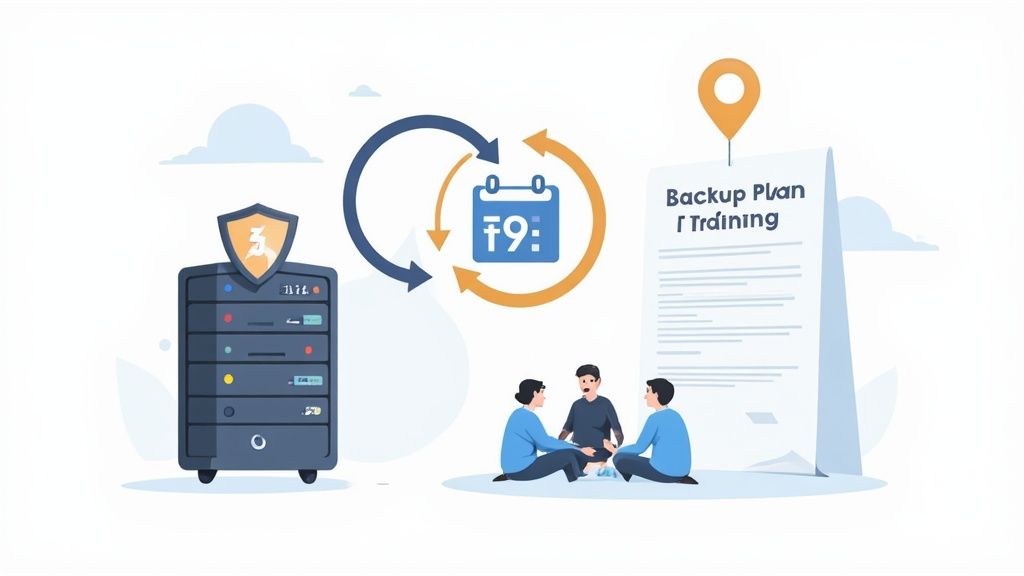
Having backups is great, but you also need a clear roadmap for what to do when something goes wrong. A well-defined plan eliminates panic and guesswork, turning a potential catastrophe into a manageable incident.
These components form the backbone of a robust defence. To learn more about how these pieces fit together, explore our detailed article on the differences between business continuity and disaster recovery.
The rising tide of cyber incidents in Alberta underscores the urgency of a proactive defence. Research shows that only 47% of Canadian small and medium-sized businesses feel prepared for a data breach, even though 53% have already experienced one.
This proactive approach should cover the entire lifecycle of your IT assets. A solid defence also involves properly decommissioning old hardware. To ensure retired hard drives do not become a lingering security risk, check out this comprehensive business guide to secure hard drive shredding.
By combining automated backups with a clear recovery plan and a security-aware team, your Calgary business can transform its data protection from an afterthought into a powerful business asset.
When a data crisis strikes, you need a clear, calm path from chaos back to control. At CloudOrbis, our approach is built on years of hands-on experience, complete transparency, and a genuine understanding of the pressures facing Calgary businesses. We turn a data disaster into a manageable, step-by-step process, starting from your first urgent call.
It all begins the moment you reach our 24/7, 100% Canada-based helpdesk. You will not speak to a robot or a call centre halfway across the world. You will connect directly with a technician who understands the urgency and can provide immediate, practical advice to prevent the situation from worsening. That first conversation is all about stabilizing the situation.
Once your device is with us, we follow a strict, proven protocol designed to give you the best possible chance of recovery while keeping your data completely secure. Our job is not just about fixing drives; it is about handling your sensitive business information with the respect and confidentiality it deserves. We are fully committed to upholding Canadian data privacy regulations like PIPEDA at every stage.
Here is what you can expect:
This commitment to secure data handling is non-negotiable. The importance of rock-solid recovery protocols is clear when you look at local organizations like the Calgary Homeless Foundation, which manages one of Canada's most extensive data warehouses for social services. Protecting that information is critical to their mission, highlighting the importance of secure recovery across every sector.
Real-World Calgary Recovery: A local logistics company faced a business owner's worst nightmare. Their main RAID server crashed, bringing their entire shipping and receiving operation to a standstill. Every hour of downtime was costing them thousands. They called us. Our team quickly diagnosed a critical failure across multiple drives in the array. By carefully rebuilding it and recovering the corrupted file system, we restored 99% of their mission-critical data within 48 hours, getting their trucks back on the road with minimal disruption.
That is the CloudOrbis difference. We blend deep technical skill with local insight to deliver results you can count on. Our structured process is not just about getting your data back; it is about giving you peace of mind. To ensure you are always prepared, review our guide on Calgary backup and disaster recovery solutions.
When your data disappears, questions arise quickly. In a stressful situation, you need clear answers, not technical jargon. Here are a few of the most common questions Calgary business leaders ask us when facing a data crisis.
Yes, surprisingly often. However, this is not a job for an internal IT generalist. It is a delicate surgical procedure for your data, requiring a certified cleanroom where even a single speck of dust cannot cause more harm.
Expert technicians will carefully open the drive and sometimes replace tiny failed components, like the read/write heads or the main control board, just to access the platters where your data resides. It is high-stakes work where one wrong move could mean permanent loss, which is why this task should only be trusted to seasoned professionals.
The timeline depends on what went wrong. A simple software issue might be resolved in a couple of days. However, a complex recovery from a physically shattered RAID server could take a week or more.
Any reputable service will provide a full diagnostic report within 24-48 hours. This report should break down the problem and give you a realistic timeline so you know exactly what to expect.
Your data’s security should be the top priority. Professional firms operate under strict non-disclosure agreements and adhere to Canadian privacy laws like PIPEDA. They use end-to-end encryption when returning your data, guaranteeing its confidentiality throughout the entire process.
Do not let data loss disrupt your business. The expert team at CloudOrbis Inc. is ready to help you recover your critical information quickly and securely. Contact us today for a professional consultation.
September 14, 2026
Vulnerability Management vs Vulnerability AssessmentVulnerability management vs vulnerability assessment explained for Canadian SMBs. Compare scope, process, tools, and how to choose the right approach.
Read Full PostSeptember 13, 2026
Third-Party Risk Management for Canadian SMBsMaster third-party risk management for your Canadian SMB. Learn OSFI compliance, vendor monitoring frameworks, and how to secure your supply chain.
Read Full Post
September 12, 2026
Managed Services Cost: A Practical Guide for Canadian SMBsUnderstand managed services cost for Canadian SMBs. Learn pricing models, industry factors, ROI, and how to choose the right provider for your business.
Read Full Post
