
September 24, 2026
Helpdesk vs Service Desk: Choosing the Right IT SupportHelpdesk vs service desk: understand the key differences and choose the right IT support model for your organization in 2026.
Read Full Post%20(1).webp)
Usman Malik
Chief Executive Officer
June 26, 2026
Your business is growing, but your technology may not be keeping up at the same pace. Staff are juggling slow systems, security worries keep surfacing in leadership meetings, and every new software decision seems to create two more questions. That's usually when people start asking a practical version of the same question: what is IT consulting, and do we need it?
For most Canadian business owners, IT consulting isn't about buying more technology. It's about making better decisions with the technology you already have, then choosing the right next step with less risk. A good consultant helps you reduce disruption, protect data, improve efficiency, and support growth without forcing you to become a technical expert yourself.
A common pattern shows up in mid-sized businesses. The company adds staff, opens another location, takes on more clients, or faces stricter compliance requirements. The systems that worked fine when the team was smaller start to strain under real-world use.
Email becomes hard to manage. Remote access feels patchy. Backups exist, but no one is fully confident they'd work in an emergency. A manager in healthcare worries about privacy obligations. A manufacturing leader worries about downtime. A finance firm worries about secure document sharing. Different industries, same issue: technology has moved from a support function to a business risk.
That's where IT consulting becomes useful. Not as an emergency repair service, but as strategic guidance. A consultant looks at your business goals first, then maps technology decisions to those goals. If you're trying to scale, they focus on systems that can scale. If you need to meet privacy obligations, they focus on controls, processes, and accountability. If your staff lose time to recurring issues, they focus on removing friction.
The demand for that kind of expertise is substantial. According to IBISWorld's 2026 analysis of Canada's IT consulting industry, the sector generated $126.6 billion in revenue in 2026, reflecting a 2.9% increase from the previous year. IBISWorld links that growth to sustained demand for specialized expertise in custom software development, infrastructure planning, and on-site management of computer systems.
That matters because it tells you this isn't a niche service used only by large enterprises. Canadian businesses are turning to external IT expertise because modern operations depend on it.
If your leadership team is already discussing modernization, a practical next step is building a digital transformation roadmap for business growth. The point isn't to chase trends. It's to make technology decisions in the right order.
Practical rule: If your team talks about technology only when something breaks, you probably need IT consulting before the next issue becomes expensive.
The simplest way to understand an IT consultant is to think of them as an architect for your technology blueprint. A builder can install walls, wiring, and fixtures. An architect figures out what should be built, how it should fit together, and whether the design will still work as the business grows.
That's the difference between general tech support and consulting. Support fixes the immediate problem. Consulting asks why the problem keeps happening, what business process sits behind it, and what needs to change so the issue doesn't keep returning.
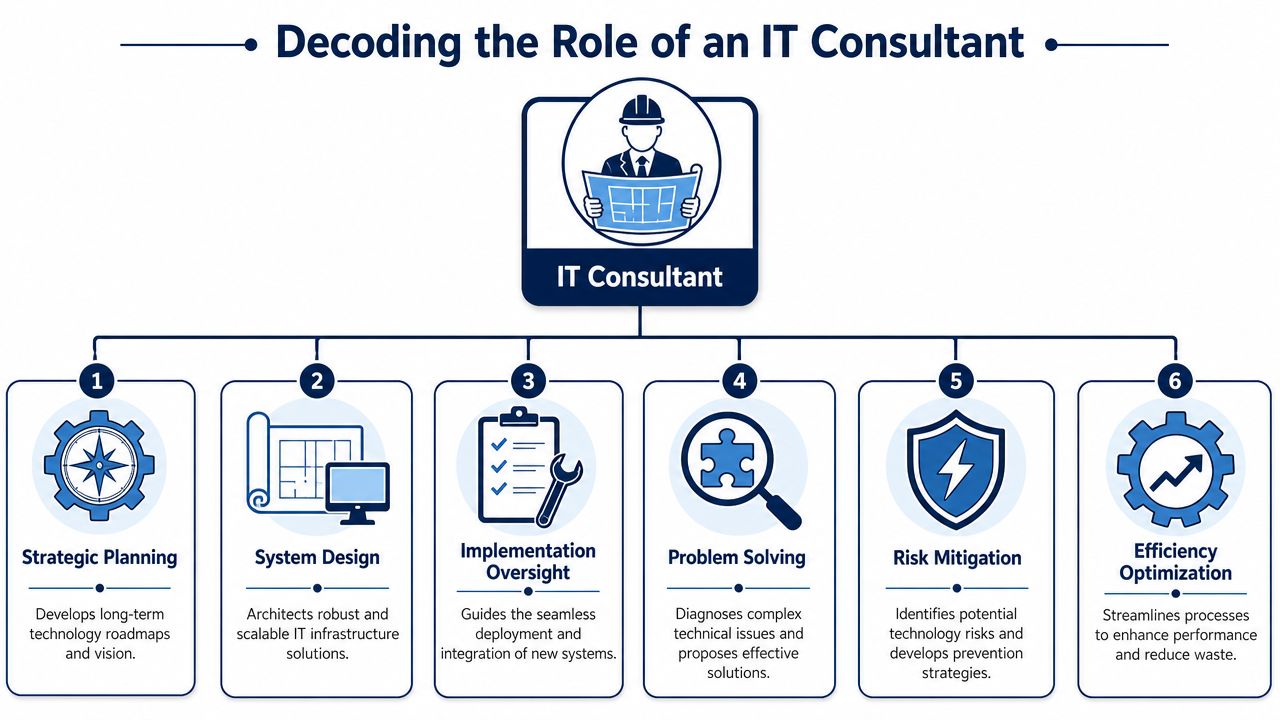
Most strong IT consulting work sits across four practical areas.
Strategy means aligning technology with business priorities. If your goal is expansion, the consultant helps decide whether your current systems can support another office, another production line, or a larger remote workforce.
Security means protecting the business in a way that fits how you operate. For a clinic, that could mean tighter access controls and secure handling of patient information. For a professional services firm, it could mean safer collaboration and stronger endpoint protection.
Infrastructure covers the environment your business runs on. That includes networks, cloud platforms, Microsoft 365, devices, backups, voice systems, and the connections between them.
Operations focus on day-to-day reliability. A consultant looks at recurring incidents, bottlenecks, patching gaps, documentation, and process breakdowns that drain time from your team.
In Canada, IT consultants typically require a bachelor's to doctorate-level degree and earn a median wage of $45.67/hour, according to the Government of Canada Job Bank occupation summary for IT consultants. The same source notes core functions such as systems requirement analysis, implementing development plans, and troubleshooting.
Those duties may sound technical, but the business value is straightforward. A consultant listens to what leadership needs, translates that into technical requirements, and helps teams implement workable solutions.
Here's where non-technical owners often get confused. They assume the consultant's value is knowing more about servers, cloud, or Microsoft tools than everyone else. That knowledge matters, but it isn't the whole job. Its core value is translation.
A good IT consultant turns business intent into technical action, then turns technical risk back into plain-language decisions.
For example, if a healthcare organisation says, “We need to support remote staff without creating privacy problems,” the consultant breaks that into access rules, device policies, identity controls, data handling, and monitoring. If a manufacturer says, “We can't afford interruptions on the floor,” the consultant looks at resilience, failover planning, network design, and support response.
If you want a deeper look at how that strategic layer works, IT strategy and consulting services for growing businesses is the right place to continue.
Business owners rarely buy “IT consulting” as an abstract concept. They buy outcomes. They want safer systems, fewer interruptions, clearer planning, and a technology environment that supports revenue instead of slowing it down.
Strategic IT planning is often the first service that matters. Here, a consultant reviews your current systems, your risks, your team's workflows, and your business objectives. Then they help set priorities.
That may include deciding whether to standardize devices, clean up Microsoft 365 permissions, replace aging infrastructure, or create a realistic roadmap for cloud adoption. The benefit isn't just technical order. It's fewer reactive decisions and better use of budget.
Cybersecurity consulting is one of the clearest examples of business-first IT work. For regulated sectors, security isn't optional, and it isn't only about antivirus software.
A consultant may help define access controls, improve endpoint protection, tighten email security, strengthen backup practices, and create policies that support obligations such as PHIPA, PIPEDA, or HIPAA where applicable to cross-border work. The goal is simple: protect client, patient, and company data without making daily work impossible.
If data protection is already becoming a board-level issue, cyber security consulting for Canadian businesses gives useful context.
Many businesses already use cloud platforms but still struggle with consistency. Files live in multiple places. Permissions drift over time. Teams use Microsoft 365, but only a fraction of the features are configured well.
Consulting plays a key role in separating adoption from optimisation. Moving to the cloud is one decision. Structuring it properly is another. A consultant can help design file access, identity management, collaboration standards, and backup strategy so the platform becomes an asset instead of a source of confusion.
Disaster recovery planning sounds technical until you imagine losing access to files, email, phones, or line-of-business applications in the middle of a working day.
A consultant helps answer practical questions such as:
That work lowers panic when something goes wrong and improves confidence long before an incident happens.
Some of the best consulting work is less visible. It shows up in cleaner onboarding, fewer password issues, more reliable remote access, better vendor coordination, and less downtime caused by neglected maintenance.
In practical terms, IT consulting helps businesses stop treating technology as a pile of separate tools. It becomes an organised operating system for the company.
Not every business needs the same type of IT relationship. Some need help with one major initiative. Others need ongoing support and planning. That's why engagement model matters just as much as technical skill.
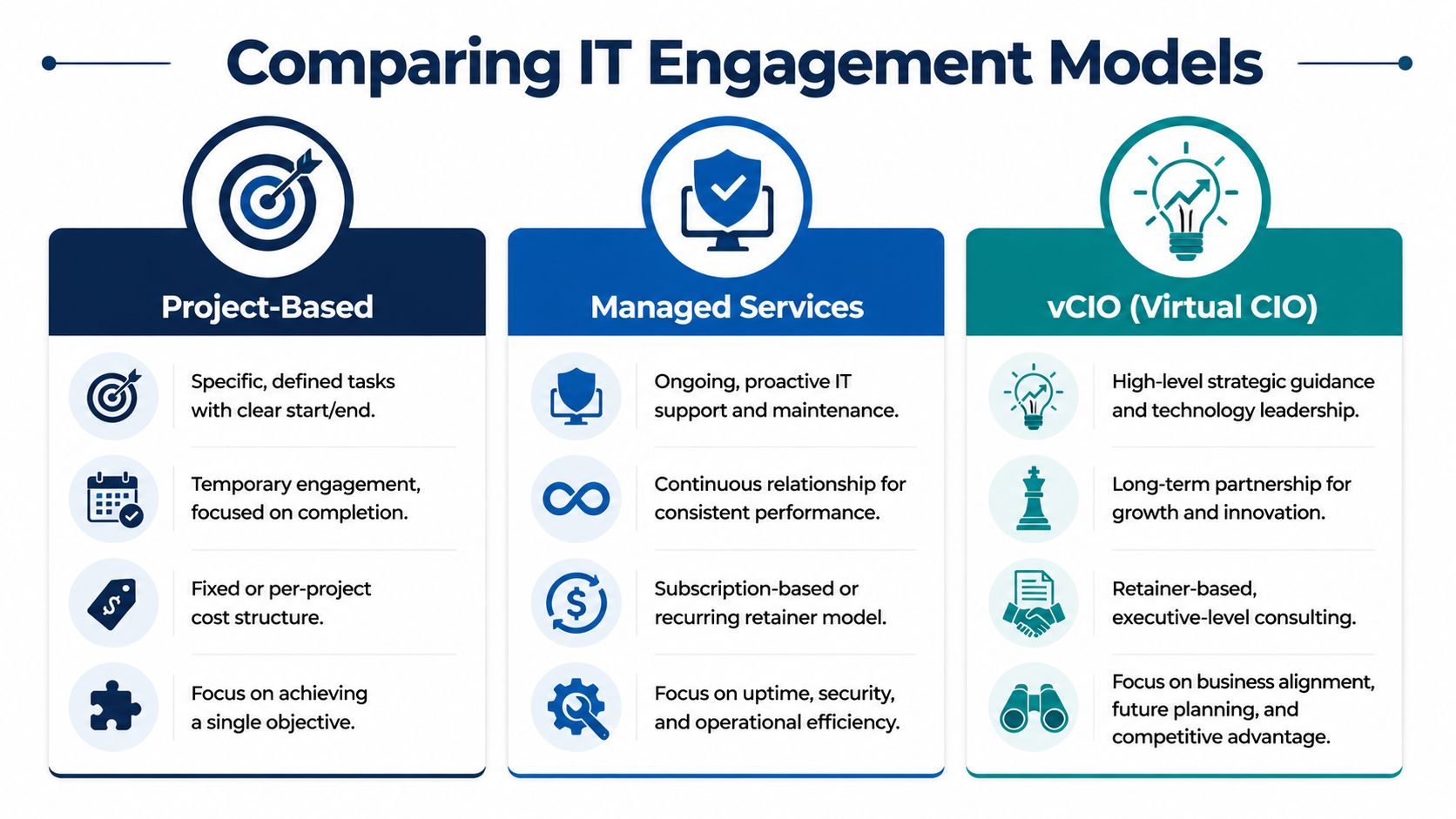
| Model | Best For | Scope | Pricing |
|---|---|---|---|
| Project-Based | A specific initiative such as an office move, cloud migration, security assessment, or Microsoft 365 cleanup | Defined deliverable with a start and end | Usually fixed-fee or per-project |
| Managed Services | Businesses that need ongoing support, maintenance, security, and operational stability | Continuous monitoring, support, administration, and improvement | Usually recurring monthly fee |
| vCIO | Organisations that need strategic leadership without hiring a full-time executive | Technology planning, budgeting, governance, vendor guidance, and roadmap reviews | Usually retainer-based |
Project work is ideal when the business knows the outcome it wants. You may need to relocate offices, modernise your network, review your security posture, or prepare systems for a merger. The work is finite, and success is tied to delivery.
This model works well when your internal team can handle day-to-day support but needs specialist guidance for a defined challenge.
Managed services are different. They're designed for ongoing operational health, not one-off change. For Canadian mid-sized businesses, a complete managed IT contract should include six core functions: a 24/7 Canada-based help desk, proactive monitoring, layered security (EDR/MDR/MFA), Microsoft 365 administration, tested disaster recovery, and a vCIO for quarterly strategic reviews, according to Fusion Computing's guidance on managed IT services.
That list is useful because it gives leaders a benchmark. If a provider offers “managed IT” but leaves out strategic reviews, disaster recovery testing, or layered security, the service may be narrower than it first appears.
A virtual CIO, or vCIO, gives you executive-level IT guidance without adding a full-time leadership role. This model is valuable when the business needs stronger decision-making around budget, risk, compliance, vendor selection, and long-range planning.
Decision shortcut: If you need a single outcome, choose project-based. If you need stability every day, managed services usually fit better. If leadership needs technology direction, add vCIO support.
If you're weighing the support side of that decision, managed IT service options for mid-sized organisations can help frame what “ongoing” should really mean.
The value of IT consulting becomes clearer when you look at industry-specific pressure points. The technology may differ, but the pattern is the same: each sector has a few risks it can't afford to ignore, and a consultant helps build around them.
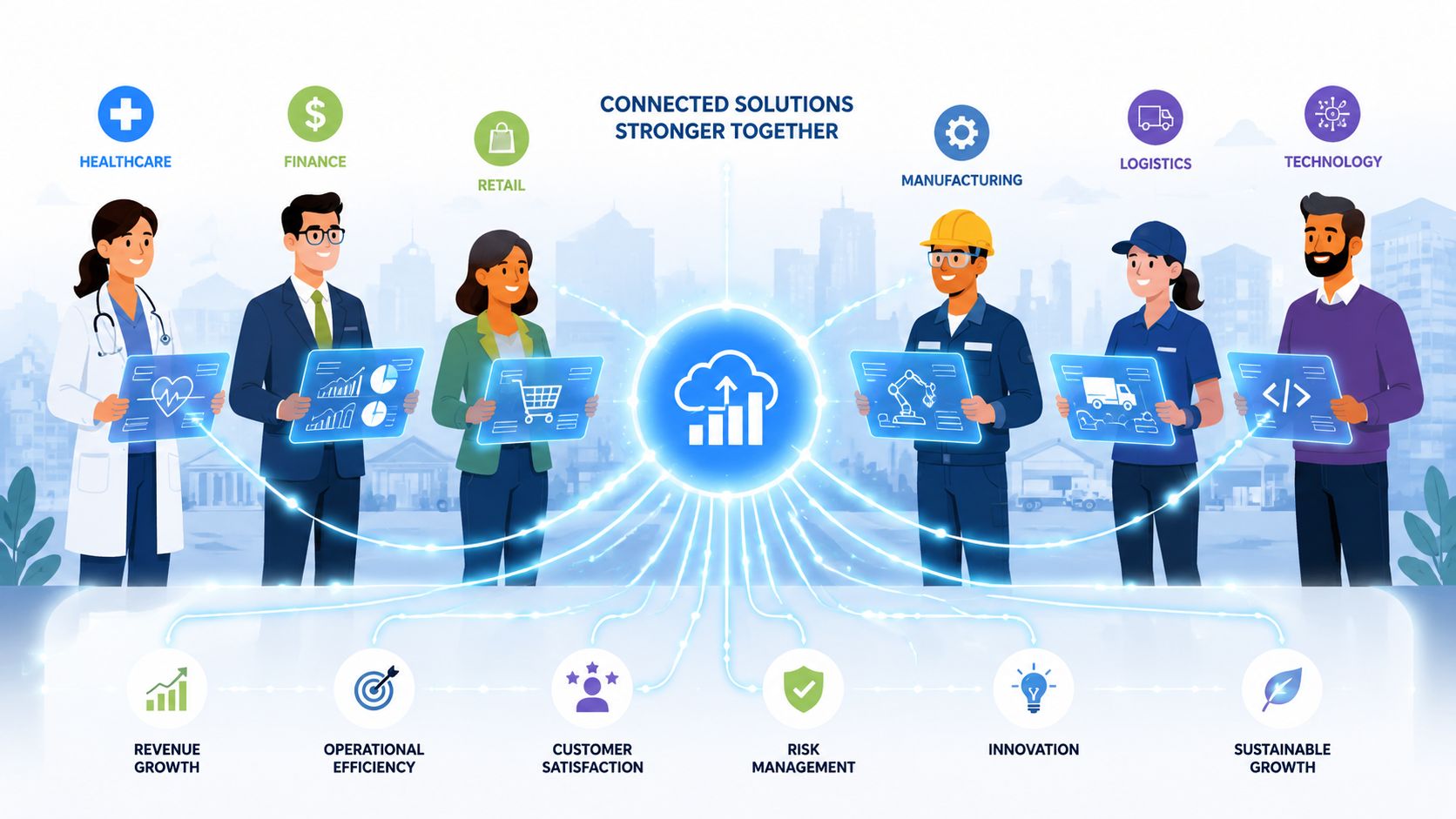
A clinic may already use electronic records, cloud email, and remote access for some staff. The problem isn't whether the tools exist. The problem is whether access is controlled properly, devices are managed consistently, and sensitive information is handled in a way that supports privacy obligations.
An IT consultant can review user access, endpoint security, backup practices, and workflow design. They can also help leadership make sense of where policy, training, and technical controls need to reinforce each other. For healthcare, that's often the difference between “we have systems” and “we have a defensible environment.”
Manufacturing leaders usually care less about trendy tech language and more about uptime. If plant staff lose connectivity to systems they rely on, production slows and frustration rises quickly.
A consultant in this environment looks at network resilience, device standardisation, backup readiness, and support processes that reduce interruption. They may also help separate office systems from production-critical systems so one issue doesn't spill into everything else.
These firms handle confidential documents, client communications, and regulated records every day. Their risk is less about dramatic infrastructure change and more about trust, confidentiality, and audit readiness.
Good IT consulting here often centres on secure collaboration, document access controls, email protection, retention policies, and practical user behaviour. The goal is to help professionals work quickly without exposing sensitive information through convenience shortcuts.
Construction teams often work across offices, job sites, mobile devices, and temporary setups. That creates a very different IT reality from a single-site office environment.
Consulting can help standardise remote connectivity, file access, device management, and communication systems so field teams and office staff stay aligned. In this sector, reliability matters just as much as sophistication. If field teams can't reach drawings, schedules, or project updates, technology has failed the business.
Logistics businesses need systems that can keep up with moving parts, changing schedules, and constant coordination. Delays in communication or poor system performance can ripple into customer service and operational planning.
A consultant may focus on cloud performance, network reliability across locations, secure remote access, and better integration between communication and operational systems. For a business under pressure to stay responsive, that work supports speed and consistency.
To explore sector-specific requirements in more detail, review industry-focused IT solutions for Canadian organisations.
Different industries ask different technology questions. Strong IT consulting starts by understanding the operational reality behind those questions.
One reason business owners hesitate on IT consulting is simple. They see a line item and ask whether it's really necessary. That's fair. But the better question is whether the current approach is already costing more through downtime, inefficiency, poor vendor decisions, or avoidable risk.

You'll usually see three broad pricing approaches:
The right model depends on whether your problem is occasional, transitional, or continuous.
In Canada, businesses that implement complete managed IT services with proactive monitoring and automated patching can reduce overall IT operational costs by approximately 25%, according to F12's guide to choosing the right managed services provider for Canadian SMBs.
That's a useful anchor because it shifts the conversation from “What does support cost?” to “What does operational inefficiency cost us now?”
ROI also includes factors that don't show up neatly in a single invoice:
A useful ROI lens: If professional IT guidance helps your team work with fewer interruptions, fewer security gaps, and fewer emergency purchases, the return is already larger than the hourly rate alone.
Choosing an IT consulting partner isn't just about technical credentials. You're choosing how your business will make technology decisions under pressure, during growth, and when compliance expectations tighten. The interview process should reflect that.
Start with relevance. Ask whether they've worked with organisations like yours and what challenges they typically see in your sector. A healthcare provider should hear about privacy, access control, and secure workflows. A manufacturer should hear about uptime, resilience, and operational continuity.
If the answers sound generic, that's a warning sign.
A capable firm should be able to explain how it learns your environment, documents risks, prioritises work, and introduces changes with minimal disruption.
Useful questions include:
The quality of early planning usually predicts the quality of the long-term relationship.
Don't settle for broad promises. Ask specific operational questions.
You're not trying to catch them out. You're trying to find out whether their model is proactive or reactive.
A strong provider should explain how they track issues, surface risks, review priorities, and communicate progress to leadership. That includes strategic reporting, not just a list of closed tickets.
The right partner doesn't just fix problems. They help you make better decisions before problems become urgent.
When you ask these questions, you'll usually see the difference quickly. Some firms talk mostly about tools. Better firms talk about business outcomes, accountability, and how technology decisions support your operations.
If your team is still asking what is IT consulting, the practical answer is this: it's the discipline of turning technology into a safer, more efficient, and more scalable part of your business. If you want a Canadian partner that can help you assess risk, improve operations, and build a clearer path forward, talk to CloudOrbis Inc..
September 24, 2026
Helpdesk vs Service Desk: Choosing the Right IT SupportHelpdesk vs service desk: understand the key differences and choose the right IT support model for your organization in 2026.
Read Full Post
September 23, 2026
DDoS Protection for Canadian SMBs: What Works in 2026Learn what DDoS protection really does, the latest Canada-specific threats, and a practical playbook for small and mid-sized businesses
Read Full Post
September 22, 2026
Security Audit Services Guide for SMBs in CanadaDiscover why security audit services are vital for Canadian SMBs. Explore typical scope, deliverables, timelines, and tips to choose the right provider.
Read Full Post
