Schedule a WhatsApp Message: Your Ultimate Guide
Learn to schedule a WhatsApp message on Android, iOS, and desktop. Covers WhatsApp Business, third-party apps, and essential tips. Get started today!

Learn to schedule a WhatsApp message on Android, iOS, and desktop. Covers WhatsApp Business, third-party apps, and essential tips. Get started today!

A receptionist at a Toronto clinic finishes the day, then remembers tomorrow’s appointment reminders still haven’t gone out. A logistics coordinator in Calgary wants order updates to land after dispatch, not whenever staff have a spare moment. Both teams are dealing with the same issue. Important messages need to reach people at the right time, without creating more manual work or introducing new risk.
That’s why more organisations want to schedule a WhatsApp message instead of relying on memory, sticky notes, or ad hoc follow-ups. The idea sounds simple. The implementation isn’t. For Canadian businesses, especially in healthcare, legal, finance, and other regulated environments, the primary question isn’t only how to schedule a message. It’s how to do it in a way that is reliable, secure, and defensible if someone audits your process later.
A scheduled WhatsApp message does more than save a few minutes. It gives Canadian businesses tighter control over timing, staff workload, and client response rates, especially where missed communication creates operational or compliance problems.
WhatsApp is no longer just a personal messaging app. It is now part of the day-to-day communication mix for clinics, field service teams, distributors, and customer support functions because clients read messages there. As of 2025, WhatsApp Business adoption among SMEs in healthcare and manufacturing reached 45%, with increased use for appointment reminders and order updates, according to WhatsApp business adoption data.
Timing has direct business value. A reminder sent the evening before an appointment can reduce no-shows. A delivery update sent after dispatch can prevent an avoidable support call. A payment reminder sent during business hours is more likely to be seen and acted on than one sent whenever a staff member finally has time.
For regulated Canadian SMBs, the benefit is bigger than convenience. Scheduled messaging creates repeatability. Repeatability makes it easier to document who sent what, when it was sent, and which process was supposed to govern that communication. That matters if your team handles patient information, client financial details, or other sensitive records and needs a process that stands up to internal review. This is the kind of operational planning we address in IT strategy and consulting engagements for growing Canadian businesses.
Email still matters, but it is often slower for time-sensitive operational messages. The same source reports email open rates around 20 to 22%, compared with WhatsApp open rates near 98%. For reminders, confirmations, and planned status updates, that difference can materially improve response speed.
The operational gains are straightforward:
One caution applies here. Scheduling is best for expected reminders, follow-ups, and routine updates. It should not be used as a substitute for urgent incident communication or live event notifications that depend on real-time staff judgment.
The upside is clear, but the method matters.
A retail shop sending simple pickup reminders has different requirements than a physiotherapy clinic discussing appointment details, or a mortgage broker confirming document deadlines. In regulated sectors, the wrong setup can create data exposure, weak audit trails, uncontrolled device access, or third-party processing issues that were never properly reviewed.
That is why scheduling WhatsApp messages should be treated as an operational control, not just a productivity feature. The right approach can improve responsiveness and reduce manual effort. The wrong one can leave your business with privacy gaps, inconsistent delivery, and a process that is hard to defend after a complaint, breach review, or compliance check.
Before you pick a tool, decide what problem you’re solving. Are you sending a few planned reminders from one device? Do you need repeatable scheduling across teams? Are you handling personal health information or other sensitive client data? Those answers change the right approach.
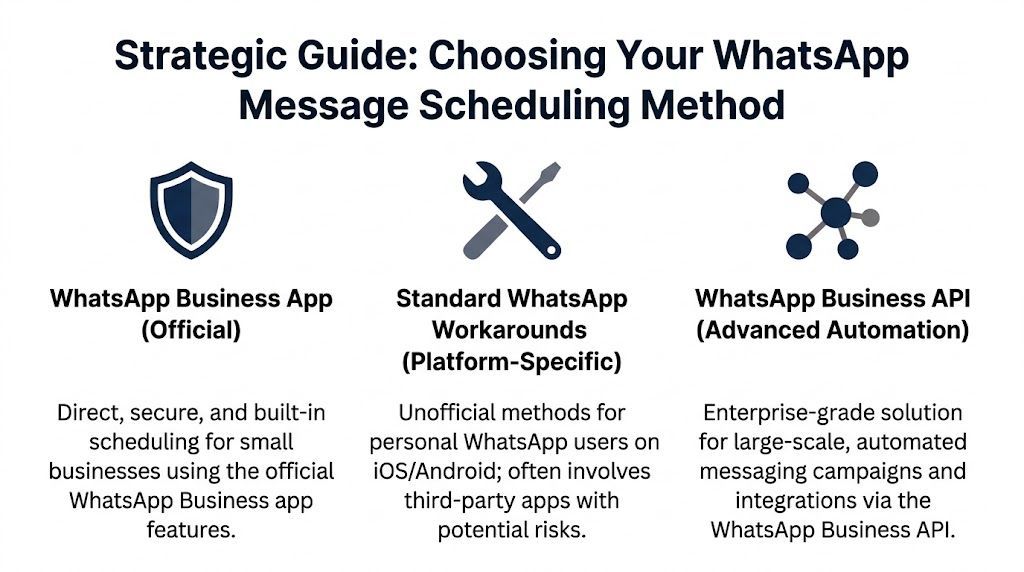
Most businesses end up evaluating three options:
| Method | Best fit | Main strength | Main weakness |
|---|---|---|---|
| WhatsApp Business app | Small teams with straightforward needs | Official and simple | Limited for scale and workflow control |
| Third-party workaround tools | Personal or low-stakes use | Quick to try | Security, reliability, and policy risk |
| WhatsApp Business API | Growing or regulated businesses | Scalable and controllable | Requires technical setup and governance |
A lot of guides frame this as a feature comparison. In practice, it’s a risk and operations decision.
Use the native business app if you want the cleanest starting point and your needs are modest. It’s the least complicated route and avoids many of the permission issues that come with unofficial tools.
Avoid third-party workarounds for business use if your messages involve customer records, patient information, internal approvals, or anything you’d rather not expose to a loosely governed mobile app. These tools can be tempting because they look fast and cheap. They also tend to be the first thing to break when operating systems or app permissions change.
Use the API when scheduling has to become part of a business system, not just a person’s phone habit. That’s the right path when messages need auditability, queue management, template approval, CRM integration, or coordination with broader systems. If your leadership team is already reviewing communications as part of digital operations planning, then IT strategy and consulting services usually become relevant.
The fastest setup is rarely the safest setup. For business messaging, that trade-off matters more than most teams expect.
Ask these questions before you commit:
A clinic manager in Ontario does not need another workaround on a staff member’s phone. They need messages to go out on time, from the right business account, with fewer failure points and less exposure to privacy problems. That is why the official WhatsApp Business route is the right starting point for many Canadian SMBs, especially if missed reminders, follow-ups, or service updates affect revenue or client care.

Before your team uses date-and-time scheduling, configure the automation tools already included in WhatsApp Business:
These features do not replace scheduled sends. They reduce manual effort, improve consistency, and help small teams avoid turning every routine reply into a custom task.
With the native scheduled messages feature rolling out in Canada in early 2026, WhatsApp Business now gives some organizations an official way to queue messages inside the app instead of depending on third-party tools. Users can long-press the send button, choose Schedule, and set a specific date and time.
The message is queued locally in the app. That design reduces dependence on accessibility permissions and other fragile workarounds that often break after mobile OS changes. Reported delivery performance has also been stronger for the native method, with a 91% delivery success rate compared with 78% for third-party apps Canada rollout details for WhatsApp scheduled messages.
For regulated organizations, that distinction matters. A reminder that sends late is an operational problem. A reminder that fails because an unofficial app lost permissions can become a service issue, a documentation gap, or a client trust problem.
For a small business team, the setup is straightforward:
Keep message content disciplined. For healthcare, legal, and financial teams in Canada, scheduled messages should usually contain appointment logistics, confirmations, or neutral service information, not detailed personal or health data. PHIPA, PIPEDA, and client confidentiality obligations do not disappear because the message was convenient to send.
If you are assigning a dedicated number to a reception desk, care coordinator, or shared service role, sort out number ownership early. Teams often overlook that step until a staff change creates access and continuity problems. A practical reference on utilizing a virtual number for WhatsApp Business can help when you want business messaging separated from personal devices.
Native scheduling in WhatsApp Business works well when one person or a small team sends straightforward messages directly from the app, and when the business wants official functionality without adding API complexity.
It is less suitable when messages need approvals, audit trails, shared visibility across departments, or triggers from booking systems, CRMs, or internal workflows. In those cases, the scheduling question stops being about one app feature and becomes a process design issue. Businesses that reach that point usually need software and workflow management to reduce manual handling, improve accountability, and keep communications under clearer operational control.
A lot of people asking how to schedule a WhatsApp message are still using the standard app, not WhatsApp Business. There are ways to approximate scheduling on iPhone and Android. They exist. They can work. They’re also the wrong default for business communication.
On iPhone, users often build a personal automation in Apple Shortcuts. The idea is simple: create a trigger at a certain time, attach an action, and prompt or prepare the message flow.
That can be acceptable for personal reminders or low-risk communication. It is not ideal for business-critical messages because automations can behave differently based on device settings, user prompts, and OS behaviour. A business process shouldn’t depend on whether one employee’s phone is configured perfectly that week.
On Android, many scheduling apps depend on accessibility permissions to simulate sending actions in WhatsApp. Tools in this category are popular because they seem convenient. The trade-off is serious. To work, they often need broad access to your device behaviour and message flow.
That creates three problems for business use:
If a workaround needs broad accessibility access to mimic taps and sends, treat it as a consumer trick, not a business system.
There is a limited place for these approaches:
They are a poor choice for clinics, law offices, finance teams, or any organisation that would need to explain its message handling process to a regulator, insurer, or client.
Even when the content itself seems harmless, these methods increase exposure on the endpoint. If staff are using mobile devices for business messaging, the phone itself becomes part of your security boundary. Basic controls matter, and a quick review of how to secure your business smartphone in 5 minutes is worth making part of your mobile policy.
The short version is simple. Workarounds are fine for personal convenience. They are not a responsible long-term method for business communication.
Once scheduling needs to happen at volume, across teams, or under compliance controls, the app stops being enough. In such scenarios, the WhatsApp Business API becomes the serious option.
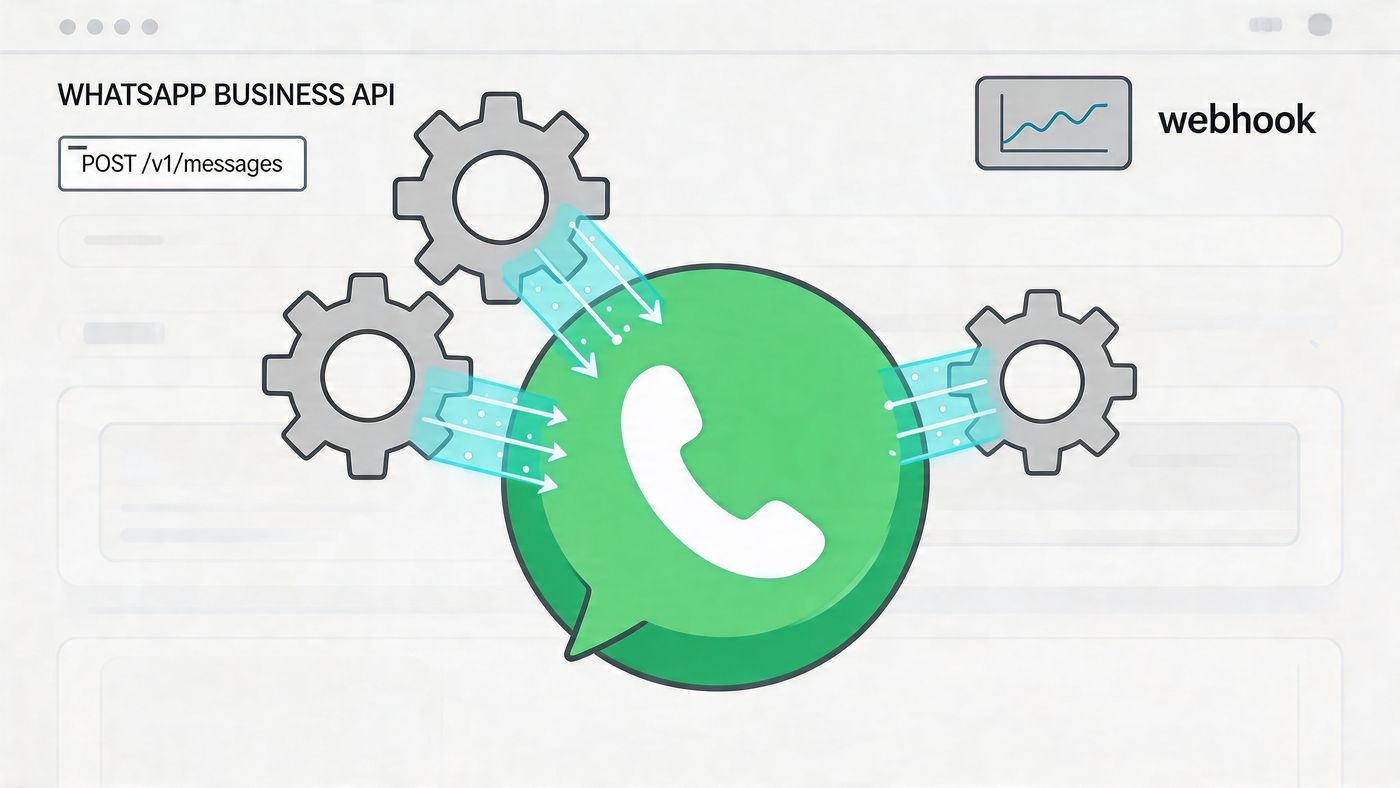
The API moves scheduling from “someone sets a message on a phone” to “the business operates a controlled messaging workflow.” That means you can connect scheduled messages to booking systems, CRMs, queues, and internal triggers.
For Canadian healthcare providers, developer guidance on scheduling via the WhatsApp Business API states that an event-driven architecture outperforms basic methods by 40% in latency. The same source notes this method can support a 35% reduction in patient no-shows and requires pre-approved message templates to stay aligned with privacy obligations such as PHIPA.
A dependable API setup usually includes these elements:
This structure matters because scheduled messaging fails in predictable ways. Time zone mistakes, duplicate sends, queue loss after restarts, and brittle retry logic all show up quickly when message volume grows.
Polling can work for very small jobs. It becomes less attractive as operational load grows. Event-driven systems are better suited to high-volume reminders and workflow-triggered communication because they reduce delay and improve control over message state.
Build for message state, not just send time. A scheduled reminder isn’t complete until the system can show whether it was pending, processing, sent, or failed.
This is also where process automation overlaps with broader operational improvement. Teams that are already modernising internal workflows usually find that messaging should be integrated, not bolted on later. The same thinking behind streamlining business processes applies here. A reminder engine should fit into the rest of your operating environment, not sit outside it as a disconnected tool.
A clinic sends appointment reminders through WhatsApp. The messages go out on time, patients respond, and the workflow looks efficient. Then a privacy review asks where message content was stored, who approved the templates, whether consent was documented, and which system can prove what was sent. That is where many Canadian SMBs discover that scheduling was the easy part.
For regulated organisations, the question is not whether WhatsApp can send a scheduled message. Instead, the pertinent inquiry is whether your method stands up to privacy obligations, internal policy, and an audit.
In healthcare, that risk is already visible. A 2025 Canadian compliance summary on WhatsApp scheduling risks reported that 68% of clinics in Toronto and Calgary use WhatsApp for reminders, while 42% were at risk of non-compliance, and warned that using unencrypted third-party schedulers can lead to fines up to CAD 200,000 under Ontario’s PHIPA 2025 Canadian compliance summary on WhatsApp scheduling risks.
The main problem is loss of control.
Some scheduling tools require broad access to contacts, notifications, storage, or accessibility settings. That may be tolerable for personal reminders. It is harder to justify in a business that handles patient details, legal matters, financial records, or other confidential information. If the tool stores message content outside your approved systems, your privacy posture weakens immediately.
Auditability is another weak point. If a patient disputes a reminder, or a regulator asks how a message was triggered, consumer-grade schedulers often cannot show a reliable record of who scheduled it, what wording was approved, whether the send failed, or whether a follow-up exposed sensitive information. In practice, that leaves staff reconstructing events from phones and screenshots.
Policy drift follows quickly. Without clear controls, staff start improvising. One employee sends a neutral reminder. Another includes personal health details. A third copies and pastes prior chat history into a scheduled message. The tool may still "work," but the process no longer matches PHIPA, PIPEDA, internal retention rules, or client confidentiality commitments.
Technology alone does not solve this. Teams need written rules for consent, approved use cases, message content, escalation paths, retention, and device handling. A documented standard also makes training easier and reduces the chance that each department invents its own texting habits.
A practical starting point is a formal Client Texting Policy. It helps convert ad hoc mobile messaging into a controlled business process with clear accountability.
For Canadian SMBs, the trade-off is straightforward. Native or workaround-based scheduling may be acceptable for low-risk reminders with minimal data and strict staff discipline. Once messages touch regulated information, shared devices, multiple staff, or system integrations, the safer route is to tighten controls or move to a managed API-based design.
That decision should sit within your broader data security management strategy. Device management, access control, logging, retention, backup, and incident response all affect whether WhatsApp scheduling is merely convenient or properly defensible in a regulated environment.
To schedule a WhatsApp message effectively, you need more than a button. You need the right method for your environment.
For small teams, official WhatsApp Business features are often the best starting point. For personal use, platform-specific workarounds may be acceptable, but they aren’t strong enough for serious business communication. For regulated organisations and growing operations, the WhatsApp Business API is the route that gives you control, scale, and a better compliance posture.
The main mistake is choosing based only on convenience. Message timing affects service quality, but the way you implement scheduling affects security, accountability, and operational resilience. In Canadian sectors such as healthcare, manufacturing, logistics, legal, and finance, that distinction matters.
If you’re planning to introduce WhatsApp scheduling into a business workflow, treat it like any other business system. Define the use case. Protect the data. Pick the right architecture.
If your team needs help designing a secure, compliant way to automate client messaging, CloudOrbis Inc. can help you assess the right approach, whether that means tightening mobile workflows, planning a governed WhatsApp Business rollout, or building an API-driven process that fits your broader IT environment.
Book a 30-minute call with a senior engineer. No sales script, just straight answers about your environment.


