Managed IT Services New York City: 2026 Guide
Find the best managed IT services New York City has to offer. Learn about pricing, compliance, and vendor selection in this 2026 guide.

Find the best managed IT services New York City has to offer. Learn about pricing, compliance, and vendor selection in this 2026 guide.
A server outage in a New York office doesn't wait for a convenient moment. It hits while invoices are going out, a client is waiting on a contract, and staff are already asking why email is down again. That's why managed IT services New York City buyers keep moving away from break-fix support and towards partners who can keep systems steady, secure, and accountable.
The market itself explains the pressure. One 2026 analysis of 55 verified providers found that only 21, or 38.2%, were headquartered in the five boroughs, while 18 providers, 32.7%, were headquartered outside New York State and 16, 29.1%, were in upstate New York or suburban Long Island and Westchester locations (NYC managed IT market analysis). In a city where regulated work and customer expectations move fast, that local presence question isn't cosmetic.

A Tuesday morning outage in Manhattan can eat half a workday before anyone pins down the source. By the time an internal team has checked the server, reviewed tickets, and chased the right vendor, client work is already slipping. In New York City, that delay affects more than convenience, it can hit revenue, create compliance exposure, and shake confidence with customers who expect fast answers.
The provider market makes the problem harder. Buyers see plenty of firms that say they serve New York, but a local label does not always mean local depth. A market analysis of verified providers showed that only 21 of 55 verified providers were headquartered in the five boroughs.
For healthcare, legal, and finance firms, that gap matters. These teams need a provider that can understand local workflow pressure, respond quickly, and handle identity issues, mailbox failures, or backup problems without turning every incident into a long escalation chain. A real NYC presence improves the odds of that kind of operational closeness.
The practical question is straightforward. Buyers should ask whether a provider serves New York City or operates like a New York City partner. Response speed, local accountability, and familiarity with regulated work separate the firms that fit the city from the firms that advertise here.
Managed IT services also give New York companies a better fit for the way work happens here. Offices are dense, vendors overlap, hybrid staff depend on stable systems, and one missed handoff can affect several departments at once. What managed IT services include becomes more important in that environment because support has to cover monitoring, maintenance, security, and escalation in a coordinated way, not as disconnected fixes.
Managed IT services are an outsourced IT function built for ongoing oversight, not occasional rescue. A provider takes on the recurring work that keeps systems stable, then escalates only when an issue needs hands-on intervention. The practical value is continuity, because problems are watched, handled, and documented as part of one operating model.
For most New York City businesses, the core scope starts with 24-hour network monitoring and end-user help desk support. It usually extends into patch management, antivirus and endpoint security, backup and disaster recovery oversight, network and firewall administration, Microsoft 365 management, and vendor coordination (service scope summary). Many providers also include virtual CIO advisory services, which matters when leadership needs planning help, not only break-fix response. If your team is also planning infrastructure changes, it can be useful to choose a cloud modernization partner that can align with the managed service model instead of working around it.
Practical rule: If a provider cannot tell you who owns patching, backups, Microsoft 365, and vendor escalation, you are not buying managed service. You are buying a vague support promise.
That scope matters because it ties separate IT tasks into one operating rhythm. Monitoring finds trouble earlier, patching closes known gaps before attackers use them, and backup oversight shortens recovery when mailboxes, endpoints, or file shares fail. In a busy office, that difference shows up as fewer interruptions, less finger-pointing, and clearer ownership when something breaks.
A simple way to judge fit is to map the service list to your actual pain points. If your team struggles with user tickets, Microsoft complexity, and backup confidence, the package should address those directly instead of hiding them behind broad language. If it does not, the contract is probably wider than the service behind it.
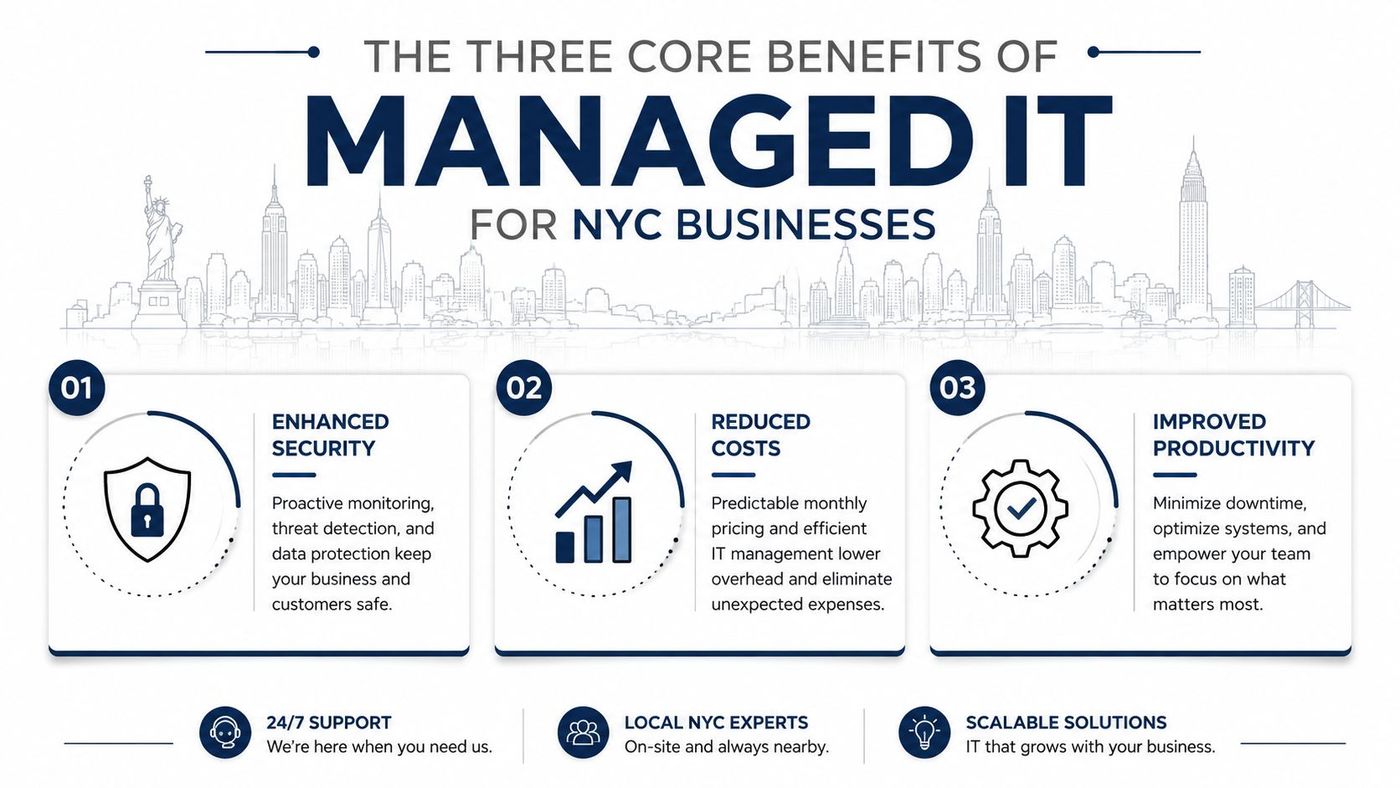
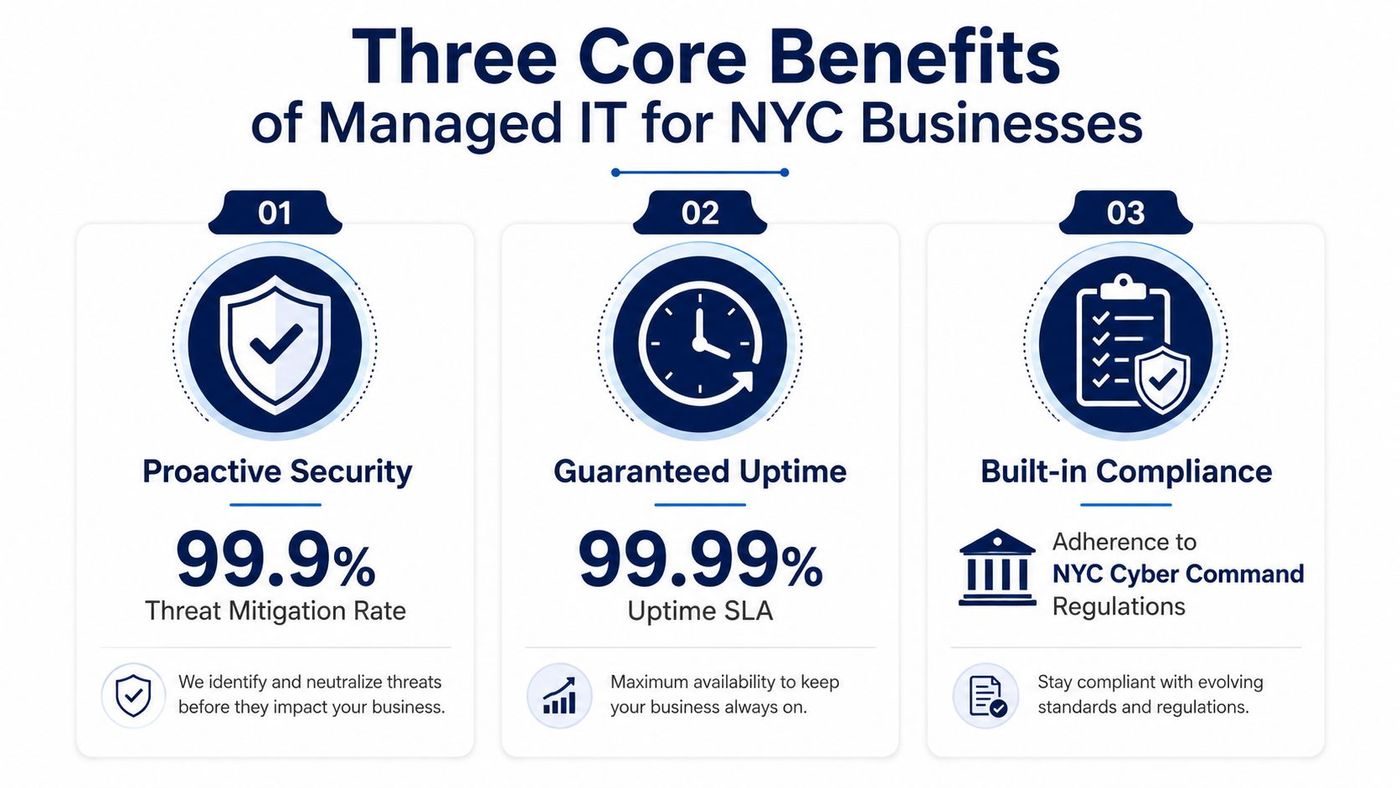
The value in New York City usually lands in three places, security, uptime, and compliance. Those aren't abstract buzzwords here, they're the difference between a stable operating rhythm and a week of avoidable friction. The city's providers commonly bundle 24/7 network monitoring, EDR, threat detection, patch management, Microsoft 365 administration, backup and disaster recovery, and compliance services into one model (NYC provider overview).
Continuous telemetry and scheduled patching reduce how long endpoint and identity threats can sit unnoticed. That matters in an environment where email compromise, device loss, and account misuse can move quickly across a distributed workforce. The win is not glamour, it's less time spent cleaning up problems after they've already spread.
New York companies don't operate in a slow lane. Delivery windows, client meetings, and after-hours service commitments all punish downtime, even when the outage is brief. Managed service teams that monitor around the clock are built to catch issues before they become interruptions.
For finance and healthcare, controls around access, logging, backup, and recovery aren't optional extras. They need to be part of the way the environment is run every day, not added after a problem appears. That's why vendors who bundle compliance with operations usually fit regulated buyers better than generalist support shops.
If your environment is tangled with Microsoft, cloud tools, and fragmented ownership, it can also help to choose a cloud modernization partner who understands governance, not just migration. The point is to reduce moving parts before those parts start competing for attention.
CloudOrbis's managed IT services benefits overview fits that same logic, since the question is whether the service model reduces noise, lowers risk, and keeps the business moving.
Different sectors face different headaches, and generic support rarely covers them well. Healthcare teams think in terms of access controls and auditability, finance teams think in terms of change control and recovery testing, and education teams think about scale, user access, and keeping networks usable across many locations. The service needs overlap, but the operational pressure points don't.
| Industry | Key Regulations | Critical IT Requirements |
|---|---|---|
| Healthcare | HIPAA | Encryption, role-based access, audit logging, backup discipline |
| Finance | FINRA, SEC | Change management, transaction oversight, disaster recovery testing |
| Education | FERPA | User access control, network security, large-scale support across campuses |
Healthcare organisations usually need tight control around protected information, and that shapes almost every decision on devices, file access, and logging. Finance firms need stronger discipline around system changes and recovery evidence because downtime and data issues can affect client trust and oversight requirements. Education has a different challenge, which is helping large user populations stay connected without opening the door to avoidable risk.
The mistake many buyers make is assuming one support model fits all three. It doesn't. A provider that handles general tickets well may still be weak on the compliance routines, documentation habits, or escalation structure that regulated sectors require.
CloudOrbis's industry pages are a useful example of how sector-specific service thinking should look in practice, since the needs of a clinic, a law office, and a campus network are not interchangeable. That specificity is what separates real managed service from generic helpdesk coverage.
New York City adds a layer of operational reality that many outside providers underestimate. Physical responsiveness still matters, especially when a team needs hands-on support for user devices, network gear, or environment changes that can't wait on a remote queue. Local buyers also care more and more about vendor consolidation, platform governance, and who owns the Microsoft stack.
That shift makes sense in hybrid environments. Teams don't just need someone to “support Microsoft 365”, they need help deciding how to control sprawl, manage Azure complexity, and keep one accountable partner responsible for outcomes instead of a chain of specialists. In the city, where operational interruptions tend to surface fast, the governance question is often more important than the sales pitch.
NYC government material shows why resiliency is a city-level issue, not just an IT preference. The city's digital service-delivery work during COVID had to coordinate broadband, hotline, portal, and shelter connectivity operations across the city, which highlights how quickly technology becomes a public service dependency in dense urban settings (DoITT report). That same resilience mindset applies to private business.
A provider that only sells a “single monthly plan” is easy to find. A provider that can define ownership boundaries, measurable outcomes, and Microsoft licensing discipline is harder.
That gap is exactly where buyers should push harder. Ask who owns platform governance, who tracks licensing waste, and how the provider handles overlap between internal IT, cloud specialists, and security vendors. If those answers stay vague, the service model is probably built for volume, not clarity.
Pricing in New York City should be judged against both labour cost and service depth. One NYC comparison says managed IT services can cost 50% to 70% less than building an equivalent in-house IT team for businesses with 20 to 250 employees, and that a single experienced IT professional in Manhattan can start around $85,000 to $120,000 before benefits, taxes, and tools (cost comparison). That benchmark is useful because it turns the discussion from guesswork into budgeting.
The most common pricing shapes are per-device and per-user. Per-device tends to suit smaller or hardware-heavy offices, while per-user works better when people move between laptops, phones, and cloud tools. Either way, the contract should tell you what's included, what triggers extra work, and where the provider stops owning the issue.
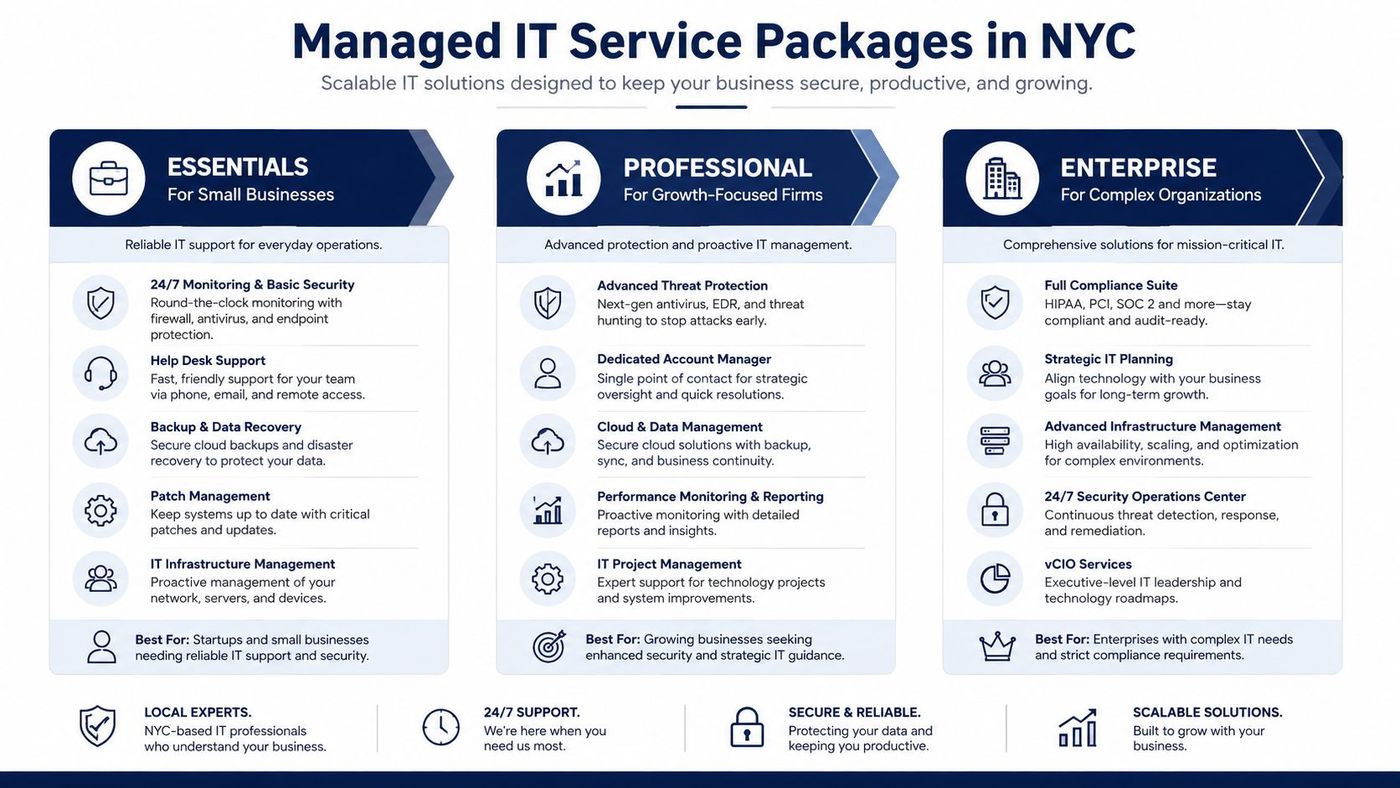
These labels vary by provider, but the logic is usually similar. Entry-level plans focus on keeping the lights on, mid-tier plans add more security and administration, and advanced plans support compliance, planning, and governance. A good proposal should make that progression obvious.
If a quote looks cheap but leaves out patching cadence, backup oversight, or escalation terms, the cost will show up later. In NYC, that hidden cost usually appears as downtime, duplicated tools, or a second vendor brought in to fix what the first one didn't own.
Vendor selection is where many buyers lose ground. The market is crowded, and directories often sort providers by local presence, cybersecurity maturity, and service reliability across the five boroughs, which is exactly how a disciplined buyer should think as well (directory ranking model). A glossy website isn't enough.
Start with the basics. Ask whether they have a local team you can reach, what their response times look like for urgent issues, and whether they've supported organisations in your industry. Then push deeper on compliance, escalation paths, and how they document ownership across tickets, vendors, and Microsoft environments.
Practical rule: If the answer to a straightforward question sounds like marketing, the contract probably will too.
The best checks are usually concrete. Ask for client references in your sector, sample service reports, and an explanation of what happens if the first response doesn't solve the issue. A provider that can't describe its own escalation process usually won't be reliable when the clock is running.
CloudOrbis's managed services questionnaire is a helpful reference point for structuring those conversations, especially if you want to compare proposals on more than price. The goal is to sort real operational maturity from broad claims.
Red flags are easy to spot once you know what to watch for. Vague SLAs, no transparent pricing, no verifiable NYC experience, and no clear ownership boundaries all point to trouble. If the provider can't explain its work in plain language, it probably can't run your environment cleanly either.
A good onboarding process should reduce noise, not create it. The cleanest transitions start with assessment, move through device and account discovery, then roll into monitoring, backup validation, and optimisation once the environment is stable. For most buyers, the hard part isn't the technology, it's agreeing on who owns each step.
Remote support can work well for New York City businesses when the provider combines strong monitoring with sensible escalation and local responsiveness. That's especially true for firms that don't need constant onsite visits but do need fast action when identities, endpoints, or cloud services misbehave. The remote model succeeds when it feels coordinated, not distant.
It also helps when the provider understands the difference between ticket handling and operational ownership. Some shops answer calls quickly but don't resolve the cause. Others are slower to respond but build a cleaner environment over time.
For businesses evaluating a remote or nearshore model, remote monitoring and management should be judged by what it changes operationally, not by how modern it sounds. If the provider can't prove visibility, escalation discipline, and documentation, the distance will show up at the worst moment.
The question for NYC buyers is simple. Do you want another vendor that reacts, or a partner that helps you run a tighter environment with fewer surprises? If you're still relying on ad hoc fixes, scattered cloud support, and one overworked internal contact, the transition case is probably already there.
If your team is weighing a move to managed IT services New York City, CloudOrbis Inc. can help assess your current setup, define what should stay in-house, and build a support model around monitoring, security, cloud, backup, and strategic guidance. Visit CloudOrbis Inc. to review your options and start a conversation about a cleaner, more accountable IT operating model.
Book a 30-minute call with a senior engineer. No sales script, just straight answers about your environment.


