Unlock Business Growth with Expert IT Help Desk Services
Transform your Canadian business with a professional ITs help desk. Explore its benefits, functions, & find the ideal partner for your needs.

Transform your Canadian business with a professional ITs help desk. Explore its benefits, functions, & find the ideal partner for your needs.
Think of an IT help desk as the mission control for your company’s technology. It is the single, centralized hub where every tech issue, from a forgotten password to a network-wide outage, is logged, tracked, and resolved.
A modern help desk is far more than a reactive fix-it crew. It acts as a proactive, strategic partner dedicated to keeping your operations running smoothly.
Imagine an air traffic controller, but for your organization's technology. Instead of planes, they manage a constant flow of user requests, system alerts, and technical problems. The primary role of an its help desk is to serve as this single point of contact, transforming potential tech chaos into a structured, predictable system.
This centralized approach ensures nothing falls through the cracks. Whether an employee needs help installing software, cannot connect to the network, or spots a potential security threat, they have one clear place to turn. This system is especially vital for medium-sized organizations in Canada, where every minute of downtime directly impacts the bottom line.
A help desk does much more than answer calls and emails. Its true mission is to restore normal operations for your team as quickly as possible while minimizing business disruption. This involves a spectrum of activities designed to maintain stability and support your staff effectively.
Let’s look at the core functions that transform a help desk from a simple repair shop into a proactive business asset.
| Function | Description | Business Impact |
|---|---|---|
| Incident Management | Logs, prioritizes, and resolves user-reported issues and system-generated alerts. | Minimizes downtime and restores employee productivity quickly. |
| Service Request Fulfilment | Handles routine tasks like setting up new user accounts or granting access to specific software. | Streamlines common IT processes and ensures employees get what they need without delay. |
| Knowledge Management | Creates and maintains a database of common problems and their solutions for faster resolution. | Speeds up troubleshooting for recurring issues and empowers users with self-service options. |
| User Support & Guidance | Provides employees with the information and training they need to use technology effectively. | Reduces repeat tickets, increases user confidence, and improves overall digital literacy. |
By centralizing these functions, the IT help desk provides a clear, organized process for every technology need. For a deeper dive into its role, you can explore our detailed guide on the fundamentals of a help desk for IT support.
An effective help desk does not just solve today's problems; it analyzes them to prevent tomorrow's crises. By tracking recurring issues, it can identify weak points in your IT infrastructure, recommend system upgrades, and inform employee training programs, turning reactive support into a proactive business strategy.
Let's picture a mid-sized accounting firm in Calgary during the peak of tax season. An employee suddenly cannot access a critical financial application, bringing their work to a complete stop.
Without a help desk, they might waste precious time asking colleagues for a solution or trying to track down a busy internal IT person. This creates a productivity bottleneck when every minute counts.
With an IT help desk, the process is entirely different. The employee submits a ticket through a simple portal. The help desk team immediately receives the request, assesses its urgency (high, given the time of year), and assigns it to a specialist. Within minutes, someone is working on the issue, the employee is kept informed, and the problem is resolved according to a predefined service agreement.
This structure turns a potentially costly disruption into a minor, managed event.
So, you have encountered a tech problem. What happens after you submit a request for help? It is not magic, it is a highly organized process designed to restore productive calm from workplace chaos.
This journey, from initial frustration to a final, documented resolution, is the heart of what a great its help desk does. It all begins the moment an employee realizes something is wrong. Instead of interrupting a colleague and derailing their focus, there is a clear path to getting support, whether through a portal, an email, or a simple desktop application.
The diagram below provides a high-level view of this flow, showing how a user’s tech issue is channelled into an orderly system.
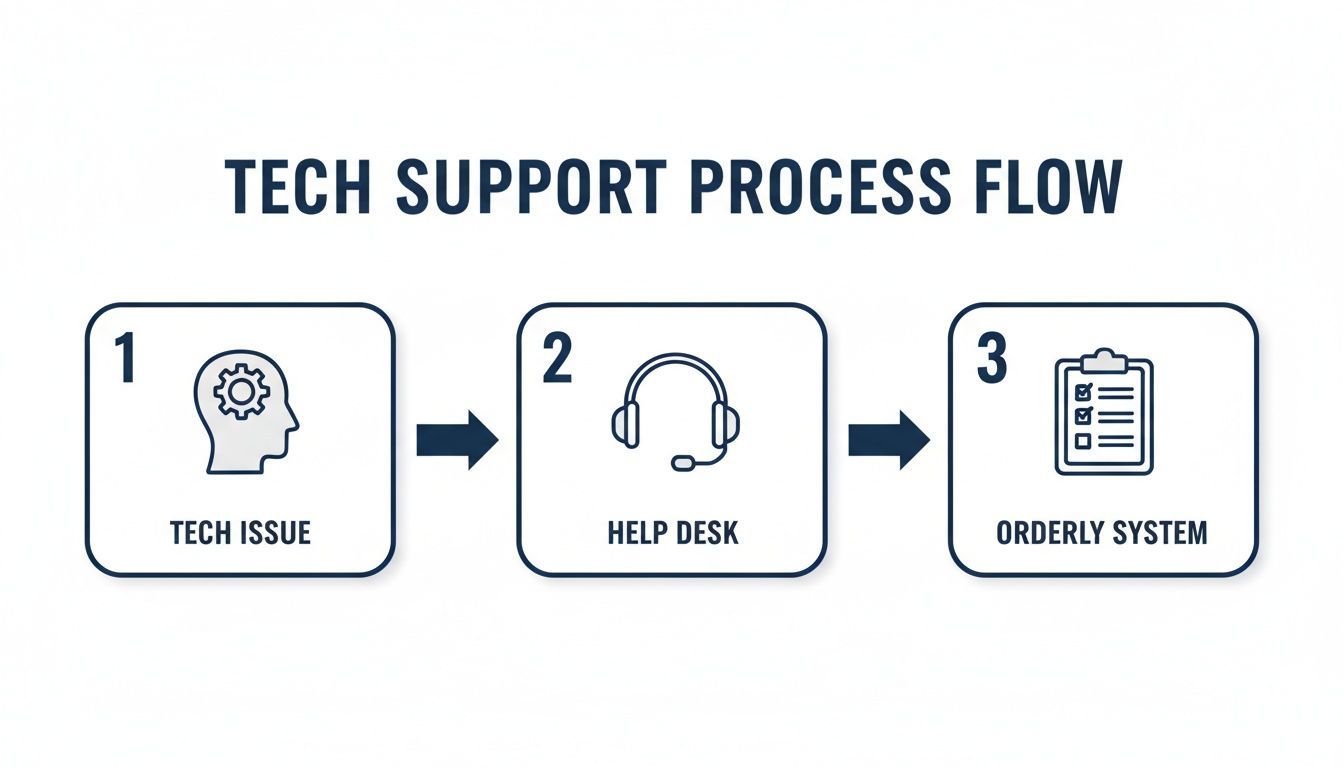
This illustrates the shift from isolated panic to a systematic resolution handled by professionals.
The first step in the help desk process is ticketing. When you report an issue, a support ticket is created. To make this as smooth as possible, many businesses use quality support ticket templates to ensure all the right information is gathered from the start.
Think of this ticket as the official record for the problem. It logs the essentials: who is affected, what is going wrong, and when it started. A modern help desk makes submitting a ticket simple. Once it’s in the system, it receives a unique tracking number, and an automated reply is sent. That confirmation lets you know your request has been received and is in the queue.
Once a ticket is logged, it moves into triage. This is the IT support equivalent of an emergency room. A technician quickly reviews the new ticket to determine its urgency and impact. For instance, one person being unable to print is a problem, but an entire accounting department being locked out of their software during month-end is a crisis.
Based on that assessment, the ticket receives a priority level. This is crucial for ensuring the most critical fires are extinguished first, while smaller issues are handled in an orderly fashion. Effective triage keeps a company's resources focused where they are needed most, minimizing disruption across the board.
Service Level Agreements (SLAs) are the rules that govern this entire process. An SLA is a formal agreement between your business and your IT provider that defines guaranteed response and resolution times. For example, an SLA might state that a high-priority issue will receive a response within 15 minutes, while a low-priority one will be handled within four hours. This gives your business predictable and reliable support.
After triage, a technician begins working on the problem. The goal is always a "first-contact resolution", fixing the issue immediately without needing to hand it off. They will use their expertise and a knowledge base of past solutions to troubleshoot the issue.
However, not every problem is straightforward. If an issue is unusually complex or requires a specialist’s touch, it is escalated. This means passing it to a senior technician or a team with deeper expertise, like network engineers or cybersecurity analysts. This tiered system ensures the right expert is always on the job, saving everyone time. As more businesses depend on specialized cloud tools, having a partner that provides this kind of expert remote support is essential.
Throughout the resolution process, the help desk keeps you informed with updates. Once the problem is fixed, the solution is documented in the ticket, and the technician confirms with you that everything is back to normal. Only then is the ticket officially closed, adding another solution to the knowledge base for the future.
Viewing professional IT support as just another expense is a common mistake. Its real value lies in how it translates technical fixes into tangible business growth. For Canadian medium-sized businesses, investing in an expert help desk is not just about solving problems, it is a strategic move that turns your technology from a source of frustration into a powerful tool.
The impact ripples through the entire organization, boosting everything from frontline efficiency to your bottom line.
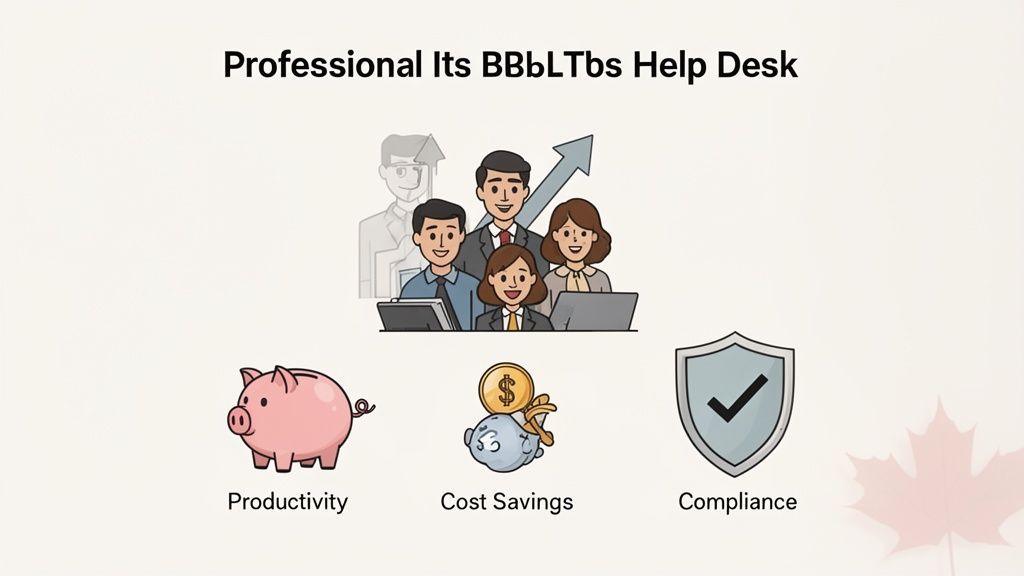
Every minute an employee spends wrestling with a tech issue is a minute they are not serving a customer or advancing a project. A professional IT help desk dramatically reduces that wasted time. By providing immediate, expert support, it stops minor glitches from snowballing into major productivity killers.
This speed and reliability also improve employee morale. When your team knows a solution is just a quick call or click away, tech-related stress diminishes. They feel supported and empowered, free to focus on their actual jobs instead of acting as part-time IT troubleshooters.
A happy, productive team is the engine of any successful business. An effective help desk removes daily technological friction, allowing your people to perform at their best without constant interruptions.
Building and staffing an in-house IT support team is a significant financial commitment, involving salaries, benefits, continuous training, and certifications. For most medium-sized businesses, this model is not financially viable.
Outsourcing to a managed help desk is a much more cost-effective path. You gain access to an entire team of certified professionals for a predictable monthly fee. This smart move converts a volatile capital expense (CapEx) into a stable operational expense (OpEx), making your budget simpler and more reliable. For a closer look at these advantages, check out our guide on the benefits of managed IT services.
Top-tier IT support demands a wide range of specialized knowledge, from network administration and cloud computing to cybersecurity. It is nearly impossible for a small internal team to master it all. A managed help desk gives you on-demand access to a deep bench of experts without the high cost of hiring them directly.
Furthermore, professional providers come equipped with enterprise-grade tools for monitoring, ticketing, and remote support that are often too expensive for a medium-sized business to purchase on its own. Many leading IT help desks now use advanced tools like AI agents for customer support to deliver faster, more efficient service and improve the entire support experience.
For any business in regulated sectors like healthcare, finance, or law, security is non-negotiable. A 24/7, Canada-based IT help desk is a cornerstone of a strong security posture. It ensures your sensitive data is managed by professionals who understand Canadian privacy laws like PIPEDA, and that your systems are monitored around the clock for threats.
This constant vigilance helps you prevent breaches before they happen. If an incident does occur, you have an expert team ready to respond immediately, minimizing damage and ensuring you meet your compliance obligations. The growth of this sector highlights its importance; Canada's IT services market, which hit USD 60.08 billion in 2026, is projected to reach USD 128.46 billion by 2030, largely driven by cybersecurity and cloud adoption.
Selecting an IT help desk provider is a strategic decision that can significantly impact your team's productivity and security. The right partner acts as a true extension of your business, while the wrong one can become a source of daily frustration and risk.
This is not about finding the cheapest quote. It is about building a long-term relationship with a provider who is genuinely invested in your success. A thorough evaluation is the only way to find a partner who truly aligns with your goals.
The first question you should ask is: where is the team located? For any business operating in Canada, a 100% Canada-based team is a non-negotiable starting point. This ensures your sensitive support data remains within Canadian borders, automatically aligning you with privacy laws like PIPEDA and giving both you and your clients critical peace of mind.
Once location is confirmed, inquire about their team structure. Do not hesitate to ask about the experience and certifications of their technicians. A top-tier provider invests heavily in their people, ensuring they hold qualifications in core areas like Microsoft, Cisco, and modern cybersecurity frameworks. This technical depth is what separates a professional IT partner from a basic call centre. If you're exploring this path, our guide on choosing an IT outsourcing company provides additional essential insights.
A provider's readiness to answer tough questions is a strong indicator of their transparency and culture. Prepare a checklist of critical questions to guide your conversations and create a true apples-to-apples comparison between potential partners.
Your questions should cover everything from their service guarantees to their security posture. Here are a few must-ask questions to get you started:
A partner’s answers should be specific and confident. Vague responses about "best-effort" support or a lack of clear security protocols are major red flags. True partners have well-defined processes and are proud to share them.
Many providers offer services that sound the same on paper. Your job is to spot the features that deliver real, strategic value to your business. Look for differentiators that prove they go beyond standard break-fix support.
Proactive monitoring, for example, is a game-changer. It means the provider is actively looking for and fixing potential issues before they can cause downtime and disrupt your operations.
Another critical differentiator is integrated cybersecurity. The help desk is a prime target for social engineering and other cyberattacks. A provider that builds security directly into their support process, with strict identity verification, access controls, and threat monitoring, offers a far stronger defence for your entire organization.
Finally, consider how easy they make it for your team to get help. Unique features like CloudOrbis's one-click IT Button demonstrate a deep commitment to the user experience, making it incredibly simple for your staff to request support without getting sidetracked. These are the markers of a genuine partner dedicated to making your technology work for you.
How can you determine if your investment in IT support is paying off? While fewer user complaints are a positive sign, true success is measured with data. To understand the effectiveness of an its help desk, you need to look past simple ticket counts and focus on the metrics that demonstrate real business value.
These metrics are not just for IT reports; they are business intelligence. They show how efficiently your support operates, how satisfied your employees are, and where underlying problems might be eroding your bottom line. Tracking this data turns your help desk from a cost centre into a strategic asset that informs training, guides IT spending, and ultimately boosts productivity.
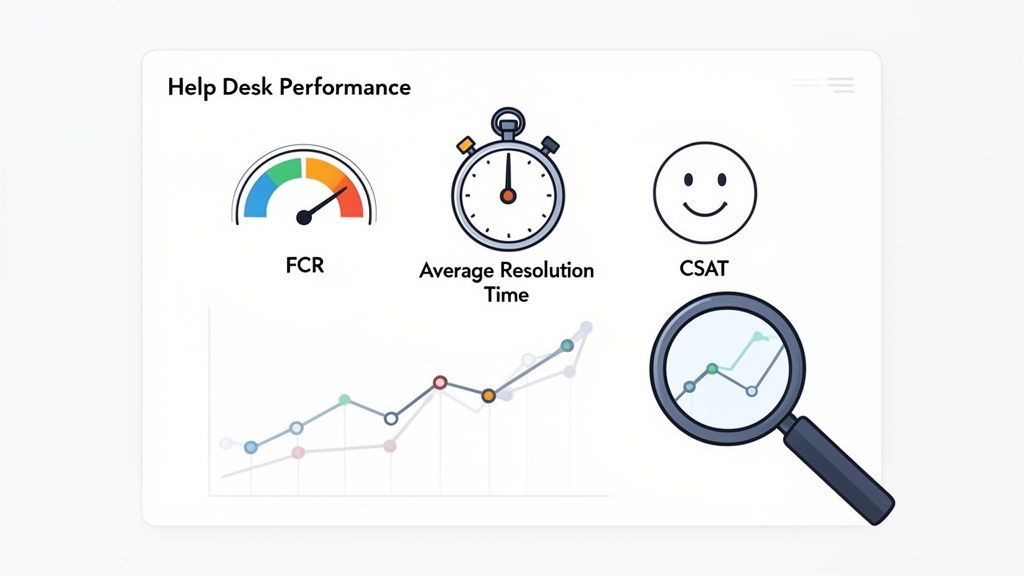
To get a clear picture of performance, focus on a few core metrics that measure speed, efficiency, and quality. Each one tells a different part of the story.
1. First Contact Resolution (FCR)
This metric tracks the percentage of issues resolved during the first interaction with the help desk. A high FCR rate is a strong sign of an efficient and knowledgeable support team. It means your employees get their problems fixed on the first try, allowing them to return to work promptly.
2. Average Resolution Time (ART)
This is the average time from when a ticket is opened until it is fully resolved. While a low ART is generally positive, it must be viewed in context. For instance, a very low ART combined with poor satisfaction scores might indicate that technicians are closing tickets to meet a quota without actually solving the problem.
3. Customer Satisfaction (CSAT)
CSAT is the most direct way to measure your team’s experience. It is usually a simple, one-question survey sent after an issue is resolved, asking users to rate their satisfaction. This feedback is invaluable for gauging technician performance and the overall quality of the service.
A high CSAT score is the ultimate sign of a successful help desk. It proves the service does not just close tickets, it provides real solutions and a positive experience, which boosts morale and fosters a better relationship between employees and technology.
Looking at individual metrics is useful, but the real power comes from spotting trends over time. A sudden spike in tickets for a specific application could point to a buggy software update. A gradual drop in FCR might indicate a need for more technician training on a new system. This type of proactive analysis is a core benefit of a managed service.
For example, by constantly reviewing ticket data, a provider can spot recurring hardware failures and recommend replacements before they cause a major disruption. This approach is fundamental to effective IT management, a topic we explore further in our guide to remote monitoring and management. By turning support data into actionable intelligence, an IT help desk moves beyond just fixing problems and starts preventing them.
Considering a managed IT partner is a significant decision, and you likely have many questions. As a business leader, you need to feel confident that your IT support is solid, secure, and ready to help you grow.
Let's address the most common questions we hear about IT help desk services.
You have likely heard ‘help desk’ and ‘service desk’ used, sometimes interchangeably. While they are often used for the same purpose, it helps to understand the traditional distinction.
A help desk is typically tactical and reactive. When a printer will not print or an application crashes, you call the help desk to fix it and get back to work.
A service desk is broader and more strategic. It manages the entire IT service experience, not just problem resolution. This includes tasks like setting up a new employee with the right software access or managing cloud services. A modern managed provider like CloudOrbis blurs this line, offering the immediate problem-solving power of an its help desk and the strategic oversight of a service desk in one solution.
Yes, and this is a critical point. A professional provider will not just ask for a list of your software; they will work with you to understand exactly how your team uses your specialized, line-of-business applications.
Here is how that partnership works:
This approach ensures your custom applications are supported effectively, even if the provider has not encountered them before.
One of the most significant security threats today is social engineering aimed at help desks. Attackers often use voice phishing ("vishing") to impersonate employees and trick technicians into resetting passwords or adding unauthorized devices. This tactic, used by groups like Scattered Spider, bypasses technical defences, making it crucial to partner with a provider that has stringent, camera-on identity verification protocols.
For businesses in regulated industries, a 100% Canada-based help desk is non-negotiable. For all others, it is a massive competitive advantage. It comes down to three key factors:
A co-managed model is about partnership. It is not designed to replace your internal IT team, it is designed to supercharge it. Your in-house experts can finally escape the "tyranny of the urgent" and focus on high-value, strategic projects that move your business forward.
The managed help desk takes on the daily flood of user support tickets, proactive system monitoring, and routine maintenance. This structure is a win-win:
This collaborative approach makes your entire IT function more effective, strategic, and resilient.
At CloudOrbis Inc., we believe that the right IT support is a catalyst for business growth. Our 100% Canada-based team provides the proactive, secure, and reliable help desk services your business deserves. Discover how our managed IT services can empower your team and secure your operations.
Book a 30-minute call with a senior engineer. No sales script, just straight answers about your environment.


