Your Guide to a Resilient Disaster Recovery Plan
Build a robust disaster recovery plan for your Canadian business. Our guide offers practical strategies for data protection, continuity, and cyber resilience.

Build a robust disaster recovery plan for your Canadian business. Our guide offers practical strategies for data protection, continuity, and cyber resilience.

A disaster recovery plan (DRP) isn't just a document you file away; it's a living strategy outlining how your business will resume operations after an unplanned incident. Think of it as a detailed roadmap for responding to everything from natural disasters and power outages to the ever-present threat of cyberattacks.
The entire point is to minimize downtime and data loss, ensuring your business can continue operating with as little disruption as possible.
Picture this: your main server crashes during your busiest sales period. Or worse, a ransomware attack encrypts every single one of your client files overnight. For many Canadian businesses, these aren't hypothetical scenarios, they are real-world risks with devastating consequences.
Without a plan, the financial fallout and damage to your reputation can be impossible to overcome. A solid disaster recovery plan shifts your business from a position of vulnerability to one of genuine resilience.
This guide will provide a clear, actionable path to building a DRP that helps your business not just survive a crisis, but emerge stronger. First, we need to clarify two of the most critical metrics in this process.
To build a DRP that actually works, you must start by defining your tolerance for disruption. We measure this with two key objectives:

These two metrics, RTO and RPO, are the bedrock of your disaster recovery strategy. They determine the technology you choose, the budget you require, and the step-by-step procedures your team will follow. Getting them right is non-negotiable.
The scale of recovery efforts can be massive, which is why planning ahead is so important. A DRP is just one piece of a much larger puzzle. For a complete view of operational resilience, you should also understand what business continuity planning involves and how it differs. For a deeper dive into building a contemporary approach to business resilience, check out this comprehensive guide to a modern IT disaster recovery plan.
Ultimately, a DRP is more than an IT document; it's a fundamental investment in your company's stability and future.
Before you can write a single line of your disaster recovery plan, you need an honest look at what you stand to lose. This isn't about guesswork. It’s about creating a blueprint of your operational landscape through two core exercises: a Business Impact Analysis (BIA) and a Risk Assessment.
Think of it this way: these two analyses help you see your business not as a single entity, but as a network of interconnected functions. Each has a different level of importance when a crisis hits, and your job is to determine that hierarchy. Only then can you make data-driven decisions about where to invest your recovery resources.
A Business Impact Analysis (BIA) is where you get granular. The goal is to pinpoint the mission-critical systems, applications, and processes that your business absolutely cannot function without. It’s a methodical process of asking, "If this system went offline right now, what would be the real-world consequence?"
This isn’t just a job for the IT department; it requires a 360-degree view of your operations. You need to involve department heads from across the company, sales, finance, logistics, and customer service. They have the on-the-ground knowledge to identify dependencies that might not be obvious from a purely technical perspective.
For example, your e-commerce platform is an obvious critical asset for the sales team. But the logistics manager knows that platform is useless without the warehouse management system that processes the orders. A proper BIA uncovers these crucial, often hidden, links.
Your analysis must quantify the true cost of downtime, which goes far beyond immediate lost revenue. You should consider impacts like:
A thorough BIA brings clarity to chaos. It tells you which systems need to be restored in minutes versus those that can wait hours or even days. This directly informs the RTO and RPO targets you'll set later.
Once you know what’s most important, the next step is to figure out what could go wrong. A Risk Assessment simplifies this by helping you categorize potential threats and evaluate them based on two factors: how likely they are to happen and how badly they will affect your business if they do.
Threats can come from anywhere. They range from the predictable, like hardware failures and human error, to large-scale events completely outside your control. We often see businesses fixate on one area, like cyberattacks, while overlooking more probable local risks.
To build a complete picture, start by categorizing your potential threats:
After listing the threats, you can prioritize them. A simple matrix plotting likelihood against impact will instantly show you where to focus your disaster recovery plan. A high-impact, high-likelihood event like a phishing attack that unleashes ransomware demands a far more robust and immediate response strategy than a low-likelihood, low-impact scenario.
This prioritization ensures you are putting your budget and resources where they will do the most good. For more structured approaches, you can review some business continuity plan examples that show how this kind of thinking is put into practice.
Once you’ve mapped out your critical operations and prioritized your risks, it’s time to get into the technical heart of your disaster recovery plan: deciding how you’ll recover. This is where your RTO and RPO targets stop being theoretical numbers and start dictating the technology and architecture you’ll need.
The right strategy always comes down to balancing your recovery speed, data protection needs, and budget. For most medium-sized businesses, this decision boils down to three core models: on-premise, cloud-based, or a hybrid approach. Each comes with its own mix of control, cost, and complexity, making the choice a strategic one.
An on-premise solution means you own and control everything, all the hardware and data. This can be a huge plus for organizations with very strict compliance or data sovereignty requirements. But that control comes with a hefty price tag. You are looking at significant capital investment in duplicate hardware, software licences, and the physical space to house it all.
Essentially, this approach forces you to build and maintain a secondary data centre, a massive undertaking that can easily strain the resources of a growing business. We break down more of the financial and operational differences in our guide on cloud computing vs on-premise solutions.
Cloud-based recovery, often sold as Disaster Recovery as a Service (DRaaS), flips the script entirely. Instead of buying your own equipment, you pay a provider to replicate your systems to their secure cloud infrastructure. This smart move shifts your spending from a massive upfront capital expense (CapEx) to a predictable operational expense (OpEx).
The biggest advantages here are scalability and speed. DRaaS solutions can often achieve much lower RTOs because the recovery environment is always on standby, ready for you to failover at a moment's notice. It’s a pay-as-you-go model that puts enterprise-grade recovery within reach, without the enterprise-level cost.
A hybrid strategy, as you might guess, aims for the best of both worlds. You could keep your most sensitive data or legacy systems on-premise while using the cloud's flexibility for less critical applications. This balanced approach lets you fine-tune costs and performance based on what each specific workload requires.
Key Takeaway: The choice between on-premise, cloud, and hybrid isn't just about technology, it’s a major financial and operational decision. Your RTO and RPO targets will be the ultimate guide, as faster recovery and less data loss almost always demand more advanced (and often cloud-based) technology.
This flowchart shows how a solid impact analysis and risk assessment become the foundation for your entire DR plan.
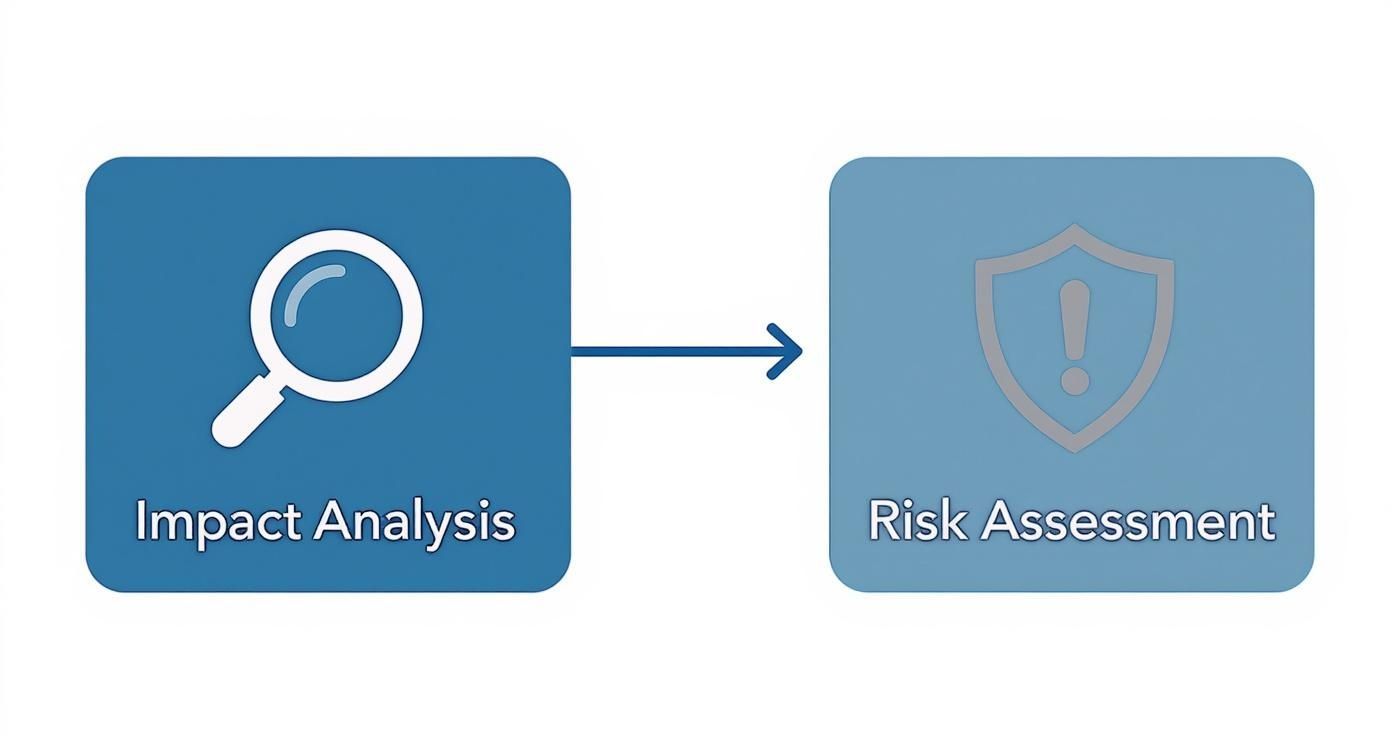
As you can see, you cannot build an effective strategy without first understanding what a disaster would actually cost your business and what threats you’re up against.
Choosing between on-premise, cloud (DRaaS), and hybrid solutions can feel overwhelming. This table breaks down the key differences to help you see which model best aligns with your business's technical requirements, budget, and recovery goals.
| Architecture | Best For | Typical RTO/RPO | Pros | Cons |
|---|---|---|---|---|
| On-Premise | Businesses with strict data sovereignty/compliance needs or significant existing infrastructure. | Hours to Days | ||
| Cloud (DRaaS) | SMBs seeking cost-effective, fast, and scalable recovery without large capital investment. | Minutes to Hours | ||
| Hybrid | Organizations needing a balance of on-premise control and cloud flexibility. | Varies by Workload |
Ultimately, the "right" architecture depends entirely on your specific circumstances. A DRaaS solution from a provider like CloudOrbis often provides the best balance of speed, reliability, and cost-effectiveness for most small and mid-sized businesses.
No matter which architecture you land on, your backup method is the engine that powers the entire recovery process. The type of backup you choose directly impacts your storage costs, how quickly backups run, and how long it takes to restore your critical data.
You’ll typically encounter three main types of backups in any DR plan:
Most modern strategies use a smart combination of these methods to balance performance with cost. A common approach is to run a full backup weekly, with daily differential or incremental backups in between.
Defining clear, actionable steps for each scenario is what separates a plan that works from one that just sits on a shelf. Looking at a practical blueprint, like a UK fire evacuation plan template, can be a great model for the kind of clarity you need. A good disaster recovery plan leaves no room for guesswork, ensuring your team knows exactly what to do when things go wrong.
The best recovery technology in the world is useless if your team doesn't know what to do in a crisis. When a disaster strikes, a recovery plan is about people and processes, not just servers and software. This is where you map out the human side of your strategy, making sure everyone knows their role and how to communicate when tensions are high.
It all starts with clear, comprehensive documentation. Your goal is to build a detailed playbook, often called a "runbook", that anyone on the team can pick up and follow. This is not the time for improvisation. The runbook needs to outline the precise failover procedures for switching to your backup systems and the failback procedures for returning to normal operations.
During a high-stress outage, confusion is your worst enemy. A clear chain of command is essential for making quick, decisive calls. Your disaster recovery plan must spell out exactly who has the authority to declare an official disaster and activate the plan.
This person, typically a senior IT leader or an executive, becomes the central point of command. Without this formal designation, teams can hesitate, wasting precious minutes that could lead to more data loss or longer downtime.
Once you’ve established that, you need to assign specific roles to a dedicated disaster recovery team. These roles should cover all the critical functions needed to manage the event from start to finish:
A well-defined team structure transforms a chaotic reaction into a coordinated response. Everyone knows their exact responsibility, which minimizes confusion and accelerates the recovery process.
When a disaster hits, information is one of your most valuable assets. A solid communication plan ensures that employees, customers, and partners are kept in the loop with consistent, pre-approved messages. The last thing you want is your team trying to write a public statement from scratch in the middle of a system-wide outage.
Start by creating a communication tree. It’s a simple but powerful tool that maps out who needs to be contacted, in what order, and through which channels. Ensure it includes primary and backup contact information for every single person on the recovery team and in key leadership positions.
The scale of disruption can be immense, requiring coordination across multiple agencies and affecting countless individuals. This highlights the critical need for a well-organized communication system to manage recovery efforts effectively. You can discover more insights about multi-agency disaster recovery from the Carnegie Endowment.
To save time and reduce errors during a crisis, draft your message templates ahead of time. Create a few different versions for various scenarios and audiences:
Formalizing your team and communication protocols is a core part of building a truly resilient IT framework. To see how this fits into the bigger picture, check out our guide on IT strategy and consulting. By putting the human element front and centre, you ensure your disaster recovery plan is something you can actually execute when it matters most.
You’ve built your disaster recovery plan. That’s a huge step, but the work isn’t over. A DRP isn't a document you create once and file away. It's a living playbook that must be tested, refined, and kept up-to-date.
Without regular testing, your plan is nothing more than a set of well-intentioned assumptions. You're essentially hoping it works. Testing is what turns theory into a practical, battle-hardened process. It’s the only real way to find hidden gaps, ensure the technology performs as expected, and confirm your team knows exactly what to do under pressure.
The goal here is to make testing a routine, manageable part of your business resilience, not a dreaded, once-a-year event that everyone avoids.

Good news: testing doesn't always have to be a massive, disruptive simulation that brings everything to a halt. There are a few different ways to approach it, each with its own purpose. Mixing these methods throughout the year helps build confidence without causing unnecessary downtime.
Think of regular testing less as a pass/fail exam and more as building muscle memory. When a real disaster hits, you want your team running on instinct, not fumbling through a dusty binder. They'll be confident because they have done it before.
Every test, no matter the scale, is a chance to learn something. The key is to go in with a clear checklist of what you're trying to validate. This turns the exercise from a simple drill into a valuable data-gathering mission that will make your plan stronger.
After any test, your review should focus on answering a few core questions:
The answers to these questions will point you directly to the weak spots in your plan that need attention.
This is the most important part of the entire process. A test that uncovers problems is a successful test because you found the flaws before a real crisis did.
Your post-test routine should be standardized. Create a formal report that outlines what went right and, more importantly, what needs to be fixed. Assign specific action items to team members with clear deadlines to close any gaps you found.
This continuous cycle, test, analyze, refine, repeat, is what keeps a disaster recovery plan relevant. Your IT environment is always changing as you add new software, upgrade hardware, or shift business goals. Your DRP has to evolve right along with it.
For a deeper look at the foundational elements that make testing successful, our comprehensive data backup and recovery guide provides essential context. By building regular testing into your operational rhythm, you can be confident your DRP is always ready.
Even with a solid guide, questions always pop up. When we talk with business leaders about building a disaster recovery plan, the same practical hurdles and uncertainties tend to surface. Let's tackle some of the most common ones head-on so you can move forward with confidence.
This is one of the most important questions, and the answer isn’t just "once a year." You wouldn't take your car for its annual inspection without checking the oil and tires more often, right? The same logic applies here. A multi-layered testing schedule is the best approach.
The real goal is consistency. Regular testing builds the "muscle memory" your team needs to act decisively and without panic during a real crisis.
It's easy to see why people use "disaster recovery plan" (DRP) and "business continuity plan" (BCP) interchangeably, but they serve two very different, though complementary, purposes. Getting this distinction right is crucial for building a truly resilient business.
A disaster recovery plan is highly focused and technical. Its sole purpose is to restore your IT infrastructure, systems, and data after a disaster hits. It answers the question, "How do we get our technology working again?"
A business continuity plan, on the other hand, is much broader. It covers every aspect of keeping the business operational during and after that disruption. This includes things like:
Here’s the simplest way to think about it: The DRP gets your servers running again, while the BCP ensures your business can still function while that is happening. You absolutely need both.
There's no simple price tag for a disaster recovery plan; the cost can vary dramatically. Your investment depends entirely on your business's specific needs, your tolerance for risk, and, most importantly, your RTO and RPO targets.
A small business that can handle a bit of downtime might spend a few hundred dollars a month on a straightforward cloud backup solution. At the other end of the spectrum, a medium-sized enterprise in a regulated field like finance or healthcare might invest thousands monthly for a comprehensive Disaster Recovery as a Service (DRaaS) solution that guarantees recovery in minutes with near-zero data loss.
The best way to frame this is as an investment, not an expense. The question isn't "How much does a DRP cost?" but rather, "How much would an hour of downtime cost my business?" When you weigh the potential losses from a disaster, lost revenue, reputational damage, regulatory fines, the cost of a solid DRP is usually just a fraction of that risk.
Technically, yes, a business can create a DRP in-house. But it's a complex, time-consuming process filled with potential traps. It demands specialized expertise in risk assessment, IT architecture, and crisis management that most small and mid-sized businesses do not have on staff.
DIY plans often fall short in a few key areas:
This is exactly why so many businesses partner with a managed IT services provider. A specialist brings years of experience to design a plan that is both cost-effective and genuinely effective. We can provide an objective analysis of your environment, recommend the right tools for the job, and handle the ongoing testing and maintenance that ensures your plan will work when you need it most.
A robust disaster recovery plan is the bedrock of business resilience. At CloudOrbis Inc., we specialize in creating and managing DRPs that protect your operations and give you peace of mind. Let's build a strategy that keeps your business moving forward, no matter what happens. Learn more about our managed IT and disaster recovery services.
Book a 30-minute call with a senior engineer. No sales script, just straight answers about your environment.


