What Is a Managed Service Provider? a Canadian Guide
Wondering what is a managed service provider? Learn the core services, pricing models, benefits and limits, and how to evaluate one for your Canadian business.

Wondering what is a managed service provider? Learn the core services, pricing models, benefits and limits, and how to evaluate one for your Canadian business.

A managed service provider is an outside firm that runs, monitors and supports a business's technology on a continuous basis for a recurring fee, instead of fixing problems only after they break. Many Canadian businesses already buy technology oversight this way, paying outside firms to manage cyber risk as an ongoing service rather than a one-off repair.
The shared drive stops opening at 8:15 on a Monday. Three people are on the phone, one of them is a client, and nobody in the building can say whether the fix is a reboot, a failed disk or a ransomware note behind a locked file.
That morning shapes how a leadership team thinks about IT for a year. One instinct says call someone when it breaks, pay the invoice and forget it until next time. The other hands the environment to a firm that watches it daily, schedules the fixes and answers for the result. Only the second is managed services, and the difference is practical, not cosmetic. It changes who owns the risk, what the invoices look like and what written proof, from patch logs to incident records, you can set in front of an insurer or an auditor when they ask how your systems are run.
Strip the acronym away and a managed service provider is a maintenance contract for your technology.
A bakery with six delivery vans has two choices. It can buy a fleet maintenance contract with scheduled servicing, tire checks, a driver who reports a grinding noise before the wheel seizes, recovery on a Sunday and a monthly report on what was replaced. Or it can keep a tow truck's number on the wall and call when a van dies on the highway. The second is break-fix. The first is managed services, applied to servers, laptops, networks and cloud accounts.
The working version looks like a technician watching dashboards instead of answering a phone.
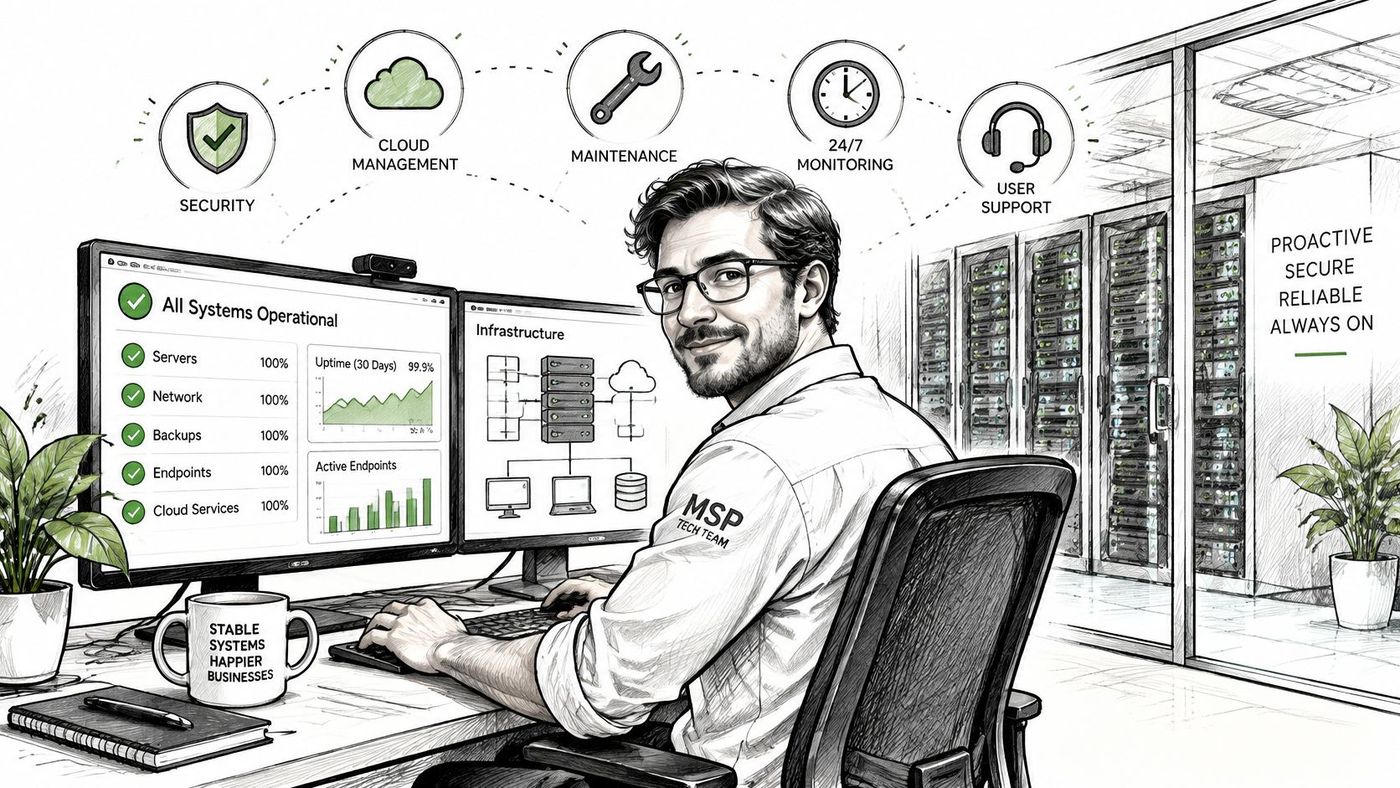
The two words buyers most often accept without a definition are monitoring and helpdesk. Monitoring is the reporting layer, the thing that tells a person a backup job failed at 2 a.m. Helpdesk is the intake layer, where a user logs a problem and gets a reference number to chase.
Demand for that work is measurable. Statistics Canada's 2023 survey of 12,462 Canadian enterprises with at least 10 employees found that 16% reported being impacted by a cybersecurity incident, and 47% of businesses without dedicated cybersecurity employees relied on consultants or contractors to monitor cyber risk, according to Statistics Canada.
An MSP sits between internal business staff and specialist expertise. A 30-person firm doesn't need a security department, but it does need one named owner for patching, identity and recovery. Providers run businesses of their own as well, and MSP client acquisition support covers how those firms build their pipeline, for readers who sit on the provider side too.
The practical takeaway is the one sales calls bury: an MSP is a long-term operations partner accountable for availability and risk over time, not a helpdesk with a monthly invoice.
Four models turn up in the same tender, and they aren't interchangeable.
| Model | Who handles routine work | Billing pattern | Where the gaps appear |
|---|---|---|---|
| Break-fix support | Client calls the vendor after something fails | Pay per incident or per hour | Downtime while waiting, unplanned bills, no proactive maintenance |
| Managed service provider | Provider monitors, maintains and supports continuously | Recurring monthly fee plus add-ons | Scope and service levels that are unclear in the contract |
| In-house IT team | Staff employed by the business | Salaries, benefits, tools and training | Nights, weekends and holidays, plus single points of failure |
| Co-managed IT | MSP handles routine work, internal team leads strategy | Recurring fee for the shared scope | Split of duties that is not written down |
Break-fix keeps costs low until something fails. Then the invoice and the downtime arrive together, and the person paying for both is usually the one who approved the reactive option. An in-house team gives you control and people who know the business, at the price of salaries, benefits, tools and training, with real holes at nights, weekends and holidays. Nobody covers a 9 p.m. outage unless you paid for it in advance.
Co-managed IT is the middle path. The provider takes patching, monitoring and user support, while your own team keeps strategy, application knowledge and vendor relationships.
Canadian outsourcing data shows how ordinary this has become. In 2025, Statistics Canada reported that 52.2% of businesses had outsourced tasks, projects or short contracts in the previous 12 months, and 14.4% of that group outsourced IT service support. The rate climbs with headcount: 8.0% of businesses with 5 to 19 employees, 19.2% of those with 20 to 99, 29.3% of those with 100 to 499, and 27.4% of those with 500 or more.
That climb is steepest into the medium-sized band and then levels off, which is a useful signal. Complexity drives the decision more than size alone, and once a firm has some internal IT, co-managed delivery becomes the natural fit: routine work moves out, nights and weekends get covered, and the internal team stops spending its week on password resets.
Run a test before you compare quotes. List the hours your team spends each month on routine IT work, price them at a loaded hourly cost, then add the cost of one lost working day in wages and revenue. If the first figure is modest and the second is severe, you're buying risk reduction rather than labour savings, and that reframing changes which proposal looks cheapest. Our comparison of break-fix versus managed services works through the invoice math.
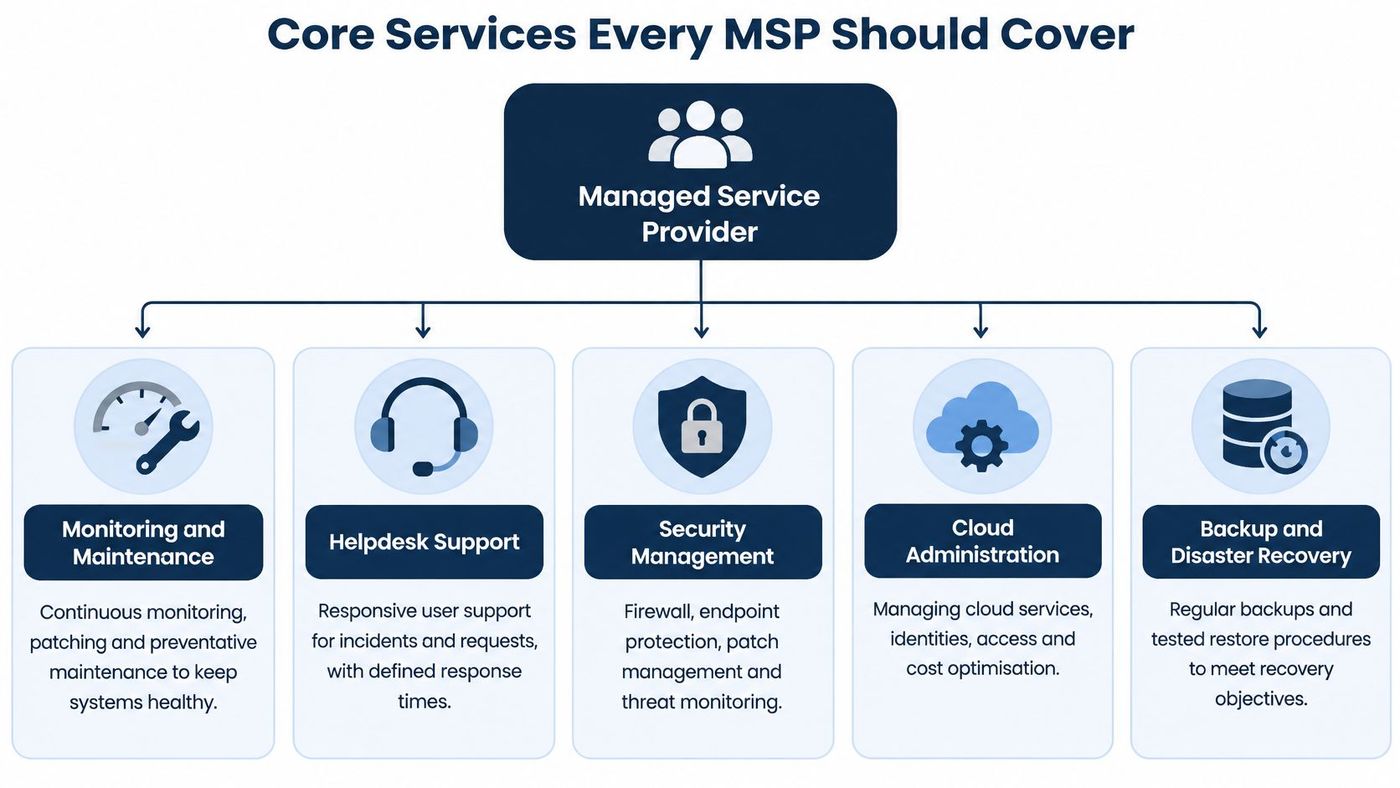
Five service areas appear in nearly every credible managed services agreement. The list isn't the interesting part. What matters is the evidence each area produces, because a provider can tick all five boxes and still leave you unable to answer a basic question about your own environment.
| Service | What the provider does | What the client receives |
|---|---|---|
| Monitoring and maintenance | Alerts on servers, networks and endpoints, plus patching before users notice a failure | Coverage of assets and a record of patches applied |
| Helpdesk | Ticket intake, response targets and after-hours coverage | Defined response times and a log of resolved requests |
| Security management | Endpoint detection and response, multifactor authentication, patch priority and vulnerability scans | Named controls, coverage reports and sample incident timelines |
| Cloud administration | Microsoft 365 administration, tenant configuration and migrations | A configured tenant and a written scope for the full environment |
| Backup and disaster recovery | Scheduled copies, offsite or isolated storage and restore tests | Restore results and verification against a known-good copy |
Scope is where proposals diverge. Most of the businesses we work with run on Microsoft 365, so a competent agreement covers the tenant as well as the laptops: mailbox configuration, conditional access, licence hygiene and migration work when you move. Ours names IT support, network management, software development, and data backup and recovery in the core scope, because those are the systems a business depends on.
Say monitoring flags a laptop three patches behind, and that machine holds client records. In a joined-up environment the provider confirms what data it holds, checks the account's multifactor authentication and local admin rights, isolates the device through endpoint controls, pushes the patches, restores a file from a tested backup if the update breaks something, and writes the whole sequence into the ticket for audit review. Five services, one outcome, one record.
That correlation is the product. Statistics Canada found that in 2023 only 18% of Canadian businesses had written policies for managing cybersecurity risks, even though email security, anti-malware and network security were common. Individual tools were present. The governed process around them wasn't.
Ask for evidence, not adjectives. A coverage report, a sample incident timeline and last quarter's restore results tell you more than any claim about being proactive.
The job is turning separate controls into an auditable operating system: an asset inventory, least-privilege access, multifactor authentication, vulnerability prioritization, protected backups, restore testing and a named owner for escalation. Procurement teams should request coverage reports, incident timelines, restore results and privileged-access reviews instead of scoring a provider on how fast the phone gets answered. For the network half of that scope, our breakdown of managed network and IT services covers what monitoring should watch.
For a medium-sized firm without a security team, the gains are concrete and mostly boring, which is the point.
The limits deserve equal billing. An MSP reduces exposure and shortens recovery. It cannot guarantee zero incidents, because phishing, reused passwords, a compromised supplier and plain employee error sit partly outside any technical control.
It helps to separate four goals that sales material blends together: prevention, detection, containment and recovery. A good provider moves detection, containment and recovery the most, because those are operational and measurable. Prevention improves too, but it never reaches 100%, and anyone promising otherwise is selling comfort rather than resilience.
The Canadian picture shows why the distinction matters. In 2025, 15% of small businesses and 21% of medium-sized businesses reported being impacted by a cybersecurity incident, and only 43% of businesses maintained backups of digital information, according to Statistics Canada. Nearly half, 47.6%, did not plan to take new cybersecurity measures in the following 12 months, and 58.4% of that group said they did not need them.
Evidence that managed environments can lower risk turns up in the public sector too. In an evaluation of Shared Services Canada's cloud services, 44% of survey respondents reported that the services helped reduce cybersecurity risks, according to the Government of Canada evaluation. That doesn't make cloud adoption a guarantee, but it shows centralized operations and specialized administration reduce certain risks when they're governed properly.
Picture two clinics of the same size. One tests restores every quarter and knows its recovery time because it has measured it. The other has nightly backups that nobody has ever opened. When ransomware lands, the first is back on its practice-management system the same day, and the second learns during the incident that the backup job has been failing for months.
The question to ask isn't whether the provider stops every attack. It's what evidence shows risk went down and operations can come back.
Providers bill in five common shapes. Each one shifts risk somewhere, and each has a line item that gets argued about at renewal.
| Pricing model | How it is billed | Best fit | Cost to watch |
|---|---|---|---|
| Per user per month | Fixed fee for each staff account | Offices where staff share software and email | Costs rise as headcount grows, so check device support is included |
| Per device per month | Fixed fee for each workstation, server or network device | Firms with shared machines or many devices per person | Mobile and remote devices may be excluded |
| Flat monthly bundle | One fixed fee for a defined scope | Firms wanting a predictable budget | Extras such as after-hours support may be billed on top |
| Block of hours | Pre-paid bank of support hours | Firms with occasional, project-based needs | Hours can run out before the period ends |
| Project fee | One-off fee for a defined job such as a migration | Migrations, upgrades and one-time assessments | Ongoing support isn't included unless contracted |
Five factors drive the quote: headcount and device count, coverage hours (business hours or 24/7), depth of security, compliance obligations in regulated sectors such as healthcare, legal and finance, and whether on-site visits are included. Add-ons follow the same logic. Device lifecycle management, after-hours coverage and strategic reviews are priced by frequency and complexity, so ask for the rate card instead of accepting one blended figure.
Engagements come in three shapes. Fully managed means the provider owns the whole environment. Co-managed means it takes routine work while your team leads strategy. IT consulting means a defined piece of design or advice with no ongoing ownership. CloudOrbis offers all three as engagement models, and the distinction matters at renewal, when a firm that bought consulting discovers nobody covers 2 a.m.
Then ask who does security work today. Statistics Canada's third-quarter 2024 business survey breaks cyber responsibility down by enterprise size and industry, including whether an organization employs zero, one or several people whose regular duties include cybersecurity. That question comes first because security is staffed, ongoing work rather than a software line. A firm with nobody assigned to it shouldn't buy a helpdesk bundle that leaves out monitoring, identity and restore testing.
Three questions to settle before comparing quotes:
Our guide to what managed services cost breaks down the same drivers.
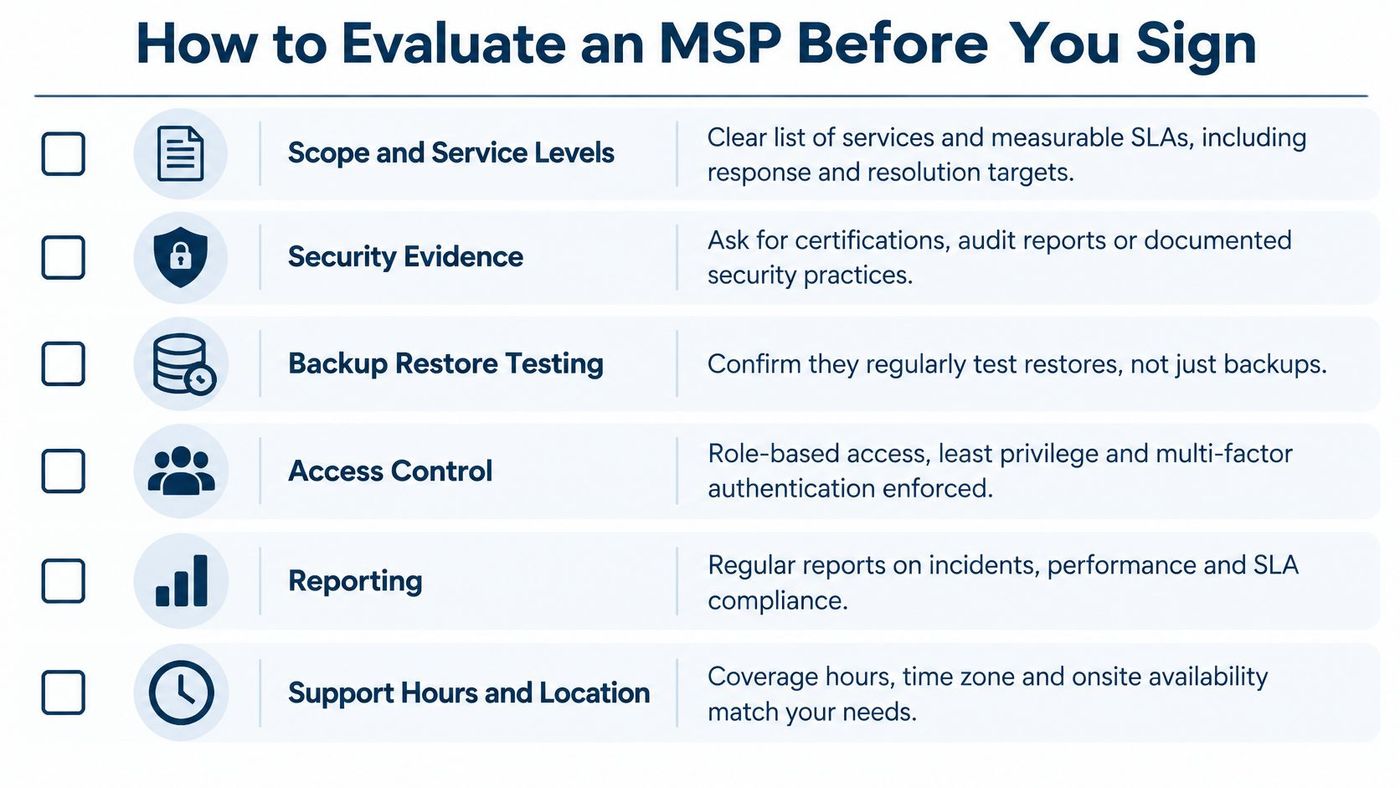
A signed agreement is easy to get and hard to leave. Six criteria separate a provider that will show you its work from one that describes it well.
| Criterion | What good looks like | Red flag |
|---|---|---|
| Scope and service levels | Written service levels and a defined list of included services | Scope described only in sales calls |
| Security evidence | Coverage reports, sample incident timelines, named security controls | Claims of being secure without any records |
| Backup restore testing | Restore results from the last quarter, with verification against a known-good copy | Backups reported as successful but never restored |
| Access control | Admin access documented, audited and reviewed quarterly | Shared admin accounts or no access log |
| Reporting | Regular operational reports covering alerts, changes and risks | A monthly ticket count as the only report |
| Support hours and location | Defined response targets, including after-hours coverage | Support only during business hours with no escalation path |
Access is the criterion buyers skip. In our engagements, the provider holds admin rights to endpoint management, security tools and infrastructure monitoring, because that's what the work requires. Access to business-critical applications such as ERP, CRM and line-of-business systems stays with your own team unless you explicitly delegate it, and every grant is documented, audited and reviewed quarterly. Ask to see the last review as a document.
Reporting separates providers faster than anything else on the list. A monthly ticket count tells you volume and little about risk. We provide a three-tier reporting system covering operations, security and strategy, so an unpatched server, a failed restore and a recurring support theme all surface in the same conversation.
If you already employ IT staff, ask about co-managed delivery. Our Co-Managed IT Services work alongside an internal team, handling the routine work so that team can focus on strategy, which only holds up when the split of duties is written down.
Government of Canada cyber-resilience guidance directs organizations supporting critical services to keep cyber-event management plans current, define authority and escalation procedures, test restoration regularly, verify restored data against a known-good reference, and separate backups logically from production, with immutable or write-once storage where feasible. Read that as a specification rather than a suggestion. A backup nobody has restored is a file copy, not a recovery plan.
Five questions for each shortlisted provider:
Our managed services questionnaire puts those questions in a form you can send before the first call.
A managed agreement earns its cost for three kinds of organizations: firms with no dedicated IT or security staff, firms that have grown past the point where one person can watch every system, and regulated practices in healthcare, legal, finance or manufacturing where an auditor will ask who owns which control.
Some businesses can wait. A small team running a single cloud suite, with a reliable internal contact who enjoys the work, often stays fine as it is. The key test is coverage rather than size: if nobody can name who patches what and who gets called at night, the gap exists whether or not you hire for it.
A gap nobody can name is a gap you already have.
A free IT Risk Assessment turns that gut check into evidence. It maps the gaps in backups, security coverage and support, then gives you a scored list to hold against the criteria above. CloudOrbis is a Canada-based managed IT provider headquartered in Oakville, Ontario, with a 24/7 helpdesk, a proactive approach and vCIO strategy support for businesses across Canada. Book the free IT Risk Assessment and bring the results to your first conversation with any provider on your shortlist.
CloudOrbis Inc. runs managed IT, co-managed IT and security operations for Canadian organizations that want one accountable owner for the whole environment. If this guide raised questions about who patches what at your business, CloudOrbis Inc. will answer them in a free IT Risk Assessment and show you the proof that comes after: three-tier reporting, access records that are documented, audited and reviewed quarterly, and runbooks an auditor can read. Book it this quarter and bring your results.
Book a 30-minute call with a senior engineer. No sales script, just straight answers about your environment.


