Tier 1 IT Support: Roles, KPIs and Escalation Paths
Learn what Tier 1 IT Support covers, the KPIs that matter, escalation paths, and when to move to co-managed or managed IT services.

Learn what Tier 1 IT Support covers, the KPIs that matter, escalation paths, and when to move to co-managed or managed IT services.
It's 8:55 a.m., the phones are starting, and someone on your team can't open the file they need for a 9:00 meeting. They don't need an engineer or a project plan. They need a person who answers quickly, checks whether anything looks wrong, fixes the routine problem, and knows when to stop and hand it over. That's Tier 1 IT support, and when it's missing, small problems eat your week.
Say a 30-person law office starts the day with a receptionist who can't reach the shared drive while a partner waits for a client file. Tier 1 is the first call. The agent confirms who she is, checks whether the drive is down for everyone or just her, tests her connection, and either restores access or logs clear notes for the next level.
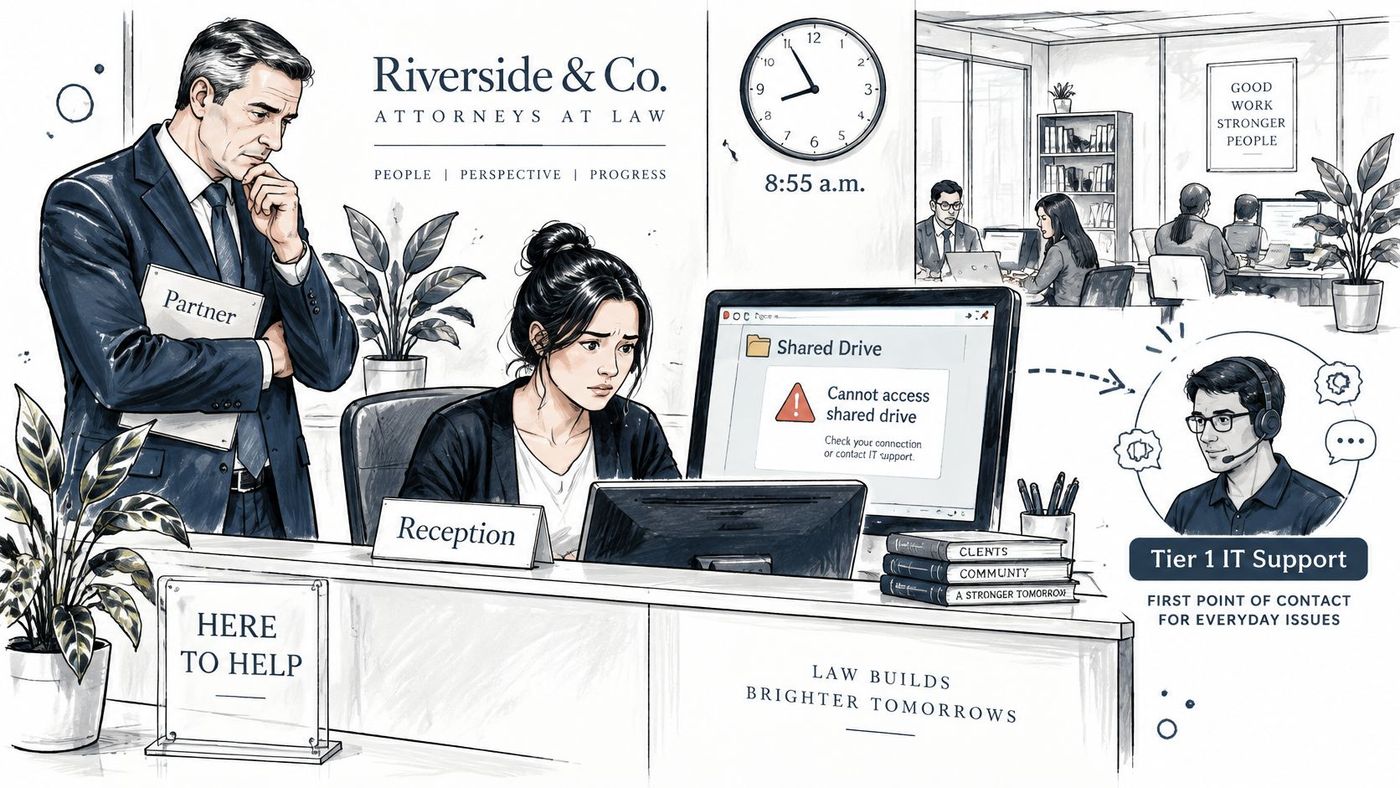
Think of it as a front desk. It logs the problem, resolves routine cases on the spot, and passes complex ones to a specialist with notes attached. Tier 1 is first contact, Tier 2 is a deeper engineer, and Tier 3 is a specialist or vendor.
Typical Tier 1 work includes:
That first look matters for security, not just convenience. The 2021 Statistics Canada Canadian Survey of Cyber Security and Cybercrime found 18% of Canadian businesses were affected by a cybersecurity incident, including 16% of small businesses with 10 to 49 employees, 25% of medium-sized businesses with 50 to 249 employees, and 37% of large businesses with at least 250 employees.
The same survey showed gaps a front line can close. Among businesses that assigned at least one employee responsibility for overseeing cybersecurity risks and threats, 38% used a consultant or contractor for that responsibility, and only 29% patched or updated operating systems monthly or more often for security reasons.
If your staff lose time to the same small problems every week and nobody owns them, you already need a Tier 1 function, even if you don't call it that.
| Tier | Typical work | Who handles it | Exit rule |
|---|---|---|---|
| Tier 1 (first line) | Password and MFA resets, account unlocks, printers, Wi-Fi and VPN basics, guided installs, first-look security triage | Service desk agents working from scripts and runbooks | Resolve on first contact or escalate once the time limit passes |
| Tier 2 (engineering) | Microsoft 365 admin changes, application configuration, network diagnostics, endpoint malware cleanup | Experienced systems or network engineers | Escalate to Tier 3 when the root cause sits outside its tools or access |
| Tier 3 (specialist) | Firewall and identity design, forensic investigation, vendor escalation, major incident management | Senior architects, security specialists and vendors | Coordinates recovery and closes the incident record |
The rule behind the table is simple. Tier 1 owns a task when a documented script or runbook covers the fix, the agent needs only standard user rights, and the problem affects one person. If any of those three conditions fails, the ticket should move.
A printer shows offline for one user. The agent checks the queue, restarts the spooler, prints a test page, and closes it at Tier 1.
A shared mailbox needs new delegate permissions in Microsoft 365. That requires admin rights and a change other people will feel, so it goes to Tier 2. The engineer makes the change, tests access with a delegate, and records who approved it.
A finance laptop triggers a suspected ransomware alert. Tier 1 doesn't try to clean it. The agent isolates the device if the runbook allows it, preserves the alert details, and escalates to Tier 3 with the security lead on the call.
Set the exit rules in writing so agents don't guess under pressure:
Don't treat Tier 1 as low-value work. It gives most users their fastest answer, and it's where your team first spots recurring patterns. Five printer tickets in a week isn't five separate faults. It's evidence for a permanent fix.
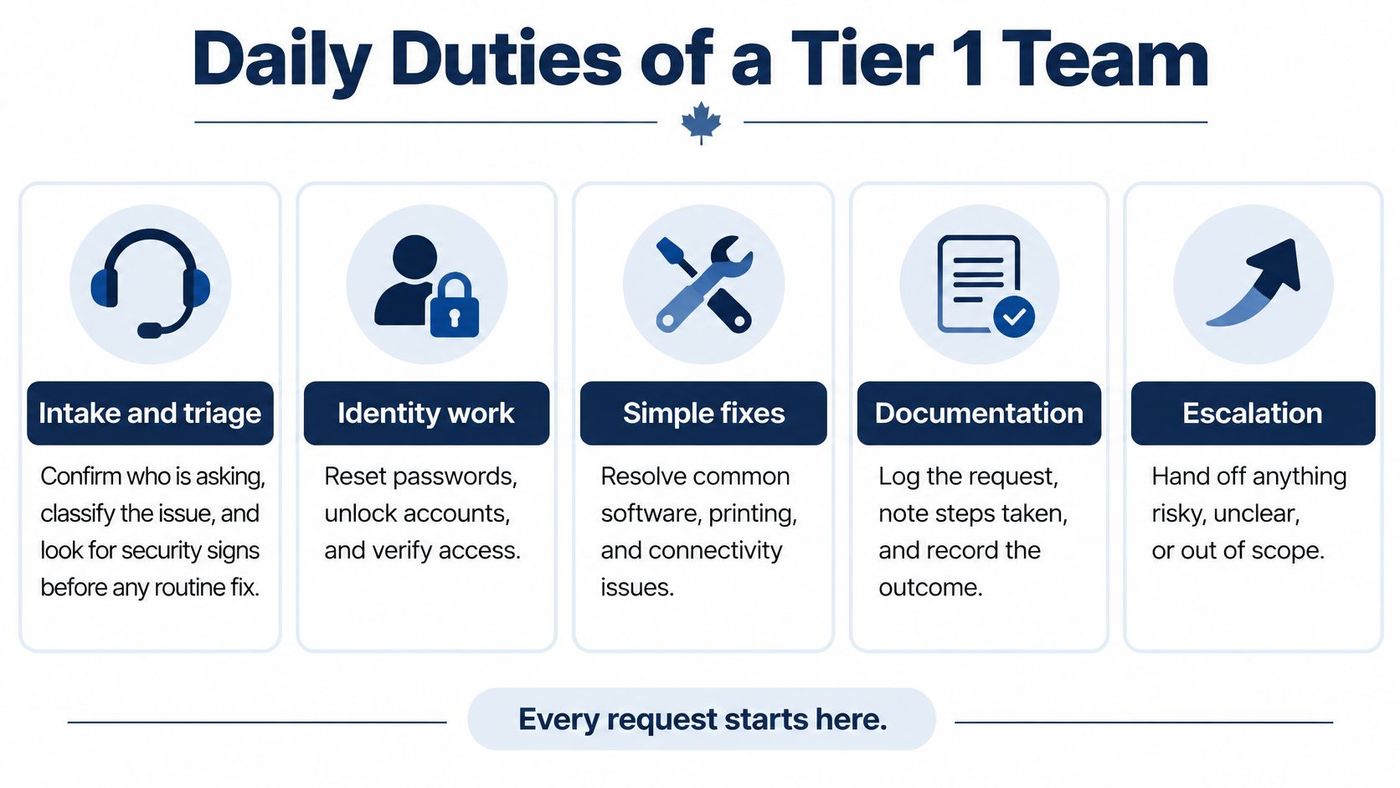
A good Tier 1 day follows a checklist, not memory. Group the work so nothing depends on one person's habits.
Treat this verification rule as a firm line you can copy into a runbook. Before approving a password reset, MFA change, mailbox-access request, or urgent payment-related request, confirm identity and business context, and treat phishing recognition as part of the job.
That caution fits the current risk picture. Statistics Canada reported that 16% of Canadian businesses with 10 or more employees were affected by a cybersecurity incident in 2025, including 15% of small businesses and 21% of medium-sized businesses.
Practical rule: Speed matters, but closing a request you haven't verified isn't fast service. It's an open door.
Access boundaries keep that rule enforceable. We typically hold admin access to endpoint management, security tools, and infrastructure monitoring, and we handle device support and end-user tickets at Tier 1/2 while the client's team handles internal escalations. Access to ERP, CRM, and line-of-business systems stays with the client's team unless explicitly delegated, and all access is documented, audited, and reviewed quarterly.
If you're building this team, it helps to compare IT support career options so you hire for verification and documentation skills, not just troubleshooting. Those habits also shape how to improve IT service delivery across the whole desk.
| KPI | What It Measures | How to Calculate | Target Approach |
|---|---|---|---|
| First-contact resolution rate | Share of tickets closed without escalation | Tickets resolved on first contact divided by total tickets | Set from 90-day baseline and raise each quarter |
| Median first-response time | Typical wait before a person replies | Median minutes from ticket creation to first human reply | Tighter for priority 1 and 2 tickets than for priority 4 |
| Tickets security-screened | Share of tickets checked for security indicators before routine fixes | Screened tickets divided by total tickets | Aim for every ticket screened before routine work; baseline over 90 days |
| Time to containment | Time from user report to isolation or access block on a suspected compromise | Containment timestamp minus report timestamp | Measure per incident and trend downward |
| Escalation accuracy | Share of escalations the next tier accepts without bounce-back | Accepted escalations divided by total escalations | Watch for both very low and very high rates |
| Reopen rate | Tickets reopened within 7 days of closure | Reopened tickets divided by closed tickets | Keep low; a rising trend signals unverified fixes |
| Customer satisfaction (CSAT) | User rating after closure | Average post-ticket survey score | Track the trend and coach agents when scores fall below target |
Closure volume alone rewards fast closing. Pair it with quality and risk measures, or agents will learn to close tickets before they've verified the fix. Security tickets need their own clock, because a suspicious MFA prompt isn't a routine request with a longer handle time.
Set targets from a 90-day baseline rather than copying a generic benchmark. Your ticket mix, hours, and tools differ from the firm down the road. Measure where you are, then tighten one or two targets each quarter.
The cost of slow containment is rising even as incidents fall. Statistics Canada reported approximately 16% of Canadian businesses were affected by cybersecurity incidents in 2023, down from 18% in 2021, while total business spending on recovering from those incidents doubled from about $600 million in 2021 to $1.2 billion in 2023.
Leadership receives three tiers of reporting from us: a Monthly Operational Report covering tickets, recurring issues, asset inventory, and response times, a Strategic Technical Review for quarterly budget forecasting and hardware lifecycle planning, and a Cybersecurity Compliance Report covering training completion, phishing results, patch compliance, and insurance-ready documentation, all through a manager dashboard. That structure supports disciplined SLA monitoring without burying managers in raw ticket exports.
Read two or three numbers together. A single KPI tells you something moved. A pattern tells you why.
| Severity | Example | Escalate To | Target Response |
|---|---|---|---|
| P1 Critical | Suspected ransomware, active data exfiltration, or a possible privacy breach | Security lead and on-call engineer | Immediately, within minutes |
| P2 High | Multi-user outage, executive account locked out, unexpected MFA prompts on privileged accounts | Tier 2 engineer and infrastructure lead | Within one hour |
| P3 Medium | One user blocked from a core business application | Tier 2 queue | Same business day |
| P4 Low | How-to question or minor cosmetic fault | Knowledge base first, then Tier 1 queue | Next business day |
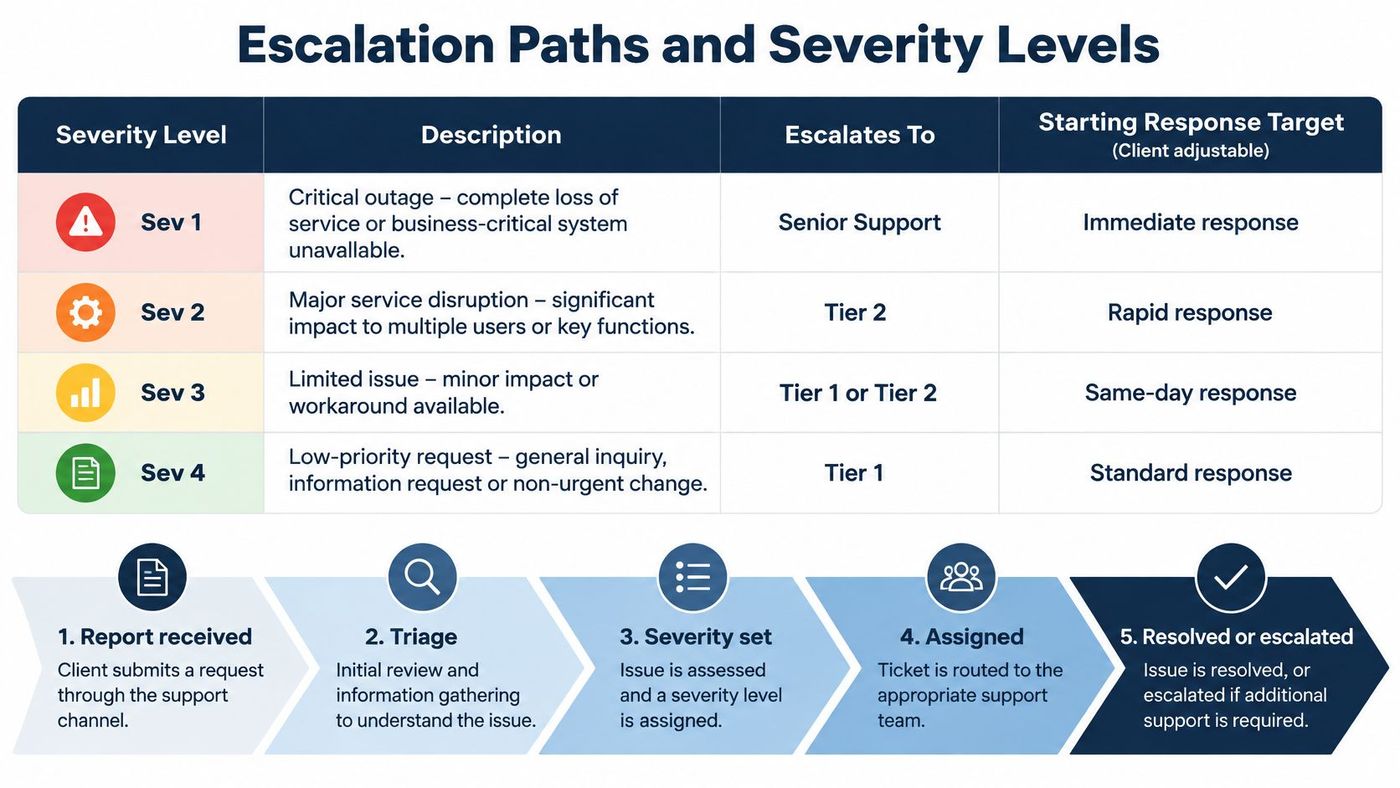
Adjust those starting targets to your hours and risk, then publish them where staff can find them. A target nobody has seen doesn't guide anyone at 2:00 a.m.
Our support requests follow four steps. A user submits a ticket via the IT Button or the client's ticketing system, triage routes it to internal IT or CloudOrbis based on the responsibility matrix, the assigned team resolves it, and post-incident documentation is added to the runbook.
During triage, agents use decision trees for phishing, suspected credential theft, endpoint malware, lost devices, and outages. Each tree asks the same first questions. Who is affected, what changed, and is there any sign this is more than a fault?
Structured playbooks matter because many firms don't have them. A BDC survey found 73% of surveyed Canadian small businesses had experienced a cybersecurity incident, only 11% had a formal response plan, and 52% had no plan at all.
When a ticket moves up, use a warm handoff. The agent calls or transfers by chat with notes attached, rather than coldly reassigning the ticket and hoping someone notices. Privileged accounts, regulated data, multiple users, or business-critical systems always get a warm handoff.
Capture the same fields every time:
Verify each fix with a controlled test before closing. Confirm conditional-access enforcement, check endpoint isolation status, restore connectivity and test it, or recover a backup file and open it. A user's verbal "looks fine now" isn't verification.
When personal information may be exposed, send the ticket to your privacy or legal lead at once. Don't let Tier 1 decide alone whether an event counts as a breach.
Under the Office of the Privacy Commissioner of Canada guidance on PIPEDA breach duties, organisations must report a breach to the Commissioner and notify affected individuals when it's reasonable to believe the incident creates a real risk of significant harm, and they must keep records of every breach of security safeguards for two years. Your ticket notes become part of that record, so write them like evidence.
Severity isn't about how loudly someone asks. It's about scope, data at risk, and whether work across the business has stopped.
Who owns what in a firm with 10 to 49 employees and no security specialist? Start by naming one business owner accountable for cybersecurity risk, even if a contractor does the technical work. Accountability can't be outsourced, even when the tasks can.
Then split duties in writing:
Say an email appears to come from the managing partner and asks for an urgent wire transfer. The Tier 1 holder doesn't act on the email. They confirm by callback to a number already on file, and they route the request to the owner for approval through the normal finance process.
That pause feels awkward the first time. It feels considerably better than explaining a fraudulent transfer.
Write this rule into your runbook and your wider IT security plan. No one changes payment details, bank access, or admin rights on a single request, regardless of seniority. If the requester is genuine, they'll accept the callback. If they resist verification, you've learned something important.
Organise tools by job, not brand. You need six jobs covered, and each tool should feed the next step in the workflow.
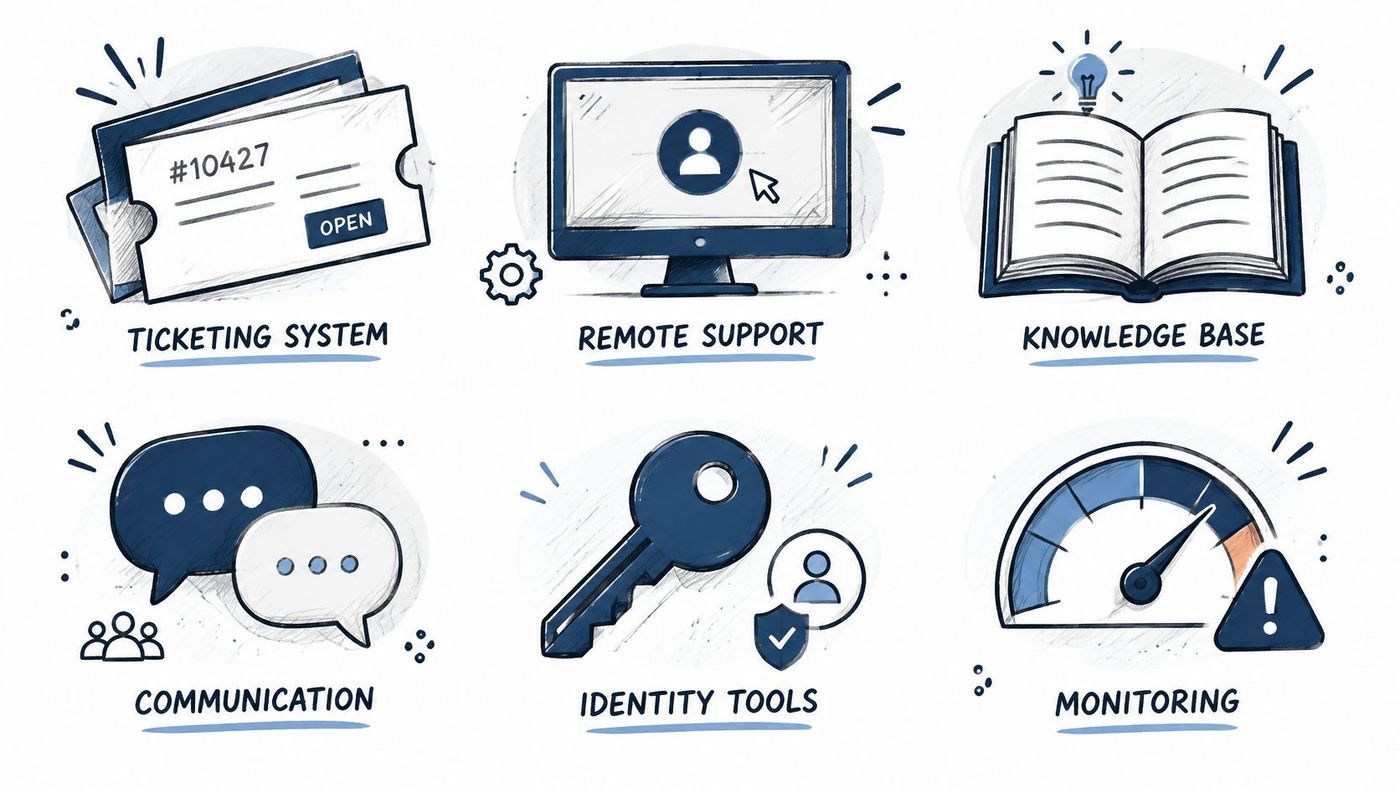
Choose on four criteria. Does it integrate with your help desk ticketing system and asset inventory, does it keep audit logs, does it offer data residency in Canada, and does it support role-based access?
Picture the workflow working properly. An RMM alert creates a ticket automatically, the agent follows the linked runbook, applies the fix, and the asset record updates when the ticket closes. Without runbooks, the same tools only produce more alerts for someone to ignore.
Use this simple rule first. If you have one or two internal staff who need relief, start with co-managed support. If you have none, move to fully managed.
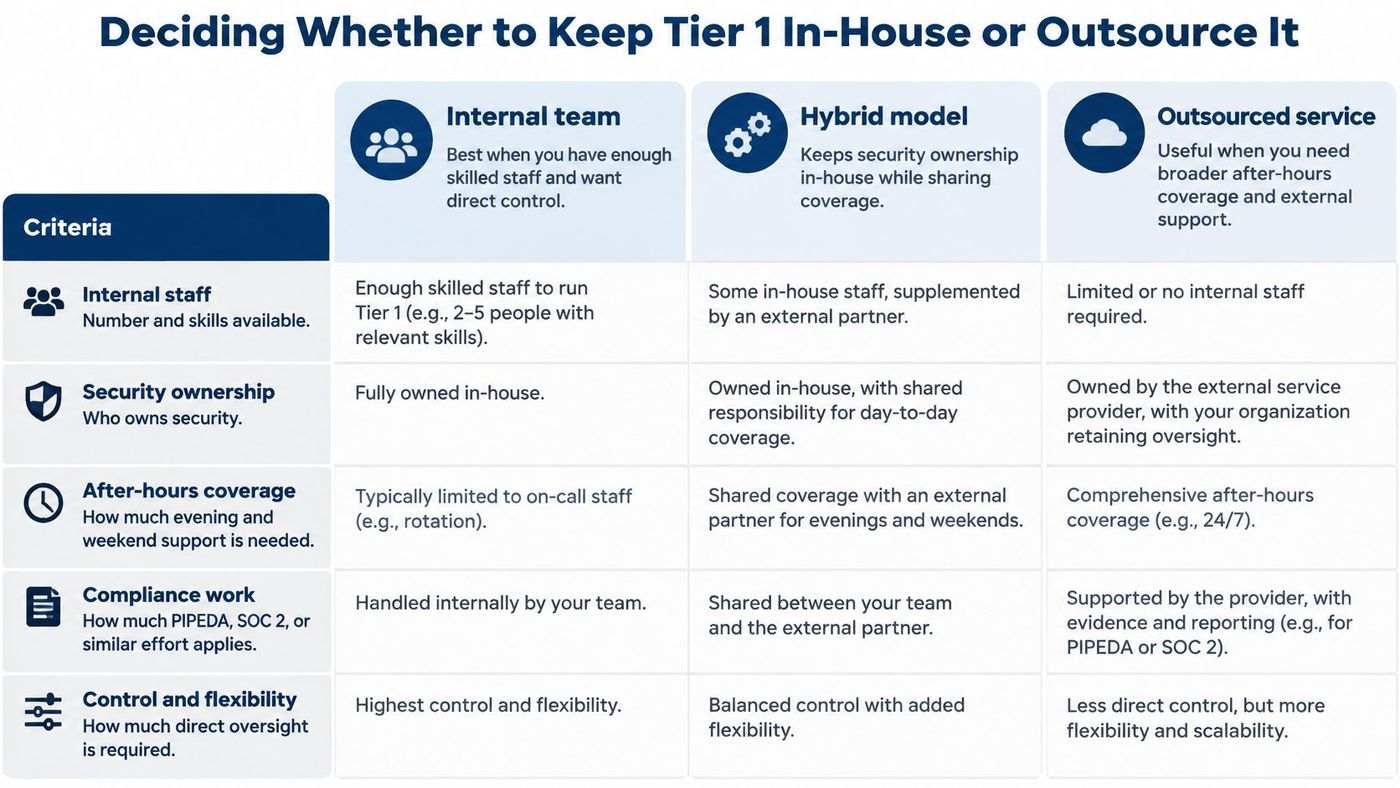
| Model | Who Runs Tier 1 | Best Fit | Coverage |
|---|---|---|---|
| In-house Tier 1 | Internal staff at every tier | Teams with skilled staff and a named security owner | Set by internal staffing |
| Co-managed support | Internal team keeps strategy; provider handles routine Tier 1 and Tier 2 | One or two internal staff who need relief | Shared between internal team and provider |
| Fully managed services | Provider runs the service desk | No internal IT staff | 24/7 for security and infrastructure issues |
Test the rule against five criteria: the number and skills of your internal staff, whether anyone owns security, how much after-hours coverage you need, how much compliance work you carry under PIPEDA, Quebec's Law 25, or provincial health privacy laws such as Ontario's PHIPA for clinics, and how much bandwidth your internal team has left for strategy. Our guide to IT staffing solutions can help you frame that staffing question clearly.
Our Co-Managed IT model supports an internal team by handling routine work so the team can focus on strategy, while business-critical applications stay with your staff. Fully managed support moves the service desk to us, and we provide 24/7 coverage for security incidents and infrastructure issues. Confirm on-site visit terms in your agreement either way.
If you're weighing how a provider should be structured, the reseller guidance from GoSafe Dark Web monitoring offers a helpful outside view of what managed services should include. Then review your escalation log for the last 30 days, list the tasks that repeat most, and use that list to test which model fits best.
CloudOrbis Inc. offers Managed IT Services, Co-Managed IT Services, IT Consulting, and a Free IT Risk Assessment, so we can test your current Tier 1 setup against your ticket patterns, security gaps, and coverage needs. Visit CloudOrbis Inc. to request your assessment and get a clear recommendation on whether to keep Tier 1 in-house, share it, or hand it over.
Book a 30-minute call with a senior engineer. No sales script, just straight answers about your environment.


