Cloud Endpoint Protection for Canadian SMBs
Learn how cloud endpoint protection works, its architecture, benefits for Canadian SMBs, deployment patterns, and how to choose the right approach.

Learn how cloud endpoint protection works, its architecture, benefits for Canadian SMBs, deployment patterns, and how to choose the right approach.

A 2025 Canadian cybersecurity study found 61% of organisations identified public-cloud environments as the IT component most affected by cyberattacks, compared with 43.5% in 2022, while corporate PCs and laptops were affected for 45% and smartphones and tablets for 33%, according to the 2025 Canadian findings on cloud and device attacks. That split explains the confusion many leaders feel. If the cloud is hit most often, why focus on laptops?
The answer is that attackers rarely stop at one place. They steal a Microsoft 365 password, abuse a browser session, or compromise a laptop, then move toward shared files and business applications. Cloud endpoint protection covers the devices people use to reach the cloud. It does not, on its own, secure cloud configuration, identities, or every software as a service application. Knowing that boundary helps you buy the right controls and assign clear ownership, rather than assuming one agent covers everything.
A small Ontario clinic had antivirus on every laptop. Staff assumed they were covered, until a compromised laptop disrupted day to day work and forced the team to investigate what else the attacker could reach. Updates hadn't been applied consistently, and no one had a clear process for acting on alerts.
That pattern is familiar. Tools were installed, but patch discipline, central oversight, and a tested response were missing. Cloud endpoint protection is designed to close that gap by managing devices from a central cloud console, even when staff work from home, a site office, or another city.
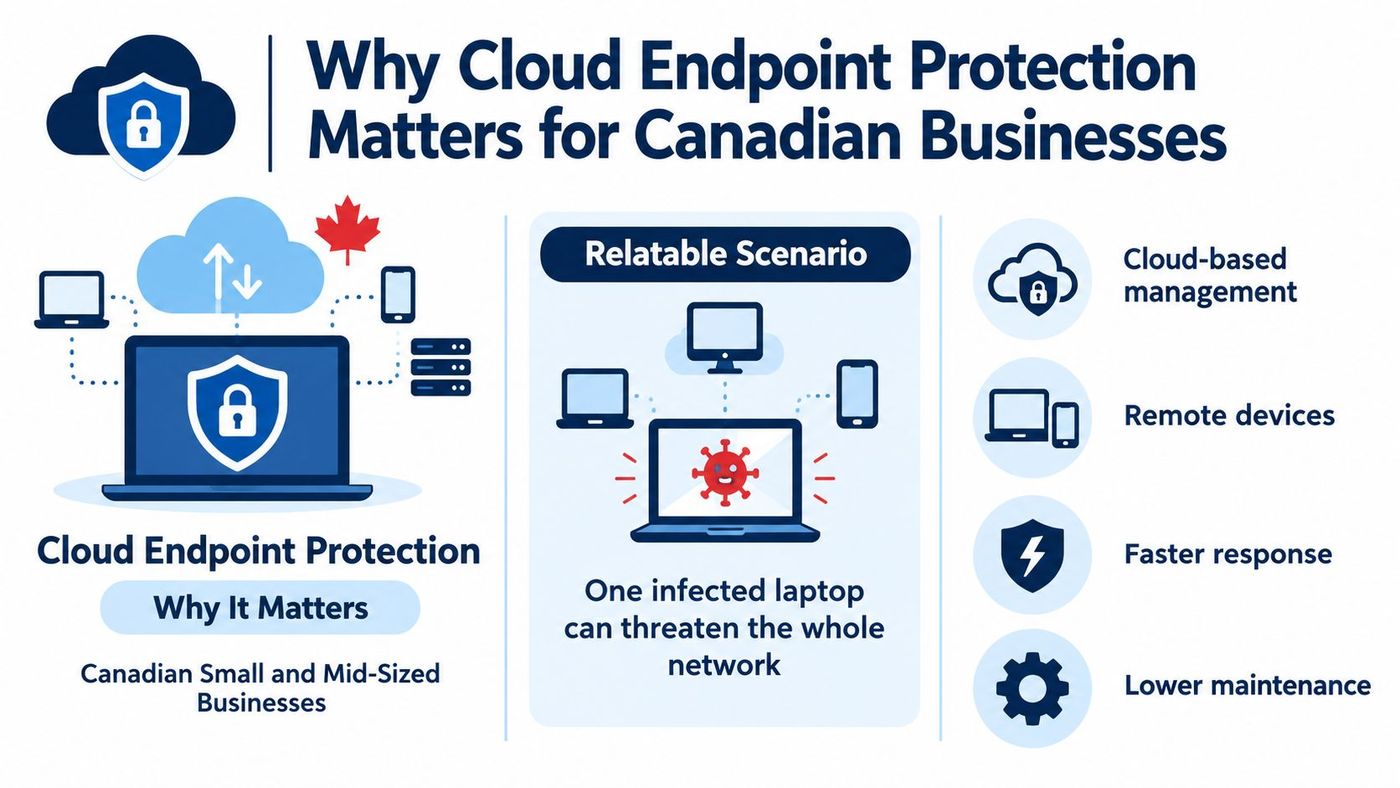
In Statistics Canada's 2017 survey, 21% of Canadian businesses reported cyber incidents affected their operations, and among affected organisations 54% said incidents prevented employees from performing day to day work, 30% incurred repair or recovery costs, and 10% lost revenue, as reported in Statistics Canada's 2017 survey on cyber incidents and business operations. Incident impacts were reported by 47% of banking institutions, 46% of universities, and 45% of pipeline transportation businesses in the same source. Those sectors differ, but they share a dependence on connected systems and staff devices.
Malicious software was identified as a threat by 52.9% of businesses, while 76% reported using anti-malware software in that survey. Yet only 65% installed security updates monthly or more often. The lesson is direct. Having software installed doesn't prove devices are updated, monitored, or isolated quickly when something looks wrong.
Operational test: If a laptop behaves strangely at 7 p.m., can someone see the alert, isolate the device, and record what happened without waiting for that employee to return to the office?
That question also connects to privacy and record keeping. Leaders handling client, patient, or employee information should understand their obligations, starting with Canadian data privacy laws that affect how businesses handle personal information. Endpoint controls support those obligations when they produce consistent policies and usable audit trails.
Think of a building with three roles. A guard watches the door, a control room reviews cameras and responds to alarms, and an inspector checks locks and fire exits. Cloud endpoint protection works in a similar way, with each layer doing a different job.
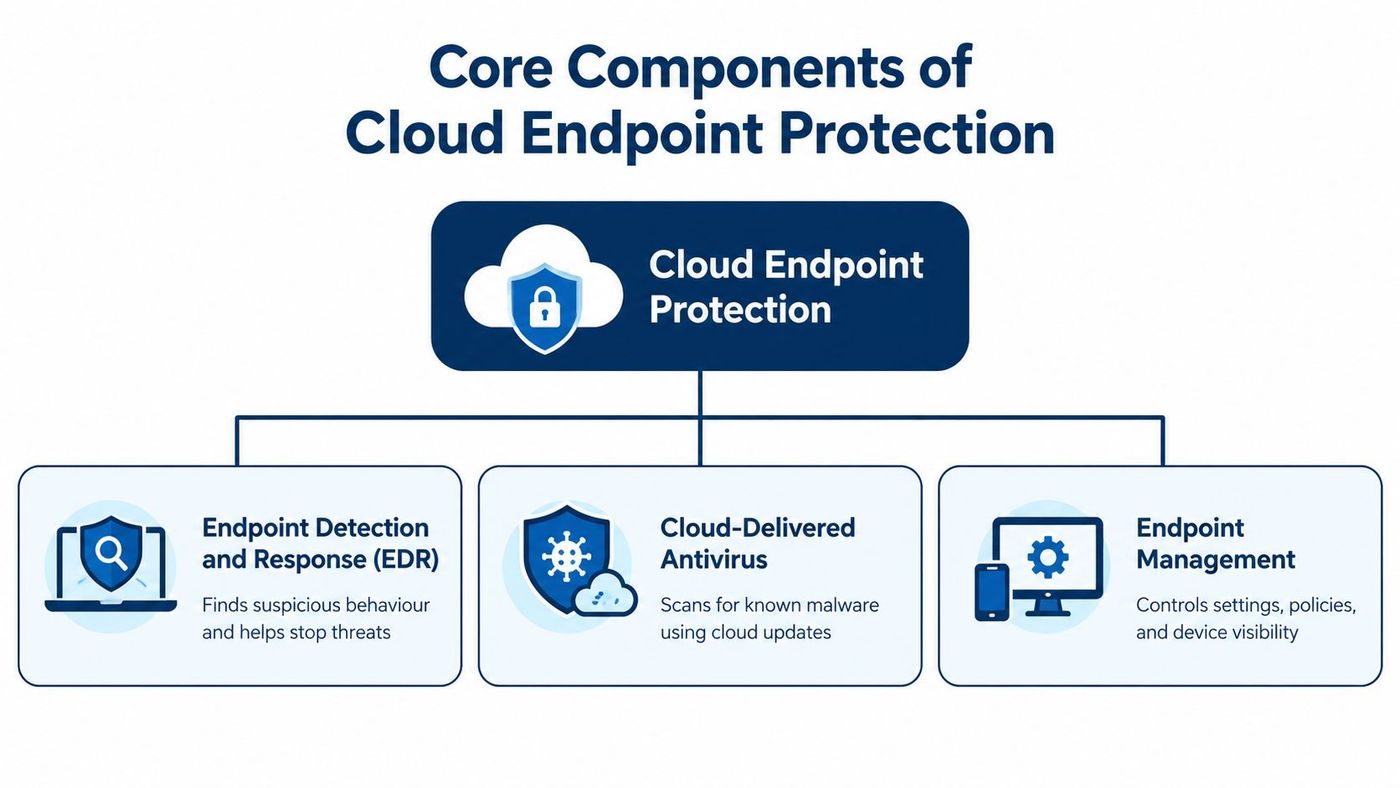
Endpoint detection and response, or EDR, watches behaviour on a device. It looks for suspicious actions, such as a normal office program suddenly trying to encrypt many files or run hidden commands. When risk is high, EDR can help analysts isolate the device, stop a process, and review a timeline of what happened.
Cloud delivered antivirus handles known malware and many common threats. It receives updates from the cloud rather than relying on staff to run manual updates on each computer. That matters for remote laptops that may not connect to an office server for weeks.
The Canadian Centre for Cyber Security recommends combining antimalware, endpoint firewalls, and EDR or extended detection and response capabilities, along with event monitoring, in its guidance on defending against data exfiltration from endpoint devices. That guidance treats these as complementary controls, not interchangeable products.
Posture management is the inspector in the analogy. It doesn't chase attackers, but it stops weak devices from becoming entry points. For practical settings and habits that support these layers, see endpoint security best practices for managed business devices. Together, detection, prevention, and posture checks reduce the chance that one compromised device opens the door to shared cloud data.
A lightweight agent is installed on each managed laptop, desktop, server, or mobile device. The agent enforces local policy, watches activity, and sends relevant telemetry to a cloud management console. That console is where your internal team or provider reviews alerts, changes policy, and takes action.
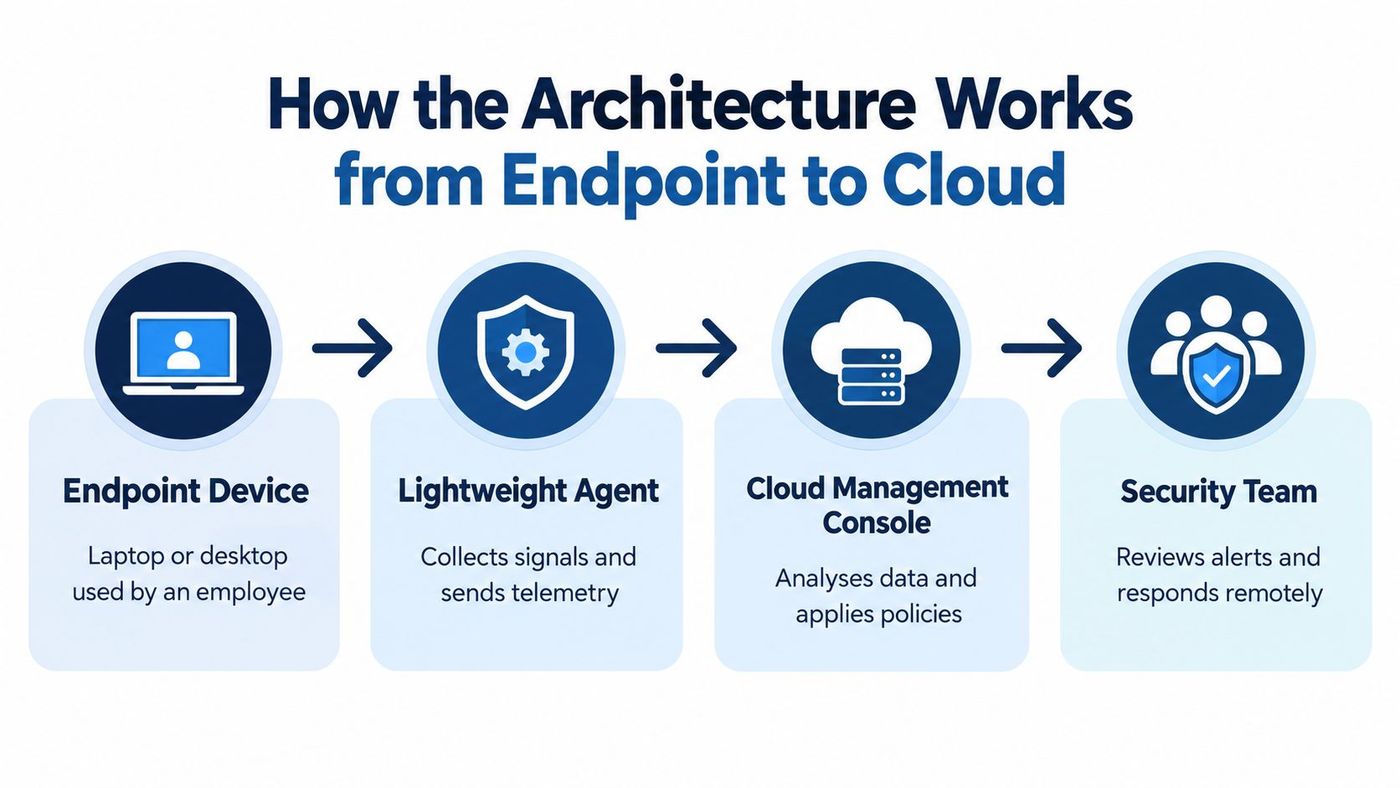
Consider a project coordinator working from Edmonton. Her laptop opens a malicious attachment and starts unusual outbound connections. The agent flags the behaviour, the console raises an alert, and the device is isolated from company resources while investigators preserve evidence. She can still be contacted through a separate channel, but the laptop can't reach shared drives until it's cleared.
Canadian guidance says the customer defines endpoint security requirements and remains responsible for devices used to access cloud services, and it recommends controls including certificate based device identity, deny by default access for unmanaged devices, and automated updates at least daily, in the Government of Canada endpoint configuration guidance for cloud access. That shared boundary is important. A cloud provider can offer device management features, but your organisation still decides which devices are trusted.
What happens offline? A well configured agent keeps enforcing its last policy and stores events to send later. It can't receive a new emergency rule until it reconnects, so offline behaviour, tamper protection, and local firewall settings should be tested before rollout, not discovered during an incident.
These three terms overlap, but they solve different problems. Mixing them up leads to gaps. A team may protect laptops well while leaving a cloud storage setting exposed, or secure Microsoft 365 while allowing an unmanaged personal tablet to download client files.
Comparison of Traditional Antivirus, Cloud Endpoint Protection, and Cloud Security
| Approach | Primary Focus | Update Model | Management | Typical Use Case |
|---|---|---|---|---|
| Traditional antivirus | Known malware on one device | Periodic local signature updates | Local or office server based | Basic malware scanning on office computers |
| Cloud endpoint protection | Devices, behaviour, posture, and response | Continuous cloud delivered updates | Central cloud console | Remote laptops, servers, and managed fleets |
| Cloud security | Cloud services, configuration, identities, and data | Provider and customer managed controls | Cloud platform and security tooling | Microsoft 365, cloud storage, and hosted applications |
Traditional antivirus asks whether a file matches known threats. Cloud endpoint protection also asks what the device is doing, whether it meets policy, and how quickly it can be contained. Cloud security asks a broader question. Are identities, storage, applications, and network rules configured safely?
That distinction matters when a password is stolen. An endpoint agent may see nothing wrong on a healthy laptop if the attacker signs in from elsewhere using a valid session. Identity protection, conditional access, audit logs, and cloud configuration checks must handle that part. For a wider view of those gaps, Vigil Security on cloud security concerns is a useful companion resource.
Protect the device with endpoint controls, the person and sign in with identity controls, and the service and its settings with cloud controls. Teams comparing response models can also review the difference between EDR and MDR for business security teams. No single layer makes the other two optional.
Small and mid sized organisations often have capable general IT support but no dedicated security analyst watching alerts overnight. A centrally managed endpoint model fits that reality because it standardises updates, makes device status visible, and gives a provider or internal lead one place to act.
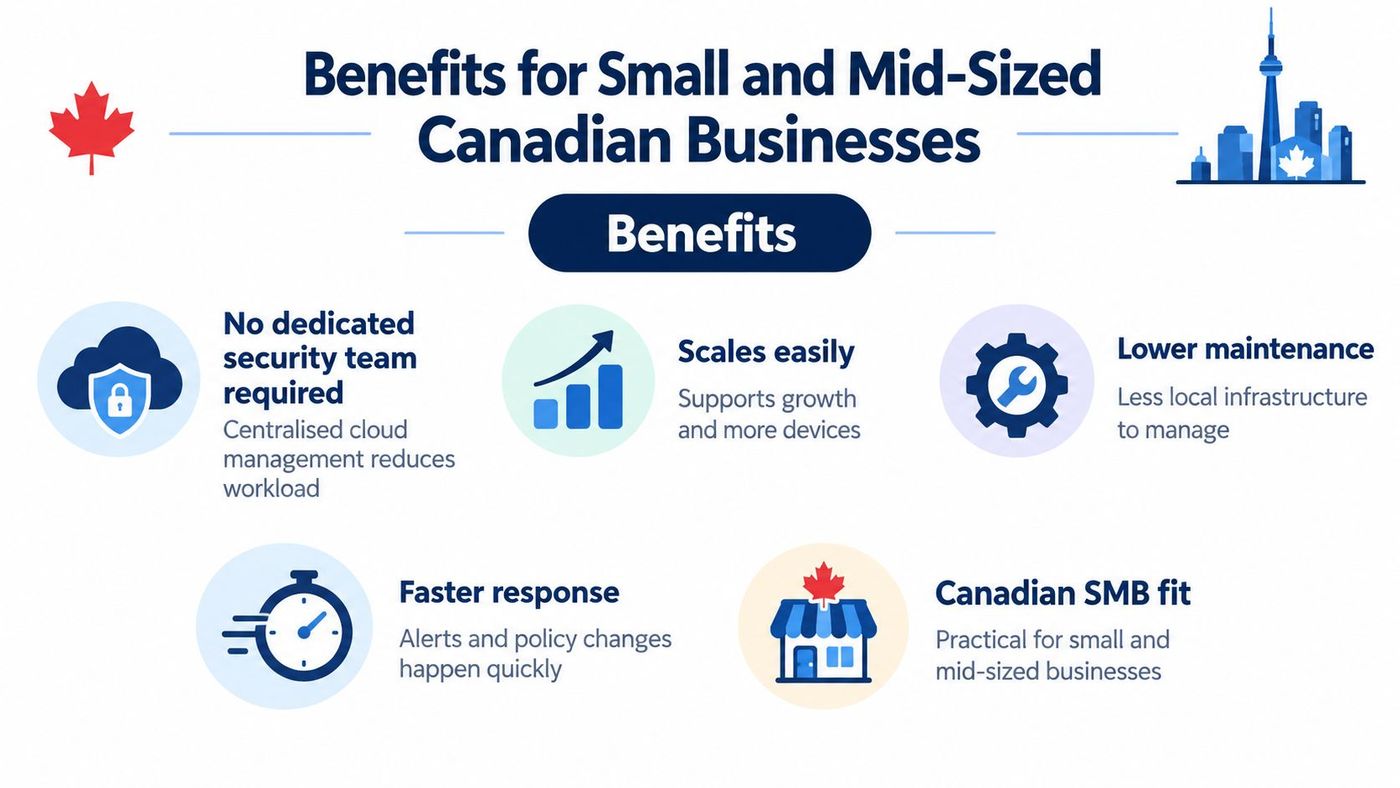
Statistics Canada reported Canadian businesses spent approximately $7 billion in 2019 on measures to prevent, detect, and recover from cybersecurity incidents, while about 21% were impacted by cyber incidents that year, according to Statistics Canada reporting on cybersecurity spending and business impacts in 2019. Adoption was uneven. The same reporting found 76% used anti-malware software, 73% used email security, and 69% used network security, but only 18% had written policies for managing cyber risks or reporting incidents.
That's the operational gap a managed model can close. Buying a tool isn't the same as enforcing updates, documenting escalation, and proving every laptop is covered.
The same discipline helps other cloud work. Teams that document ownership and automate routine checks avoid common errors, similar to the advice to improve AWS automation and reliability for cloud workloads. For healthcare, legal, finance, and manufacturing firms, the value is not a dashboard. It's fewer unknown devices, faster decisions, and evidence that controls are operating.
Start with your device reality, not a product brochure. List company owned laptops, shared workstations, servers, personal phones used for email, and specialist equipment that can't run standard software. That inventory determines which pattern fits.
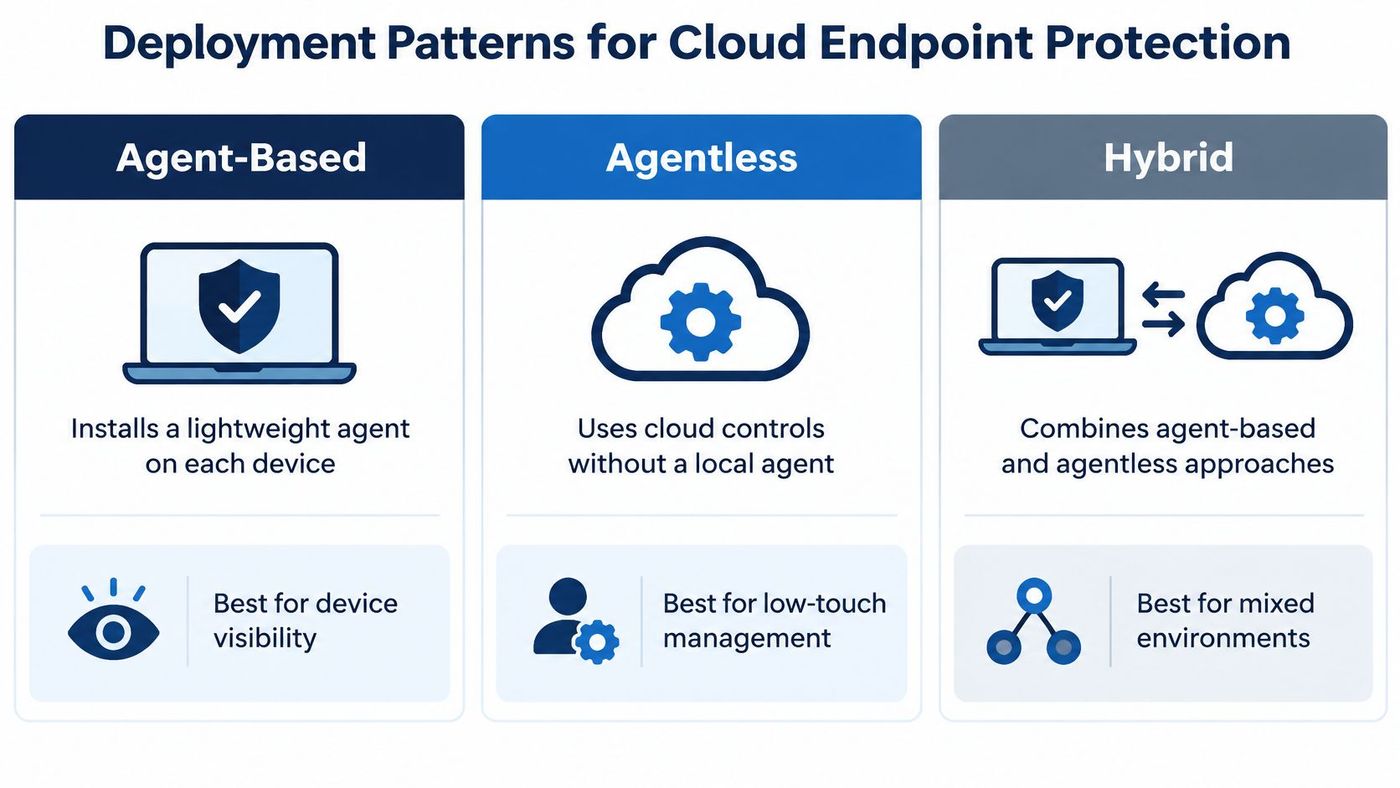
Agent based deployment installs software on each device. It gives the deepest visibility and the strongest local control, including behaviour monitoring and isolation. It's usually the right default for company owned laptops, desktops, and servers that hold or access sensitive data.
Agentless deployment uses application programming interfaces, network signals, or cloud service logs instead of local software. It can help with unmanaged devices, temporary systems, or equipment that can't support an agent. The trade off is less detailed evidence and fewer ways to stop activity directly on the device.
Hybrid deployment combines both approaches. A manufacturer might use agents on office and engineering laptops, while monitoring older plant equipment through network controls and restricted access. A clinic might require agents on every workstation that opens patient records, while limiting personal phones to email through mobile policy.
Pilot with a small group first. Include one remote worker, one shared workstation, and one server if possible. Explain to staff what the agent does, what it doesn't monitor for personal use, and who to contact if a device is blocked. Then expand in phases and track unsupported or missing devices until coverage is complete.
Early action has financial value. Canada's Communications Security Establishment reported that since May 2023 it had warned 250 entities about potential intrusions that could lead to ransomware, and those warnings reportedly helped avoid an average ransomware payment of $250,000 per incident, in its main estimates disclosure on ransomware warnings to Canadian entities. Organisations that need analysts to review and act on those signals can consider managed EDR services for monitored endpoint response as one operating model.
Endpoint protection becomes more useful when its signals influence access decisions. A compliant, healthy laptop can open email, Teams, and SharePoint. A laptop with disabled protection, unsupported software, or active suspicious behaviour is restricted to remediation until it's fixed.
That's conditional access in plain language. Access depends on both who the person is and the state of the device they're using. A stolen password alone shouldn't open patient records, financial data, or operational applications from an unknown computer.
Canadian guidance for cloud services recommends layered safeguards, granular authentication and authorisation, segmentation between security zones, and TLS 1.2 or higher for communications, as set out in the Canadian Centre for Cyber Security guidance on cloud service contract clauses. If one endpoint is compromised, segmentation and authenticated service access limit lateral movement toward unrelated workloads, backups, or records.
A Toronto professional services firm, for example, can allow full file access only from managed laptops, while personal devices get browser only access with downloads blocked. A manufacturer can separate office endpoints from production systems and require a privileged access path for administrators. Website and platform teams face the same layering question, which is why guidance on securing Sitecore DXP in the cloud can help when customer platforms sit beside Microsoft 365. For device enrolment and policy basics, review Microsoft Intune device management for business endpoints before tightening access rules.
Access should follow the health of the device, not just the correctness of a password.
Your choice is not only which product to buy. It's who will watch alerts, who can isolate a device after hours, and how you'll prove coverage next quarter. A strong tool with no owner still leaves risk on the table.
Start with an honest inventory. Count protected devices, unsupported devices, personal devices with access, and servers or virtual machines that no one has reviewed recently. Then check whether endpoint alerts connect to identity controls, backups, and a written response plan.
Operational continuity deserves equal weight. Academic research published in 2025 found 29% of surveyed Canadian businesses had experienced at least one ransomware attack, and Ontario represented 43% of reported cases, as cited in the Canadian Centre for Cyber Security ransomware threat outlook for 2025 to 2027. Your playbook should say which devices to isolate, when to disable identities, how essential work continues, and how restoration will be tested.
Some organisations manage this internally. Others use a provider such as CloudOrbis Inc., a Canada based managed IT services provider that offers managed endpoint protection, continuous monitoring, threat investigation, and device isolation as part of a broader cybersecurity programme. Either way, ask for documented ownership, escalation steps, and regular coverage reporting before you commit.
CloudOrbis Inc. helps Canadian small and mid sized businesses implement cloud endpoint protection with managed monitoring, Microsoft 365 integration, and clear response procedures for laptops, servers, and remote devices. If you want an assessment of your current coverage and a practical plan to close gaps without disrupting staff, visit CloudOrbis Inc. to start the conversation.
Book a 30-minute call with a senior engineer. No sales script, just straight answers about your environment.


