Endpoint Security Best Practices: A 2026 Guide for SMBs
Discover 10 endpoint security best practices for SMBs in 2026, covering EDR, MFA, patching, encryption, and more to protect your business from evolving threats.

Discover 10 endpoint security best practices for SMBs in 2026, covering EDR, MFA, patching, encryption, and more to protect your business from evolving threats.
Most breaches still begin with a device, a click, a bad login, or a laptop that nobody tracked properly. That is the reality for Canadian SMBs handling patient records, client files, production data, and remote workers across laptops, mobiles, and servers. If your team still treats endpoint security as “install antivirus and move on,” you're already behind.
Canada's own federal posture makes the point clearly. The Government of Canada reported that host-based sensors were installed on approximately 770,000 IT endpoint devices as of September 2024, and 85 federal organizations had to confirm implementation on all IT endpoints by mid-November 2024, with endpoint logging configured to government standards for detection of anomalous behaviour Government of Canada endpoint security audit. That is not optional hygiene. It's operational discipline.
For leaders in healthcare, legal, manufacturing, oil and gas, and finance, the message is blunt. You need layered controls, central visibility, and a recovery plan that works under pressure. If you want a broader software comparison while you're planning your stack, you can compare top EDR and NGAV for SMBs, but the priority is clear. Build the endpoint programme first, then tune the tools.
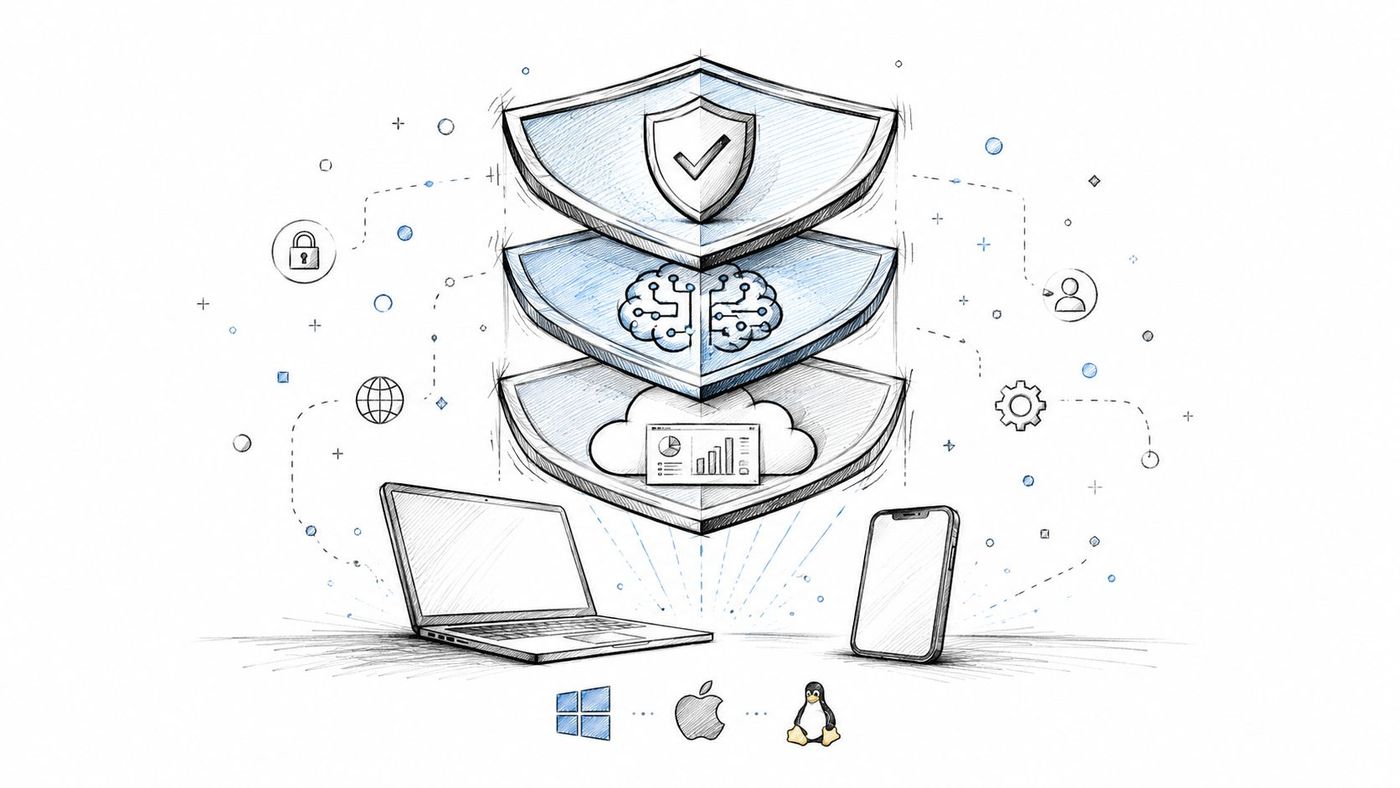
Stop buying point tools that overlap and leave gaps. A serious endpoint protection platform gives you prevention, behaviour analysis, exploit blocking, and central policy control in one place, which matters when your IT team is already stretched thin. Canada's market growth signals that organisations are prioritising layered endpoint controls, with the Canada Endpoint Protection Platform market valued at about USD 1.8974 billion in 2024 and projected to reach about USD 3.3448 billion by 2029 at a 12.0% CAGR Canada Endpoint Protection Platform market.
That growth is only useful if you convert it into a practical rollout. Start with a full endpoint audit, then pilot on a non-critical department before you touch finance, HR, or clinical systems. If your environment includes mixed Windows, macOS, and Linux devices, central policy enforcement matters more than product branding. For a Canadian SMB, the win is simpler administration, not a flashy dashboard.
The Government of Ontario's enterprise vulnerability-management standard says endpoint controls should be centrally managed, installed on all applicable endpoints, and able to detect, prevent, or quarantine known attacks while analysing suspicious or unauthorised processes Ontario endpoint controls. That is the standard to aim for.
Practical rollout order
Practical rule: If you can't see the endpoint, you can't protect it. Central visibility comes before central response.
If you need a starting point for your shortlist, review the CloudOrbis endpoint antivirus guidance alongside your internal standards. For a legal practice in Toronto, a manufacturing plant in Hamilton, or a clinic in Ottawa, the buying decision should always come back to one question, can your team manage every device from one console without losing control.
Weak credentials are still the easiest way into a business. Don't rely on “good password habits” and hope people comply. Enforce multi-factor authentication, add passwordless authentication where you can, and control admin access with policy, not trust.
For a Toronto healthcare provider, that means using Azure MFA on patient systems, not just email. For a Calgary manufacturing firm, it means FIDO2 keys for VPN access into industrial systems. For legal and financial teams, Windows Hello and biometric sign-in reduce password reuse while keeping sign-in fast enough for daily work. If staff complain about friction, that's usually a sign the rollout is badly designed, not that MFA is the wrong control.
The Canadian Centre for Cyber Security recommends strong authentication and device-aware security controls as part of modern endpoint hygiene, especially for mobile and remote access scenarios Cyber Centre hygiene guidance. That matters because an endpoint that accepts a compromised password is already lost.
Use a phased rollout. Start with admins, finance, HR, and anyone with access to regulated data. Then move to the rest of the workforce. Make sure every user has a backup path, such as authenticator apps or recovery codes, so one lost phone doesn't become a support incident.
CloudOrbis's MFA guidance fits naturally here if you want to standardise policy language for your team. The operational point is simple. If a stolen password can still open your VPN, email, or remote desktop session, you don't have real endpoint security.
Antivirus alone won't save you when an attacker is already inside the machine. EDR gives you telemetry, timeline evidence, and automated containment, which is what you need when ransomware starts moving laterally or an insider starts pulling files at odd hours. Use it as a detection and response layer, not as a replacement for prevention.
A Toronto healthcare system can use EDR telemetry to catch suspicious encryption activity before patient data is locked. A legal firm can reconstruct a data theft timeline from endpoint evidence. A financial services team in Calgary can flag unusual user behaviour and isolate the device before the incident spreads. Those are real operational gains, not marketing claims.
The best deployments pair EDR with a live response process. If you don't have a 24/7 SOC, partner with a managed detection and response provider that can act on alerts after hours. Then write response playbooks for ransomware, exfiltration, and credential compromise before you need them. If your analysts still have to improvise during an incident, you're wasting the tool.
Use the CloudOrbis EDR overview as a reference point for the control set and think about the practical trade-offs. Some tools generate noise. Some are hard on older endpoints. The right one is the platform your team will use during a bad night, when time matters more than elegance.
Bottom line: EDR is for confirmation, containment, and forensics. It is not a substitute for baseline prevention, and it's useless if nobody watches the alerts.
Patch management is not an IT housekeeping task. It is one of your strongest defences against known attack paths. Government of Canada endpoint guidance requires up-to-date inventories of endpoints, patch histories, firmware, and configurations, and it requires active patching of endpoint OS, software, hardware, and firmware to mitigate known vulnerabilities Government of Canada endpoint management. That makes the sequence clear, first see the asset, then patch it.
A mature programme needs SLAs. Critical patches should move within 24 to 48 hours, high-priority patches within 1 to 2 weeks, and standard updates on a defined cycle. For an Edmonton oil and gas company, that may mean aggressive patching for internet-facing systems and tightly controlled windows for operational environments. For a healthcare provider, compliance reporting matters just as much as the patch itself.
Use pilot groups to catch compatibility issues before broad rollout. Prioritise Active Directory, email, and internet-facing services before less exposed endpoints. Track end-of-life software and hardware so you're not patching something that should have been retired six months ago. If a vendor pushes an emergency update for a zero-day, your process should already know who approves it and how quickly it ships.
The Government of Canada also expects software baselines to use supported, tested versions and calls for regular, automated vulnerability scans Government of Canada system management. That is the model to follow. Patch urgency without asset visibility is noise. Asset visibility without patch execution is theatre.
For teams that want the process to stay simple, document your patch owner, approval path, rollback path, and communication template. Then stick to it.
If you're in healthcare, legal, finance, or manufacturing, you need controls that stop sensitive data from leaving the wrong way. DLP is not just about blocking email. It's about spotting confidential records, trade files, and payment data moving where they shouldn't, then deciding whether to alert, quarantine, or block.
A Toronto clinic should use DLP to stop unencrypted patient records from being mailed out casually. A legal firm should prevent confidential client documents from going to the wrong recipient. A manufacturing company should stop CAD files from landing in personal cloud storage. These are the kinds of mistakes that happen when people are busy and the policy is weak.
Start in visibility mode. Watch what users do before you flip to blocking. That gives you a picture of legitimate workflows and reduces avoidable friction later. Train staff before enforcement, not after. If the first time they hear about DLP is when a document is blocked, you've already created resistance.
Use CloudOrbis's DLP guidance to align policy wording with your internal data-classification rules. Then make the rules specific. What counts as sensitive? Which systems are approved for sharing? Which file types must never leave the managed environment? Vague policy creates exceptions. Specific policy creates compliance.
Practical rule: DLP works best when the business has already classified its data. If you don't know what is sensitive, the tool will either miss it or annoy everyone.
Lost and stolen devices are still a daily risk, especially in mobile-heavy organisations. Full-disk encryption makes that risk manageable because the data stays unreadable without the right credentials or recovery key. For laptops in healthcare, law, finance, and field operations, encryption is not optional.
Windows teams should use BitLocker. Mac environments should use FileVault. Your device-management platform should verify encryption status remotely and keep recovery keys in escrow. If a clinician's laptop goes missing, or an engineer in Calgary leaves a device in a vehicle, encryption is the control that prevents a bad day from becoming a reportable incident.
The Government of Canada endpoint standard requires certificate-based device authentication and access controls to stop unauthorised devices from connecting to networks or sensitive data Government of Canada endpoint management. Pair that with encryption and you have a stronger baseline than “device password plus hope.”
Use TPM-based key storage where possible. Test recovery. If your team has never restored from a recovery key, the first real incident will expose every gap in your process. That test should include user support, escrow retrieval, and business continuity assumptions.
For a manufacturing company protecting trade secrets, or a financial institution handling payment data, the trade-off is worth it. Encryption adds a small amount of administrative work. Data exposure from a lost device costs far more.
Hybrid work is normal now. Secure remote access has to assume that users will connect from home Wi-Fi, client sites, airport lounges, and plants with mixed trust levels. The answer is not “open the VPN and hope for the best.” Use zero-trust remote access, device checks, and strong identity controls before you hand out access.
A healthcare clinic can support telemedicine without exposing records to unmanaged devices. A legal firm can let lawyers work from home while protecting document systems. An oil and gas company in Edmonton can restrict contractor access to specific systems and specific conditions. The principle is the same. Access should follow identity, device state, and role, not convenience.
Require MFA for every remote connection. Check antivirus status, encryption status, firewall state, and device compliance before the tunnel opens. Monitor connection logs for unusual times, abnormal transfer patterns, and access from locations that don't match the user's role. If a user never works after hours and suddenly signs in at 2 a.m. from another province, somebody should review that.
Use the CloudOrbis remote access guidance if you want to formalise your policy language. Then keep your VPN access list tight. Every extra account, shared credential, and unmanaged exception is a future incident ticket.
People still click what they shouldn't. That doesn't mean training is pointless. It means you need to train like a manager, not like a lecturer. Give staff clear examples, run phishing simulations, and make reporting easy.
A Toronto law firm can stop a fraudulent trust-account request because one employee spots the sender mismatch. A financial services team in Calgary can report a social-engineering attempt before money moves. A manufacturing business can catch a wire-fraud attempt early enough to stop it at the bank. The security value comes from fast reporting, not memorised theory.
Keep the training short and regular. Build role-specific content for executives, finance staff, HR, reception, and IT. Teach mobile device hygiene, password habits, and data handling in the same programme, because endpoint risk doesn't stay in one channel. If someone clicks a simulation, give immediate feedback and a short refresher, then move on. Shame helps nobody.
Employees become useful defenders only when the reporting path is obvious and the response is fast.
The CloudOrbis phishing-reporting guidance can help you shape the language if your current awareness material is too generic. Keep the tone practical. Your goal is not perfect quiz scores. Your goal is fewer bad clicks and faster escalation when a bad email lands.
If your endpoint programme stops at office laptops, it's incomplete. MDM and MAM are now basic controls for Canadian SMBs that allow mobile work, field service, or BYOD. Without them, your policies don't reach the devices people use.
A healthcare provider should use MDM to enforce encryption and remote wipe on clinician phones and tablets. A legal firm should use MAM to separate client data from personal apps on BYOD devices. A construction team can wipe lost project tablets remotely. A sales team in manufacturing can stay productive without letting unmanaged devices become the weak link.
Use containerisation for BYOD so employee privacy is respected while company data stays inside a managed boundary. Set clear device eligibility rules before rollout. Then define what happens when a device goes non-compliant, loses encryption, or misses an update. If your policy only says “users must comply,” it's not a policy, it's a wish.
The Canadian Centre for Cyber Security explicitly includes mobile endpoint threat management and warns that protection has to extend to smartphones and tablets, not just office PCs Cyber Centre hygiene guidance. That aligns with what most SMBs are already doing, whether they've formalised it or not.
Use CloudOrbis's mobile device management guidance to tighten the language around remote wipe, compliance, and app controls. Then audit the device list regularly. Unused devices and stale access are cheap targets.
Assume a device will fail, get encrypted, or disappear. Backup and recovery are how you keep the business moving when prevention fails. The strongest model for SMBs is the 3-2-1-1 rule, three copies of data, two media types, one offsite, one immutable. That gives you resilience against ransomware, hardware failure, and human error.
A Toronto healthcare system can restore from immutable backup after an attack. A legal team can recover deleted files from versioned storage. A manufacturing plant can bring production schedules back after a server failure. A financial services firm can prove recovery readiness during a PCI-related review. Those are operational outcomes, not comfort statements.
Test recovery quarterly. A backup that has never been restored is a guess, not a control. Encrypt backups in transit and at rest, keep one copy offsite, and make sure immutable storage is actually immutable in practice. Document your RTO and RPO targets for business leaders, then verify that your tools can hit them.
Use CloudOrbis's backup and recovery guidance to align the technical process with executive expectations. Then review who owns restoration, who approves a failover, and who tells the business when to switch modes. If nobody can answer those questions quickly, the recovery plan is incomplete.
| Control | Implementation complexity | Resource requirements | Expected outcomes | Ideal use cases | Key advantages |
|---|---|---|---|---|---|
| Deploy Multi-Layered Endpoint Protection Platforms | Medium, integration and tuning required | EPP licenses, endpoint agents, centralized console, training | Unified visibility, faster incident detection and containment | Mid-sized orgs needing cross-OS endpoint protection | Real-time ML detection and centralized management |
| Enforce Strong Authentication and Password Management | Medium, org-wide rollout and change management | MFA/passwordless tools, identity provider integration, security keys, user training | Dramatic reduction in credential-based attacks | Remote/hybrid workforces and high-risk accounts (admins, finance) | Reduces phishing/credential theft; supports passwordless UX |
| Implement Endpoint Detection and Response (EDR) Solutions | High, deployment, tuning, SOC capabilities needed | High-cost licensing, skilled analysts, telemetry storage, automation playbooks | Rapid breach detection, forensic trails, reduced dwell time | Organizations facing advanced threats; regulated sectors | Advanced detection, threat hunting, automated containment |
| Maintain Rigorous Patch and Update Management | Medium, policy, testing, staged rollouts | Patch management tools, testing environments, cross-team coordination | Fewer exploitable vulnerabilities; improved compliance posture | All organizations; especially internet-facing systems and servers | Eliminates many known vulnerabilities; compliance support |
| Deploy Data Loss Prevention (DLP) Controls | High, extensive policy definition and tuning | DLP platform, content classification, integration effort, admin time | Prevents accidental/malicious data exfiltration; audit trails | Healthcare, finance, legal, IP-sensitive organizations | Stops data leaks; enforces compliance and governance |
| Enable Full-Disk Encryption on All Endpoints | Low–Medium, deployment and key management | OS/native encryption or third-party, key escrow, MDM integration | Protects data at rest; reduces impact of lost/stolen devices | Mobile-heavy workforces and devices carrying sensitive data | Strong protection for stolen devices with minimal user impact |
| Establish Secure Remote Access and VPN Infrastructure | Medium, zero-trust configuration and identity integration | VPN/zero-trust solution, MFA, access policies, network capacity | Secure remote connectivity; reduced eavesdropping and unauthorized access | Remote/hybrid staff, contractors, telemedicine providers | Encrypted access with device compliance and granular policies |
| Conduct Regular Security Awareness Training and Phishing Simulations | Low–Medium, program setup and ongoing cadence | Training platform, phishing simulator, reporting and admin time | Large reduction in phishing success; improved incident reporting | All organizations, especially high-phishing-target teams | High ROI; strengthens human layer and reduces incident risk |
| Implement Mobile Device Management (MDM) and Mobile Application Management (MAM) | Medium, device diversity and BYOD policy challenges | MDM/MAM platform, admin support, integration with identity systems | Centralized mobile control; enforced device security and remote wipe | BYOD programs, mobile-first staff, regulated industries | Protects mobile data via containerization and remote controls |
| Establish Comprehensive Backup and Disaster Recovery Procedures | Medium–High, architecture, testing, and policy enforcement | Backup software, storage (immutable/offsite), encryption, testing resources | Rapid recovery from ransomware/hardware failure; business continuity | All organizations; critical systems and regulated data holders | Ensures recoverability and ransomware resilience through tested backups |
Treat this as a 30-60-90 day rollout, not a one-week scramble. In the first 30 days, inventory every endpoint, confirm who owns each device class, turn on MFA for privileged access, and write your patch, backup, and incident-response policies in plain language. If you can't name the owners and the escalation path, you're not ready for a mature endpoint programme.
In days 31 to 60, deploy or tighten EPP, EDR, encryption, and mobile management on a pilot group, then expand to the highest-risk departments first. That means finance, HR, executives, clinicians, and anyone touching regulated or client-sensitive data. Keep the pilot narrow, measure what breaks, and fix the process before you widen the rollout.
By days 61 to 90, move into enforcement. Turn on DLP rules, finalise secure remote access policies, run phishing simulations, test backup recovery, and schedule recurring vulnerability scans and patch cycles. Then document your exceptions. Every exception should have a business reason, an owner, and an expiry date. If it doesn't, it will outlive the risk that justified it.
Most SMBs fall short in this area. They buy tools, but they don't document the operating model around them. A good endpoint security programme needs policies, playbooks, and named accountability. It also needs support when staff run into issues at 8 p.m., not just during business hours.
CloudOrbis's model fits that reality. Their 100% Canada-based helpdesk, endpoint protection services, managed EDR, backup support, and 10-step engagement framework are built for organisations that need enterprise-grade control without enterprise overhead. If you want a no-obligation review of your current posture, book an endpoint security assessment and use the next 90 days to turn disconnected controls into a managed defence programme.
CloudOrbis Inc. helps Canadian SMBs tighten endpoint security with managed detection, device protection, patching, backup planning, and practical support from a 100% Canada-based team. If you want enterprise-grade endpoint protection delivered at SMB cost, visit CloudOrbis Inc. to book a no-obligation assessment and see where your biggest endpoint gaps are today.
Book a 30-minute call with a senior engineer. No sales script, just straight answers about your environment.


