Vulnerability Assessment Report Template Doc: How to Use It
Vulnerability assessment report template doc guide: sections, finding fields, priority tiers and retest sign-off for Canadian teams without a security staff.

Vulnerability assessment report template doc guide: sections, finding fields, priority tiers and retest sign-off for Canadian teams without a security staff.

16% of Canadian businesses were impacted by cybersecurity incidents in 2023, according to Statistics Canada. A 40-person clinic doesn't have a security analyst on staff. It has an IT provider, a careful office manager, and a leader who wants a straight answer about what to do next.
That's where the report earns its keep. A scan produces a list of weaknesses. A vulnerability assessment report template doc should produce a record of decisions: who owns each fix, what waiting costs, and how the fix will be proven. The gap between those two documents isn't formatting. It's whether anything gets patched.
What follows is the structure I'd hand to a leadership team that relies on an outside provider, in the order they'd fill it in, with the fields that keep a report from becoming shelfware.
The Canadian Centre for Cyber Security reports that total recovery costs from cybersecurity incidents doubled in 2023 to approximately CAD 1.2 billion, after climbing by CAD 200 million between 2019 and 2021. In the same material, 13% of businesses that experienced an incident identified ransomware as the attack method, a two-percentage-point rise over 2021. The survey behind those numbers, Statistics Canada's 2023 Canadian Survey of Cyber Security and Cybercrime, collected data from more than 12,000 Canadian organizations, and only about 22% of businesses reported providing formal cybersecurity training to non-IT workers.
Read those four numbers together and the shape of a good report becomes obvious. Recovery cost is the risk leadership cares about. Ransomware is the delivery mechanism. Training is the control most organizations haven't staffed. A template that lists CVEs and stops there answers none of it.
A scanner export is a technical inventory. It records that a host runs a vulnerable service, often once per port and once per host. It can't tell you who is accountable for that host, what stops working if it goes down, whether the fix was applied, or whether the risk was accepted on purpose. Those are the questions a vulnerability assessment report exists to answer, and they're why structure comes before content.
| Section | What it holds | Why it matters |
|---|---|---|
| Document control | Version, approver, authors and issue date | Shows who owns and approved the report |
| Executive summary | Open findings by severity, overdue items, top three risks | Gives leaders the answer on one page |
| Scope and method | Systems in scope, exclusions, testing methods, assessors | Proves how each finding was found |
| Asset and business context | Asset owner, business service, location, data type | Links each system to what it supports |
| Findings register | One row per finding, with the fields in the register section | Is the working record for remediation |
| Priority ranking | Tier, scoring factors and reason for the rank | Shows why one fix comes before another |
| Remediation plan | Owner, target date, change window, rollback plan | Turns findings into scheduled work |
| Retest and validation | Rescan or manual check, date, result, evidence reference | Confirms that a fix worked |
| Exceptions and residual risk | Compensating control, approver, expiry date | Records risk accepted on purpose |
| Limitations and appendices | Unreachable hosts, tool limits, raw exports, evidence index | Explains what the report does not cover |
A report built in this order can be filled in by two people who have never met, because each section tells the next one what to contain. It also survives repetition. When the same template runs every quarter, remediation rates become measurable: you can compare how many high findings were open in January against July, and whether the count of recurring weaknesses is falling.
A report that changes shape every cycle can't do that. Neither can one where the findings register is a pasted export and the remediation plan lives in someone's inbox.
If you'd rather not build the first baseline from scratch, our team runs security audit engagements that produce this structure with your asset list already populated.
Settle the file question before the scan runs, because you need three linked artifacts, not one polished document.
The Word document carries the narrative: document control, executive summary, scope statement, methodology, limitations and the sign-off block. Leadership and auditors read it as a formal record, and it's the version you export to PDF when someone asks for evidence. The spreadsheet holds the findings register and the priority ranking, one tab per section from the map above, because a finding is a row that gets filtered, sorted and counted every month. A ticket tracker carries the actual remediation work if your IT provider already runs one, with each ticket ID written back into its register row.
Three working rules keep those artifacts from drifting apart:
Practical rule: If a finding can't be filtered, sorted and counted, it isn't in the register yet.
A small team can start with the spreadsheet alone. The Word report becomes necessary the first time someone outside the organization asks for a signed record, and that moment often arrives sooner than expected, usually through an insurance renewal or a client security questionnaire.
Decide now which file holds the register. Everything else in this guide assumes one exists.
The scope section exists to stop a specific failure: six months later, someone assumes a system was tested when it never was. The Cyber Centre's guidance on assessment, authorization and monitoring is blunt about this. An assessment plan should identify the controls being assessed, the procedures used to determine effectiveness, the assessment environment, and the team's roles, and it should be reviewed and approved by the authorizing official or a delegate before testing begins.
Start with the approval record: who authorized the assessment, their role, and the date they signed off on the plan. Then work through the rest in this order.
Pull the asset detail from an inventory that already tracks warranty dates and records recovery time objectives and recovery point objectives, along with backup schedules and validation logs. Those fields turn a vulnerability finding into a business conversation: a server three weeks from warranty expiry may warrant replacement rather than a patch cycle.
Finish with a one-page scope sheet the client or the provider can complete before the first packet goes out. If you want the mechanics behind those choices, our write-up on vulnerability assessment methodology walks through how authenticated and unauthenticated passes differ in practice.
A finding is a record, not a line in an export, and every record needs an owner and a date. The Cyber Centre's guidance on assessing security requirements treats vulnerability-scanning procedures, patch and vulnerability-management records, scan results and risk-assessment reports as evidence, which means the fields you choose are the fields an auditor will ask to see.
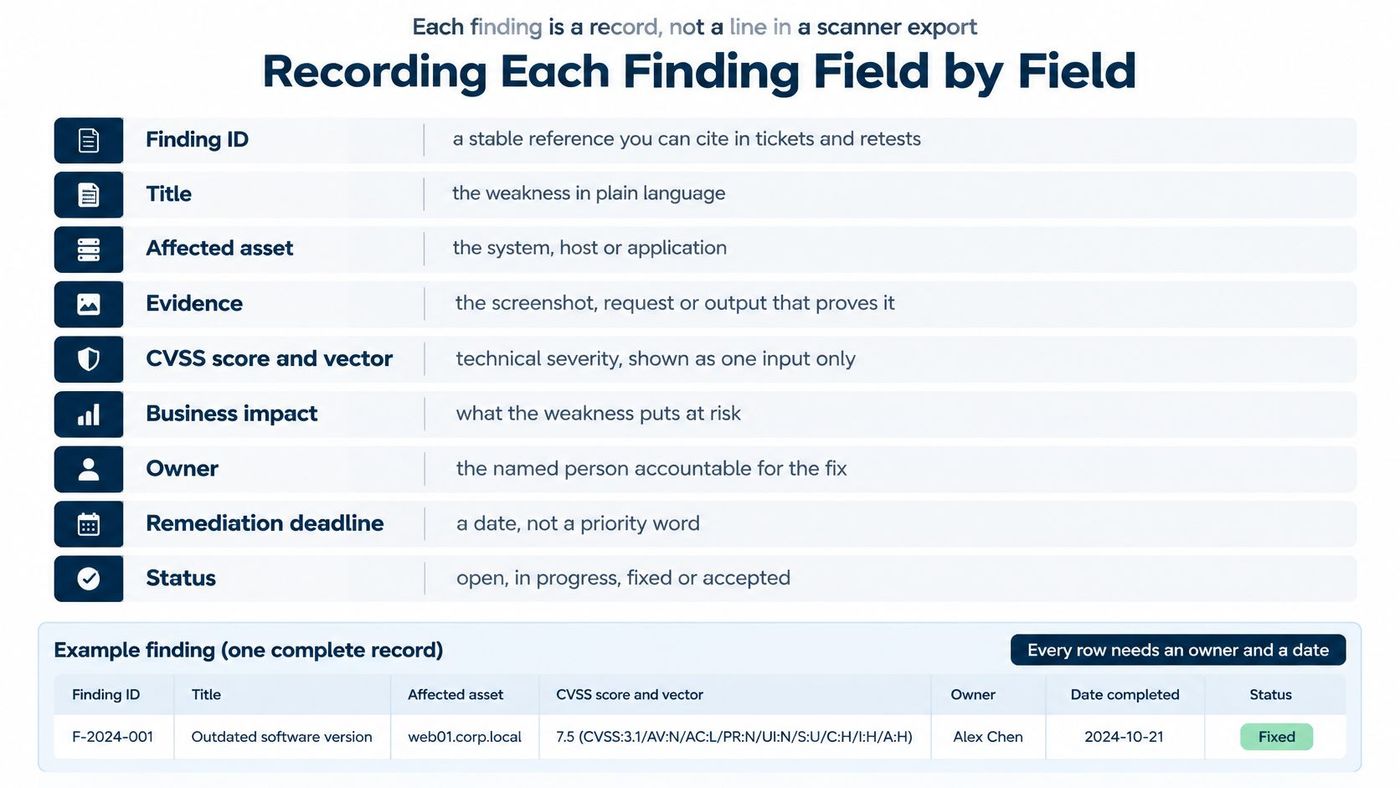
Sixteen fields cover it. The right-hand column shows how a single entry reads for a file server.
| Field | What to record | Example |
|---|---|---|
| Unique asset ID | Stable identifier that survives IP address changes | SRV-FS-01 |
| Business owner | Person accountable for the service | Office manager |
| Asset type and environment | Server, endpoint, cloud workload or medical device; production or test | File server, production |
| Discovery date | Date the finding was first recorded | 12 March 2025 |
| Scanner or testing method | Tool and mode used | Authenticated scan |
| Proof of vulnerability | Scan plugin ID, output excerpt or manual test note | Redacted scan output |
| Affected software and version | Product name and version | Server OS build reported by the scan |
| CVE or equivalent identifier | Public ID if one exists; otherwise a configuration reference | CVE-YYYY-NNNNN |
| Severity | Technical score from the scoring method used | High |
| Exploitability | Whether a public exploit or active campaign exists | Public exploit known |
| Business impact | Service or process disrupted if exploited | Client file access stops |
| Compensating controls | Controls that reduce exposure today | Access limited to VPN |
| Remediation owner | Person who makes the fix | IT provider engineer |
| Target date | Due date set by the priority tier | 30 days from discovery |
| Validation evidence | Rescan result or manual check that proves the fix | Clean rescan, dated |
| Residual risk acceptance | Approver and expiry date for any risk kept open | Approver name and expiry date |
Business impact, written as a service consequence rather than a technical one. "Client file access stops for 30 staff during business hours" gets resources. "Confidentiality impact high" doesn't.
Compensating controls. If the server is reachable only over VPN, say so, because that fact changes the ranking and it protects the team from being blamed for a risk someone else accepted.
Validation evidence. A closure without a dated rescan or a manual check is a claim, not a record.
For healthcare clients, add four things to each relevant row: whether the system holds personal health information, clinical-device dependencies, any downtime or patient-safety consequence, and how sensitive evidence is handled. A redacted screenshot normally does the job. Don't paste a patient extract into a report that gets emailed around.
Test all sixteen fields on one real finding before rolling them out. If the office manager can read the row and know what to do, the register works. If not, simplify the language, not the fields. Our guide to vulnerability scanning explains where each detection type originates.
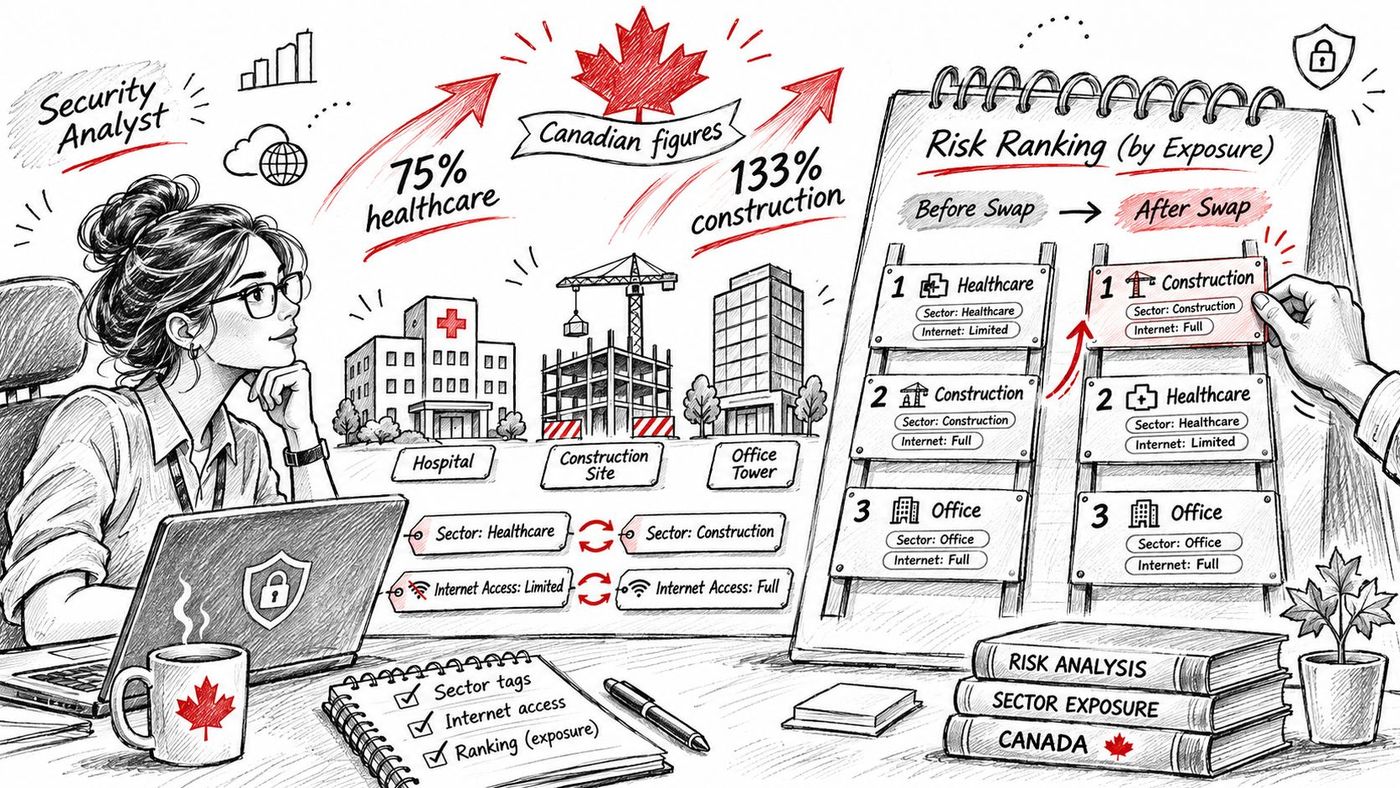
Ranking depends on what the business does. The National Cyber Threat Assessment 2025 to 2026 recorded ransomware incidents growing by an average of 26% year over year since 2021, with the sharpest sector movements between 2022 and 2023 shown below.
| Sector | Change in observed ransomware incidents, 2022 to 2023 |
|---|---|
| Healthcare | 75% increase |
| Construction | 133% increase |
| Transportation | 122% increase |
| Professional services | 112% increase |
| Energy | 67% increase |
The same Cyber Centre assessment notes that 235 ransomware incidents involved Canadian victims between January 1 and November 16, 2021, more than half of them critical-infrastructure providers, and that nearly two-thirds of victims identified through leak-site data from January to June 2021 were small or medium-sized organizations.
That's why the register carries sector, location, data type and a time-sensitivity flag from the start. A construction firm's project file server and a clinic's patient records system can run the same unpatched service and deserve different deadlines.
Servers and endpoints dominate conventional templates. The Canadian small business cyber risk report found that only 15.4% of small businesses had a written internal cybersecurity policy and only 10.5% had a written incident-reporting policy. A report that ignores governance is describing half the risk.
Add these rows to the register's context tab:
Then compare two findings. A clinic's internet-facing patient portal with weak session handling and a manufacturer's shared engineering drive exposed to all staff are different problems even at identical severity scores. The portal touches personal health information and a statutory notification duty. The drive touches intellectual property and a contractual obligation to a customer. Neither is fixed by sorting on CVSS.
Flag any finding that could trigger a privacy or sector obligation even when no server was compromised, and write down the escalation path if personal information is exposed. Our third-party risk management guide covers the supplier side of that conversation.
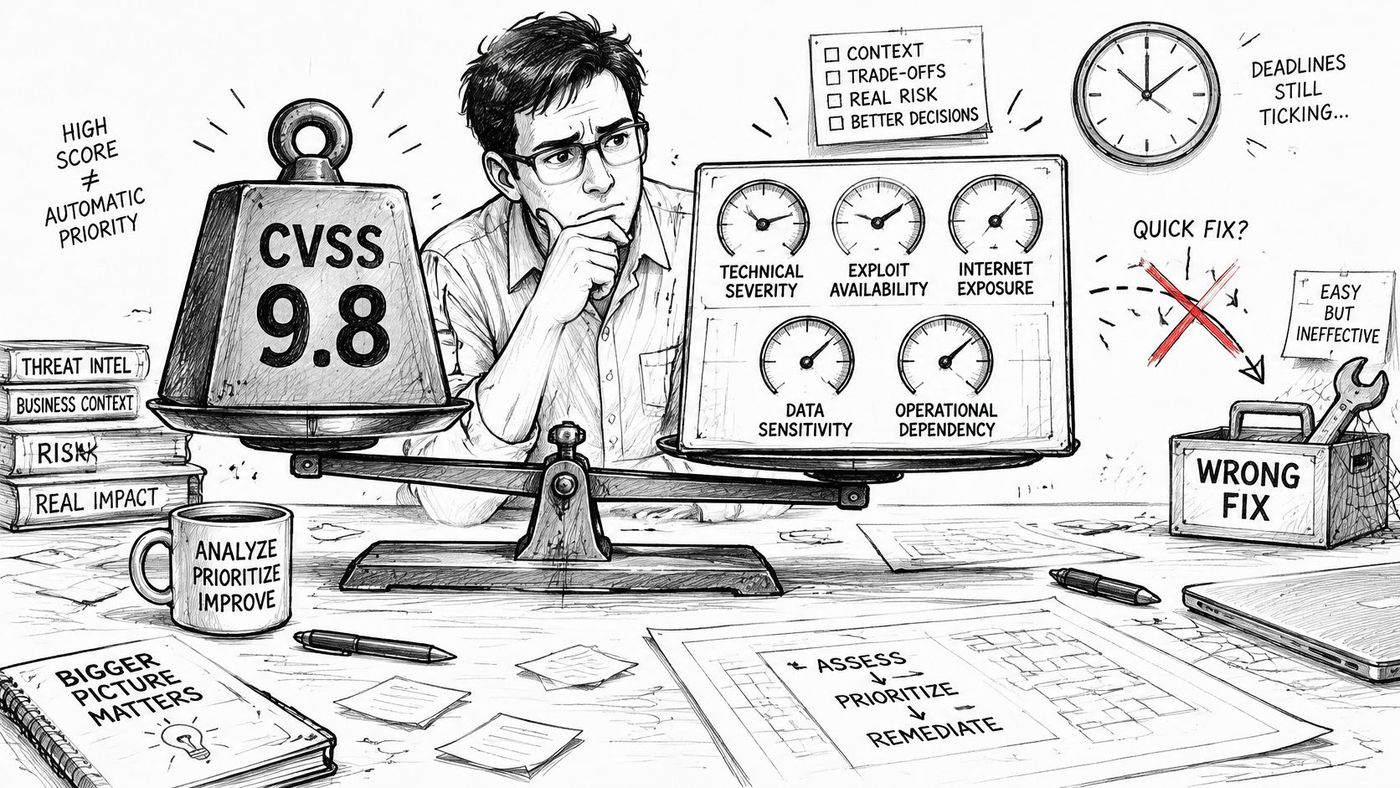
Sorting by CVSS alone sends teams to the wrong fixes. I've watched ranking models built on a single number push a 9.8 on an isolated waiting-room kiosk above a 7.5 on an internet-facing VPN appliance that holds client files. The first is uncomfortable. The second ends your week.
The Cyber Centre recommends continuous monitoring of internet-exposed systems, frequent vulnerability scans, prompt patching and encryption, and acting on the scan results. Its connected medical device guidance adds vulnerability scans and penetration testing that demonstrate security requirements, plus tracking reported device vulnerabilities and shipping regular updates.
Six factors produce a defensible rank: technical severity, exploit availability, internet exposure, data sensitivity, operational dependency and safety impact. Score each, then let the combination, not the base score, set the tier.
| Priority tier | Typical conditions | Suggested remediation window |
|---|---|---|
| Critical | Exploitable and internet-facing, or affects safety or patient-care systems | 7 days |
| High | Public exploit known, or privileged account exposed, internal only | 30 days |
| Medium | Limited exposure with a compensating control in place | 90 days |
| Low | Informational, or already blocked by other controls | Next scheduled patch cycle |
Treat those windows as a starting point and write your own into policy. What matters is that the tier produces a date, an escalation path and a named person, not a priority word nobody enforces. A tracker that says "High" with no date is a filing system for guilt.
Where teams get stuck: arguing about whether a finding is an 8.1 or a 7.9. The tier and the deadline are the decision. The decimal is bookkeeping.
Separate enterprise IT, cloud workloads, medical devices and third-party systems into their own register tabs, because the fix path differs. Record whether remediation was tested in a maintenance window, and capture the rollback plan before the change ticket is approved.
Then measure whether the model works. The dashboard needs open findings by severity, overdue findings, exploitable internet-facing assets, recurring weaknesses, mean time to remediate, exception age and scan coverage. If overdue counts climb while open counts fall, someone is closing tickets faster than they're fixing systems.
Before the next board meeting, it's worth running an outside read on what's visible about your organization from the internet using OSINT methods to audit your exposure, because external attackers start from what they can see, not from your internal register.
A polished report with CVSS scores creates false confidence when nobody can prove who owns a fix or whether it worked. The Canadian small business cyber risk report puts the operational gap in numbers, with only 17.8% of small businesses patching operating systems monthly or more often, and most of them leaning on an external IT provider rather than an internal security team.
That's the situation this template is designed for. Turn each finding into a closed record through eight steps.
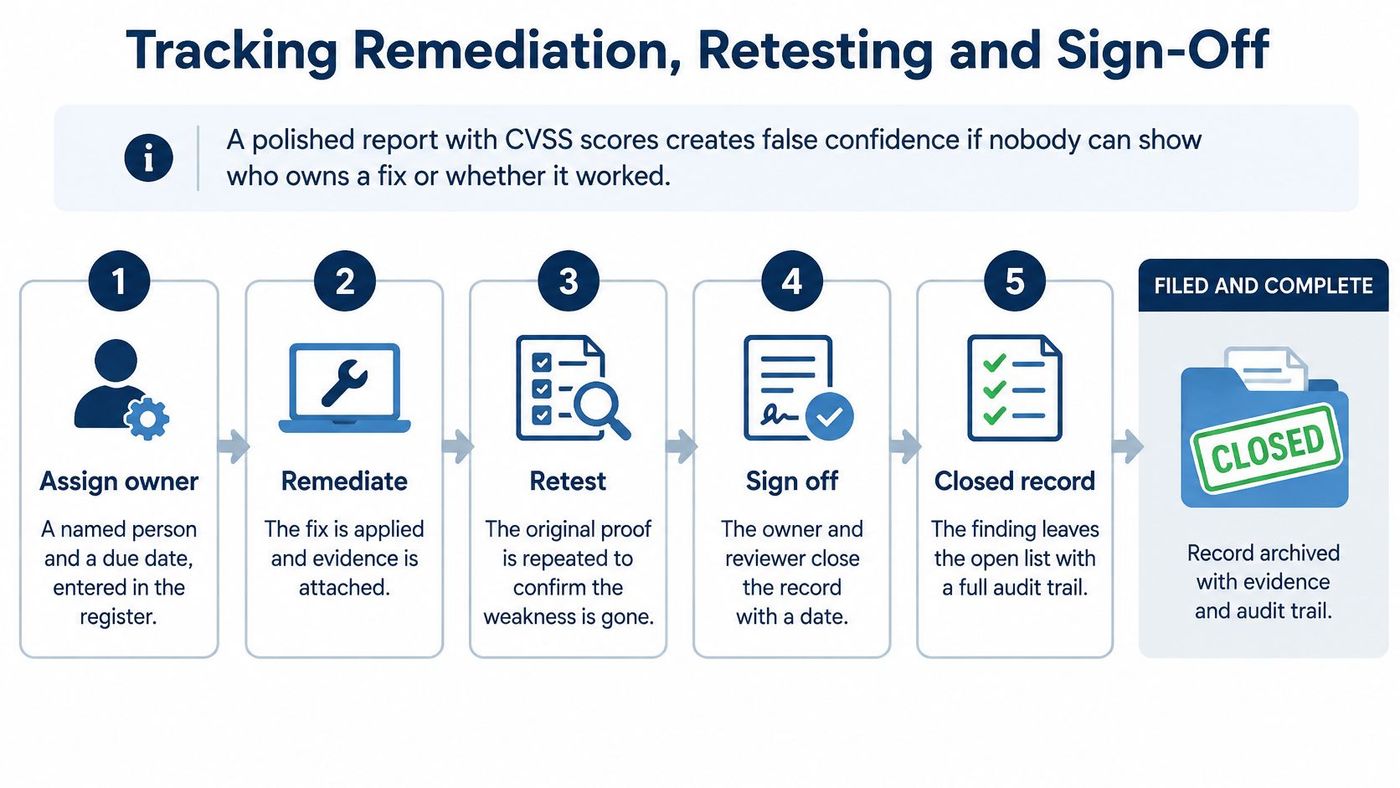
The sign-off block is unglamorous and it's the part auditors trust. One row per batch of closed findings: finding IDs, owner name, reviewer name, verification date, result, evidence reference. Nothing else in the report has to be pretty.
Repeat the backup and recovery checks named in the scope, so restoration is proven alongside the patch. Disaster recovery tests run annually to validate backup integrity and recovery procedures, and the post-test report lists gaps and improvements, which belongs in the same evidence folder as the rescans.
The retest section is what separates a vulnerability assessment report from a vulnerability inventory. One tells you what's wrong. The other tells you what changed.
If a validation uncovers something sensitive in a supplier's product rather than your own estate, handle it through a proper channel, as described in submitting network security findings responsibly, rather than pasting it into the report appendix.
Our vulnerability management service runs this lifecycle for clients who don't want to maintain the register themselves.
Three steps turn this into a routine rather than a reading exercise.
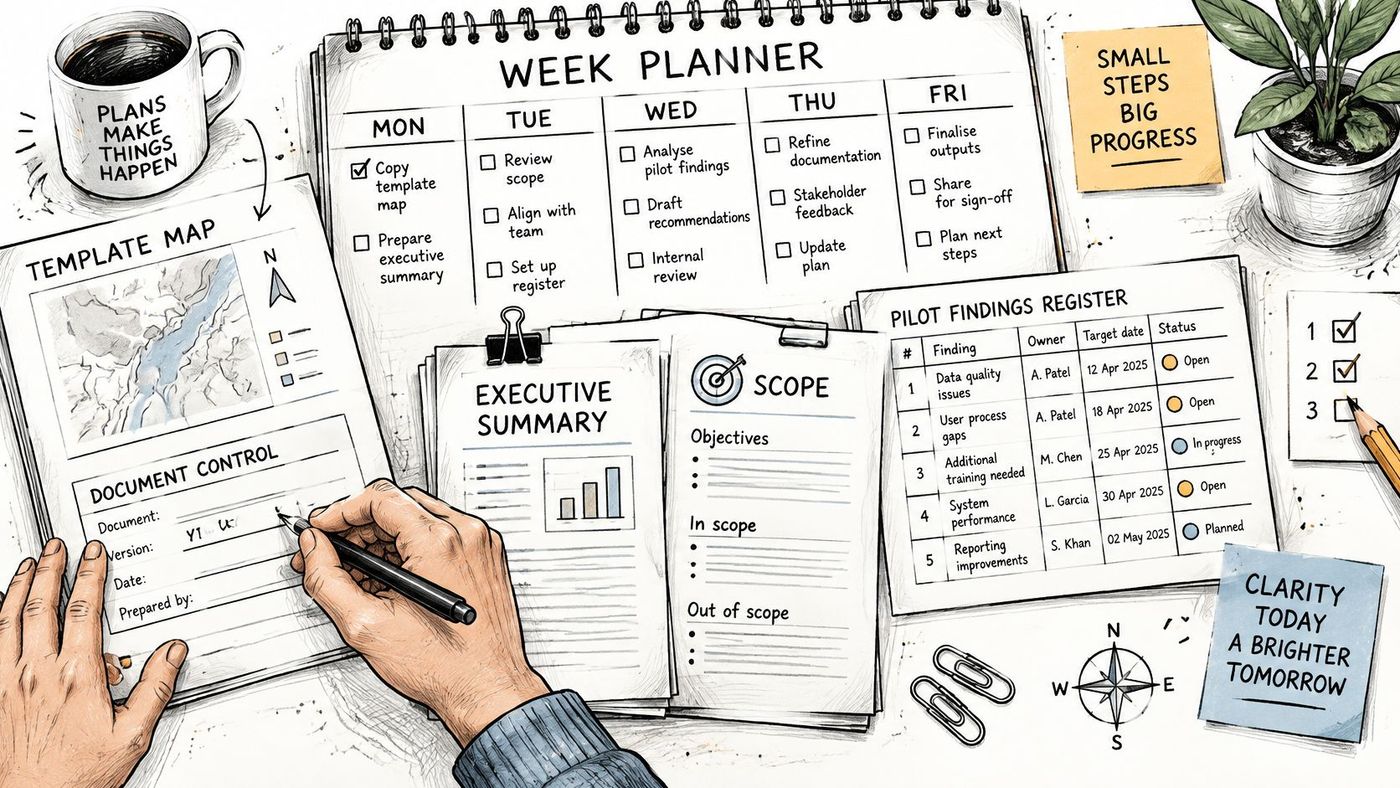
Step one, this week. Copy the ten-section map into a Word file and fill document control, the executive summary and the scope sheet. Leave the findings register empty until a scan produces data worth recording.
Step two, next scan cycle. Pilot the register on a single system group, whether that's the finance server, the clinic's practice-management system or the shop-floor network. Score every finding with the six-factor model, and confirm the priority tiers with management before publishing any deadlines.
Step three, before the following scan. Schedule the first retest and sign-off date, so every pilot finding ends with an owner, a date and a closure route rather than another entry in an old spreadsheet.
Use the sections by name as you work: the core sections for structure, the field-by-field section for the register columns, the sector section for context and identity fields, the scoring section for tiers and deadlines, and the tracking section for closure. A team without internal security staff can run the pilot alongside its IT provider, as long as the provider agrees to name a remediation owner and accept evidence-based closure.
For a first baseline, we offer a free IT Risk Assessment that can populate the register from an existing environment, and leadership reporting comes in three tiers: a monthly operational report covering tickets, recurring issues, asset inventory and response times; a quarterly strategic technical review with budget forecasting and hardware lifecycle planning; and a cybersecurity compliance report covering training completion, phishing results, patch compliance and insurance-ready documentation, all through a manager dashboard.
Set the date of the first review before you start. A template with a review date gets used. One without becomes another document nobody opens.
CloudOrbis Inc. builds and runs this kind of remediation record for small and mid-sized organizations across Canada, from the first baseline scan through the monthly report that proves the fixes held. If you're relying on an outside provider and can't currently show who owns each finding, our team can set up the register, agree the priority tiers and put a review cadence in place. Visit CloudOrbis Inc. to book the free IT Risk Assessment and start with a documented baseline.
Book a 30-minute call with a senior engineer. No sales script, just straight answers about your environment.


