Small Business IT Support Guide: Choosing the Right MSP
Discover what small business IT support entails, compare service models, and learn how to choose the right managed services provider for your Canadian company.

Discover what small business IT support entails, compare service models, and learn how to choose the right managed services provider for your Canadian company.
A critical system fails late on a Friday. Staff can't access shared files, a cloud migration has stalled, and the only person who usually handles IT is already unavailable. Customers are waiting, deadlines are approaching, and nobody knows whether the problem is a simple configuration error or the start of a serious security incident.
That situation is common among Canadian small and mid-sized businesses. The underlying issue usually isn't bad luck. It's a support model built around reacting to problems instead of managing technology as an operating system for the business. The right small business IT support partner can help you prevent avoidable interruptions, protect sensitive information, and make better technology decisions without requiring you to become an IT specialist.
At 3:45 p.m., a small professional-services firm receives a ransomware warning on an employee's laptop. A cloud migration has also left several folders inaccessible. The owner calls the person who “looks after IT,” but the call goes to voicemail. An outside provider does not respond to the submitted ticket until Monday.
The immediate problem looks technical. The wider risk is operational. Limited monitoring, unclear responsibility, incomplete backups, weak escalation procedures, and a contract focused on repairs can all contribute to the same outage. A business may have modern tools in place while lacking the processes and expertise required to run them safely.
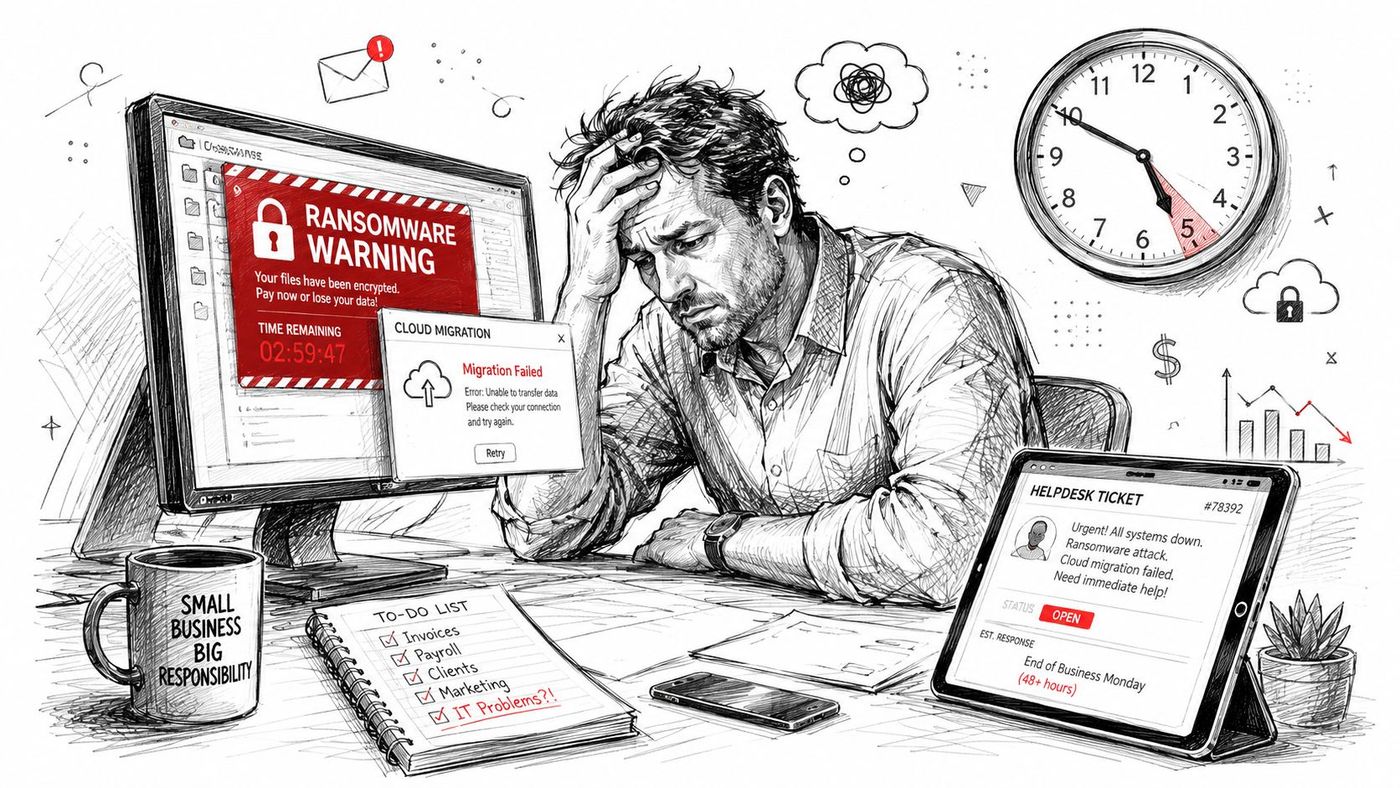
Practical rule: If your support provider only becomes involved after something breaks, you're carrying the operational risk yourself.
Canadian small businesses face a documented digital readiness gap. Their technology needs can be substantial, while internal IT capacity is often limited. Smaller firms may have less mature remote-work infrastructure, no dedicated security staff, and few documented recovery procedures.
The right support model closes part of that gap before a crisis arrives. Regular monitoring can identify failing systems, controlled changes can reduce configuration errors, and tested backups can give the business a clearer recovery path. User assistance and documented escalation also make responsibility visible when an incident occurs.
The underlying issue usually is not bad luck. It is a support model built around reacting to failures instead of managing technology as part of daily operations. Owners comparing providers should therefore ask what happens between incidents, not only how quickly someone responds after one. For a practical explanation of how IT downtime can become a hidden productivity threat, consider the effect on work that cannot proceed while systems are unavailable.
A staff member cannot access the accounting system, the office Wi-Fi is unstable, and a client is waiting for a file. The visible problem may be one device, but the cause can sit anywhere across the business's technology. Small business IT support addresses the connected systems behind that work.
A complete support programme covers four areas:
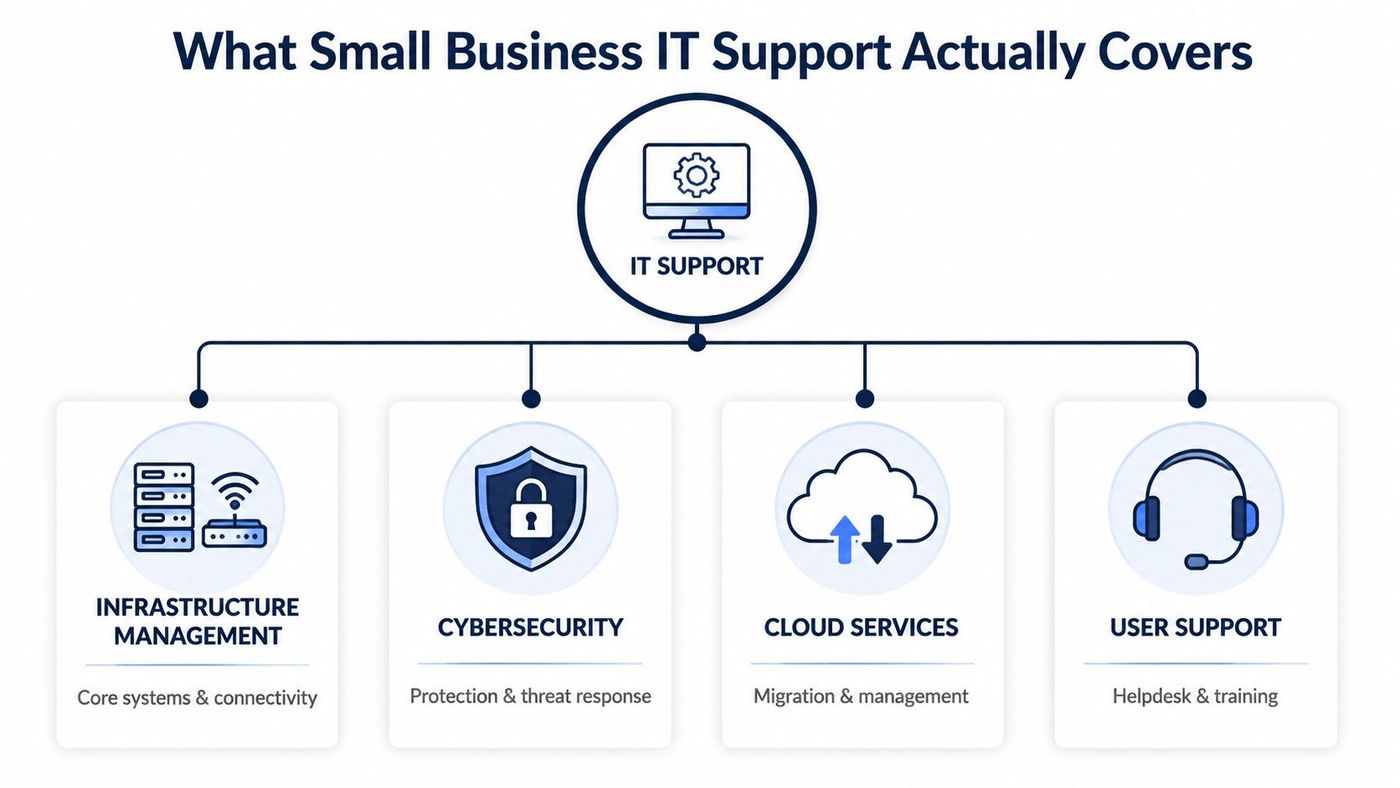
Infrastructure is the working foundation. It includes networks, servers, workstations, wireless access, internet connectivity, printers, and the systems employees use each day. A provider should maintain an accurate inventory, monitor performance, apply updates, and flag failing equipment before it interrupts operations.
Standardisation matters too. If every employee has a different device configuration, troubleshooting takes longer and security controls become harder to apply. Consistent device policies, documented systems, and controlled access give the business a more stable environment.
Security depends on several connected controls, including endpoint protection, email security, identity management, vulnerability testing, backup validation, employee training, and incident response.
A capable provider should explain the response to a suspicious login, malware alert, or possible data exposure. Ask who investigates the alert, who informs your leadership team, how evidence is preserved, and how service is restored. Businesses handling health, legal, financial, or confidential client information also need a provider that understands the controls and records their industry requires.
Cloud support involves more than moving files into Microsoft 365 or another platform. It can include migration planning, permissions, licensing, data protection, application integration, and ongoing optimisation.
Canadian adoption has remained uneven, which makes planning important. A provider should help determine which workloads belong in the cloud, which access rules employees need, and how the environment will be supported after migration.
Employees need a dependable way to request help when they are locked out of an account, working from a job site, or learning a new application. A helpdesk handles those requests, while training can reduce recurring problems.
The strategic work includes technology roadmaps, budgeting, vendor coordination, and vCIO-style advice. Managed support connects technology decisions with hiring, growth, compliance, productivity, and risk, rather than treating every request as an isolated repair. This overview of IT and network support explains how these responsibilities fit together.
The three common support models range from reactive assistance to continuous management. None is automatically right for every organisation. The suitable choice depends on your internal capacity, operational risk, technology complexity, and need for predictable planning.
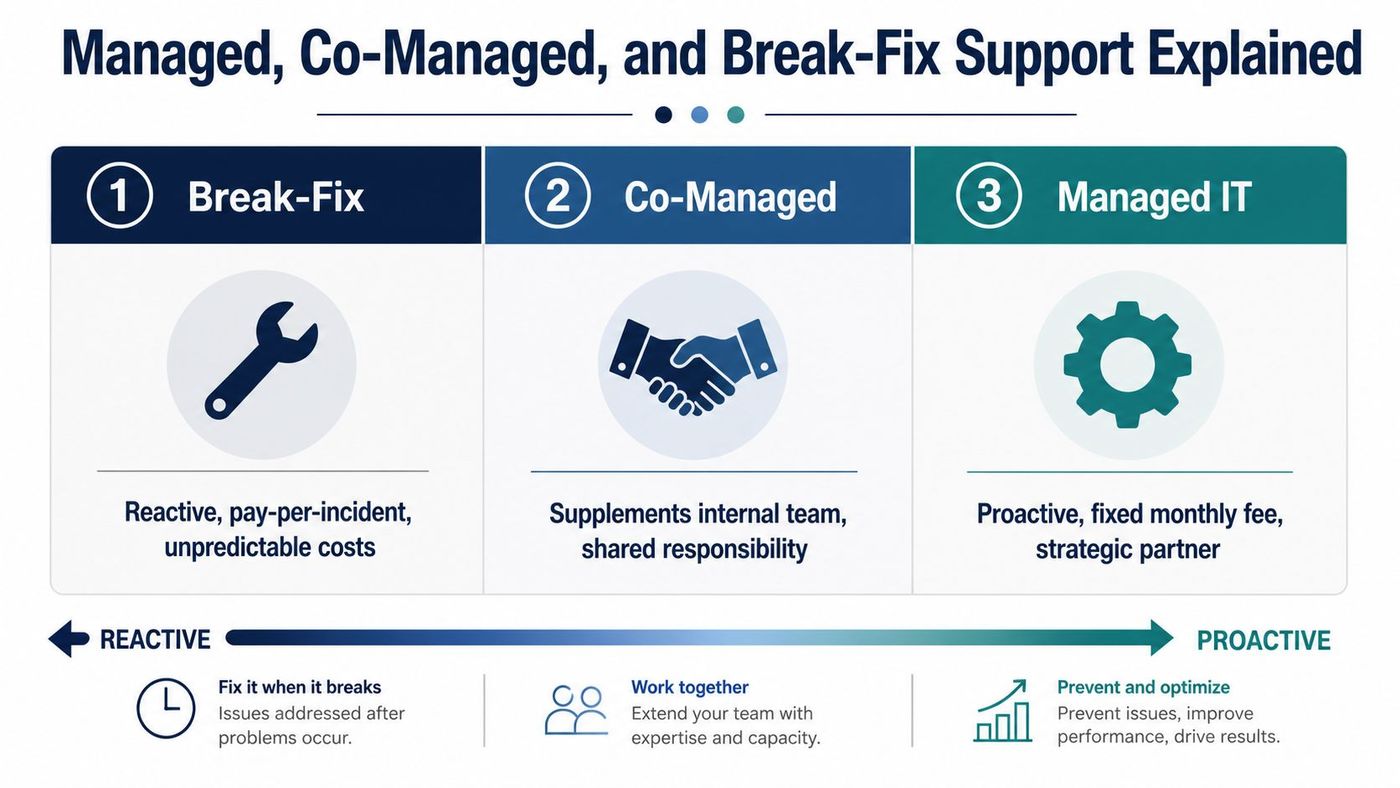
With break-fix support, you contact a technician after an issue occurs and pay for the work performed. This can suit a very small operation with limited technology dependency, but it offers little structure for prevention.
The assumption is that break-fix costs less because payment occurs only when something breaks. That calculation can exclude lost work, emergency response, delayed customer service, security exposure, and the time employees spend explaining the same environment to a new technician. Short-term repairs may also replace root-cause improvements.
Co-managed IT combines an internal employee or team with an external provider. Internal staff may handle daily requests and business-specific applications, while the provider contributes cybersecurity, cloud expertise, strategic planning, after-hours coverage, or project capacity.
This model suits a business with trusted IT personnel that needs capabilities difficult to maintain internally. The agreement must assign ownership clearly. If each team assumes the other is monitoring backups or responding to alerts, gaps appear instead of coverage.
Managed support provides ongoing monitoring, maintenance, helpdesk services, security management, and planning under an agreed service arrangement. The provider accepts responsibility for defined systems and works to identify problems before users experience them.
A monthly structure can make budgeting easier. The greater value is accountability: you should know which systems are covered, which activities are included, how emergencies are escalated, and what information the provider shares with leadership.
| Support model | Primary approach | Suitable situation | Main concern |
|---|---|---|---|
| Break-fix | Reactive, incident-based | Basic environments with low dependency on technology | Unpredictable disruption and cost |
| Co-managed | Shared responsibility | Businesses with internal IT capacity | Ambiguous ownership |
| Managed IT | Proactive, ongoing management | Firms that need dependable coverage and planning | Poor value if the scope is vague |
Use this comparison of break-fix and managed services to examine the assumptions behind your current arrangement. The right model matches the consequences of an outage, not just the lowest visible fee. For Canadian SMBs without deep IT expertise, compare responsibility, response expectations, and provider accountability before comparing prices.
Proactive support changes the financial conversation. Instead of treating IT as a series of emergency invoices, leadership can plan for a defined service scope, regular maintenance, security controls, and technology improvements.
Canadian digital adoption data supports that shift. A BDC study summarised through Statistics Canada found that 91% of Canadian SMEs invested in technology in 2021, with average spending of about $118,000. Yet only one in 20 businesses used digital technologies efficiently, while 60% had a website and 34% analysed customer data.
Buying tools isn't the same as integrating them. A managed provider can help connect Microsoft 365, identity management, backups, line-of-business applications, reporting, and employee workflows so the business gets practical value from its investment.
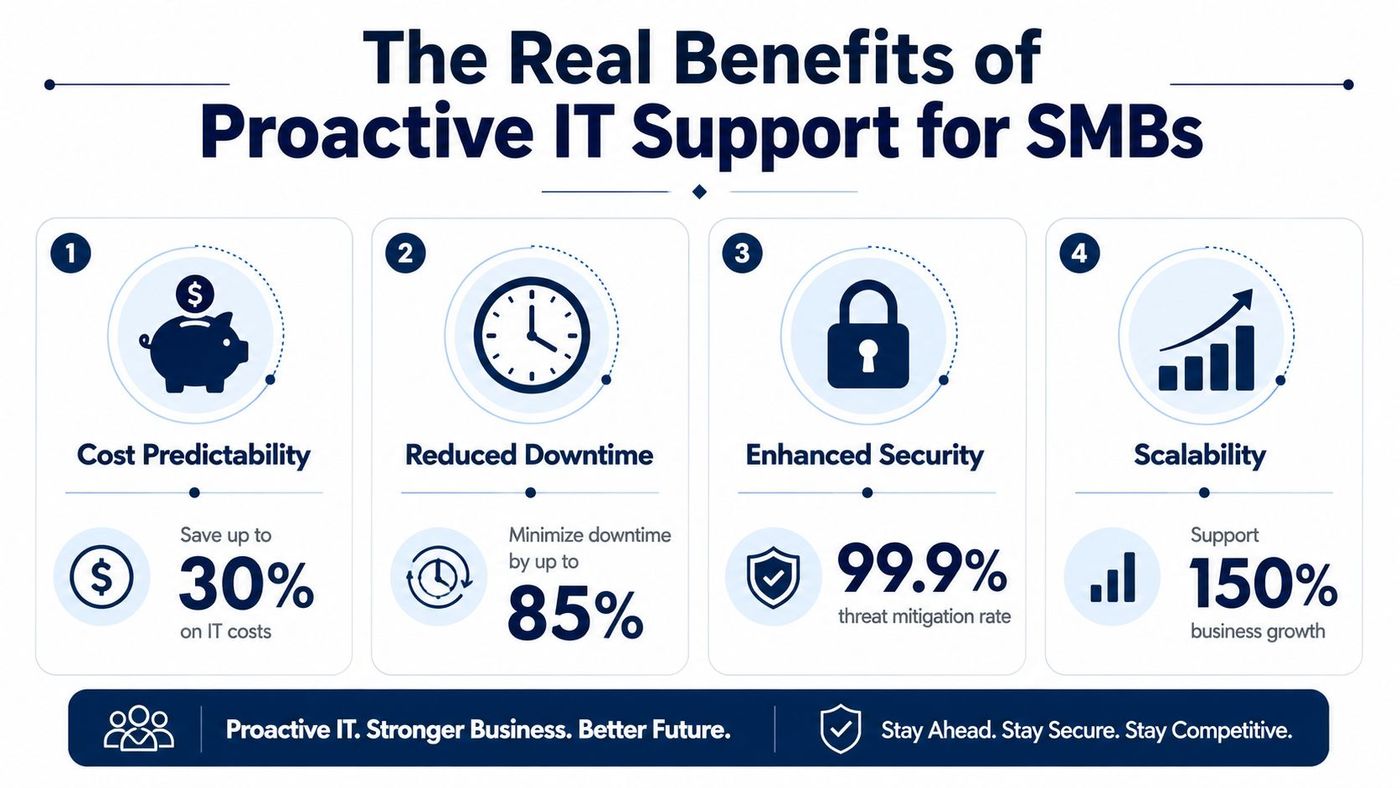
Monitoring gives a provider visibility into warning signs such as storage pressure, failed backups, outdated software, suspicious activity, and unstable connectivity. The aim isn't to promise that every incident will disappear. It's to detect problems earlier, contain them faster, and reduce the number of failures users discover first.
A Canada-focused industry survey reported that small-organisation cyberattacks rose from 259 incidents in 2024 to 276 in 2025. It also reported mean detection time increasing from 4.0 days to 6.8 days, incident response time from 10.9 days to 13.3 days, and recovery time reaching 25.7 days in 2025. These figures appear in CDW Canada's small-business IT and cybersecurity trends.
Security planning should produce visible operational controls. Those include layered endpoint protection, vulnerability assessments, access reviews, tested backups, and a response playbook that assigns responsibilities before an incident.
The gap is significant. BDC reports that 73% of Canadian small businesses had experienced a cybersecurity incident, while only 47% said they were prepared for a cyberattack or data breach and 48% had implemented some form of cyber defence. A provider can turn security from a policy document into monitored, repeatable work.
A current asset inventory and technology roadmap help leaders evaluate new locations, remote work, applications, and hiring without making every decision from scratch. Strategic support also helps prevent uncontrolled licensing, duplicated tools, and systems that can't exchange information.
The strongest business case links each control to a business outcome. Fewer unplanned interruptions protect billable work. Tested recovery procedures support client commitments. Standardised devices make onboarding easier. Clear ownership reduces the risk that an urgent issue will sit unanswered.
A referral can start your search, but it shouldn't finish it. Evaluate each MSP against the same questions so you're comparing accountability and capability rather than polished sales presentations.
Ask:
A service level agreement should use terms your leadership team can understand. A vague promise to respond “quickly” isn't a meaningful guarantee.
Ask the provider to describe its approach to endpoint protection, vulnerability testing, email security, identity controls, backup validation, and incident response. Ask whether it can show sample reporting without exposing another client's information.
You're looking for operational depth, not a list of products. A provider that sells email filtering but can't explain containment, investigation, recovery, and communication may not be ready for a serious incident.
Ask which platforms the MSP supports, including Microsoft 365, Dynamics 365, cloud infrastructure, backup systems, business VoIP, and industry applications. Confirm whether the provider can work with your existing vendors or expects you to replace everything.
A Canada-based team can simplify communication, privacy discussions, scheduling, and on-site support. Local presence doesn't replace technical competence, but it can matter when your business needs physical assistance or a provider that understands Canadian operating conditions.
Bring your answers into a documented scorecard. This managed services questionnaire can help organise the conversation before you request proposals.
A price becomes meaningful only after you understand what it covers. Two proposals may use similar monthly language while differing substantially in monitoring, security, project work, after-hours response, onsite support, and strategic guidance.
Three pricing structures appear frequently:
| Pricing model | How it works | Best for |
|---|---|---|
| Per-user per-month | Charges are tied to the number of supported users and defined services | Organisations seeking straightforward budgeting |
| Tiered packages | Groups services into different coverage levels | Businesses choosing support according to risk and operational needs |
| Custom agreement | Tailors scope, tools, responsibilities, and projects to the environment | Complex or highly specialised organisations |
Per-user pricing can be easy to forecast, but confirm whether shared devices, service accounts, mobile workers, and project work are treated separately. Tiered plans can provide choice, yet the differences between tiers should be specific enough to compare. Custom agreements require more discussion, but they can fit environments with unusual compliance or operational requirements.
SLAs need the same scrutiny. Response time measures how quickly the provider acknowledges and begins handling a request. Resolution time concerns how long it takes to restore normal service, although some incidents require a workaround or a third-party dependency. Uptime describes availability for defined systems, but it may exclude maintenance, internet providers, customer-controlled equipment, or force majeure events.
Ask for examples. If a critical account is compromised, what happens first? If an application vendor causes the outage, what assistance remains included? If the provider misses an obligation, is there a reporting process or remedy?
Also separate recurring services from project charges. A cloud migration, office move, security assessment, or major application change may sit outside the monthly package. Clear boundaries protect both sides and prevent a low initial quote from becoming an unexpected bill.
For a closer look at frontline coverage, review CloudOrbis's Tier 1 support overview. The point isn't to choose the most elaborate package. It's to pay for coverage that matches the systems your business can't afford to lose.
Industry experience matters because the same technical control can serve very different business purposes.
A healthcare clinic needs secure remote access for clinical staff, careful handling of patient information, audit-ready logging, and controls comparable to the privacy expectations associated with HIPAA-style protection. A provider should understand appointment systems, shared workstations, mobile access, and the consequences of unavailable records.
A legal, accounting, or financial firm has a different risk profile. Client confidentiality, retention policies, privileged information, secure collaboration, and controlled document sharing take priority. Microsoft 365 permissions need to reflect matters, teams, and external collaboration rather than giving every user broad access.
Manufacturing and logistics businesses depend on operational continuity across warehouses, plants, vehicles, and offices. Cloud systems may support inventory, purchasing, dispatch, or reporting, while reliable networks and business VoIP keep distributed teams connected. A provider must understand the difference between an office outage and a disruption that stops shipments or production.
Construction and engineering teams often work beyond the office. They need mobile-first applications, ruggedised devices, secure field connectivity, and practical support for employees who can't bring equipment back to a helpdesk.
Oil and gas organisations may already have internal technical teams. A co-managed arrangement can add threat detection, vulnerability work, cloud expertise, or after-hours coverage without displacing existing knowledge.
Ask prospective providers which industries they support and what their processes look like for your specific environment. Generic endpoint tools are widely available. Sector-aware planning, documentation, and escalation are harder to replace.
A useful MSP relationship should reflect the evaluation criteria above: defined accountability, practical cybersecurity, scalable support, clear communication, and a process that doesn't stop after implementation.
CloudOrbis Inc. provides managed IT support for Canadian small and mid-sized businesses through a 24/7, 100% Canada-based helpdesk. Its approach includes remote and onsite assistance, continuous monitoring, cybersecurity services, cloud migrations, backup and disaster recovery, business VoIP, and strategic IT consulting. The one-click IT Button and support portal give users direct ways to request and track assistance.
The engagement process follows 10 steps, beginning with assessment and strategy, then moving through implementation, employee training, and ongoing optimisation. That sequence matters because a technically sound platform can still fail if employees don't understand it or if the provider doesn't revisit the environment after launch.
The service scope also connects with common Canadian SMB needs:
Business leaders also need reliable ways to evaluate emerging tools and their governance implications. Resources such as LegesGPT for business owners can support broader business decision-making, while your MSP should focus on the technical, security, and operational controls required to use those tools responsibly.
Choosing an MSP isn't about finding the cheapest line item. It's about securing a partner that understands Canadian businesses, your industry's obligations, and the difference between keeping systems running and helping the organisation work more effectively.
CloudOrbis Inc. offers proactive managed IT support, cybersecurity, cloud services, backup and recovery, and 24/7 Canada-based helpdesk assistance for Canadian SMBs. Visit CloudOrbis Inc. to discuss your current support model, identify operational gaps, and build a practical IT plan for a more secure and resilient business.
Book a 30-minute call with a senior engineer. No sales script, just straight answers about your environment.


