IT Management Service: A Guide for Canadian Businesses
Explore our complete guide to an IT management service in Canada. Learn about models, pricing, compliance, and how to find the right partner for your SMB.

Explore our complete guide to an IT management service in Canada. Learn about models, pricing, compliance, and how to find the right partner for your SMB.
Most executives don’t wake up thinking about patch cycles, endpoint alerts, or network bottlenecks. They wake up thinking about payroll, client delivery, compliance, and growth. Then IT gets in the way.
A server slows down before a busy Monday. Your phones drop calls during a customer rush. A clinic can’t access patient records fast enough. Someone in finance clicks a malicious email, and suddenly your team is asking whether backups are current. None of these issues feel strategic in the moment. They feel expensive, distracting, and avoidable.
That’s why more Canadian businesses are rethinking what an it management service should do. It shouldn’t just fix outages after the damage is done. It should reduce risk, stabilise operations, and give leaders a clearer way to plan technology as part of the business, not as a constant interruption to it.
Many firms still operate with a familiar model. Something breaks, someone calls IT, and the meter starts running. That approach can work for a small office with simple needs. It becomes a problem once your business depends on cloud apps, remote staff, compliance rules, mobile devices, and reliable customer communication.
A common pattern looks like this. The printer issue gets fixed on Tuesday. On Thursday, Microsoft 365 permissions are misconfigured. The following week, your firewall firmware is out of date. Each incident seems separate, but the underlying issue is that nobody is managing the whole environment with prevention in mind.
Break-fix support treats symptoms. It rarely addresses the conditions that caused the problem in the first place.
That creates three business headaches:
An effective it management service shifts the conversation from “Who can fix this?” to “How do we stop this from happening again?”
That means ongoing oversight, standard maintenance, and regular review of the systems your team relies on every day. It also means someone is watching the environment when your internal team is busy with core projects. A practical example of that mindset is proactive maintenance, where updates, health checks, and issue prevention happen in the background before users feel the impact.
Practical rule: If your IT plan begins only after users report a problem, you don’t have an IT strategy. You have an emergency response habit.
For a busy executive, that’s the fundamental shift. Managed services don’t just reduce technical noise. They create room for the business to run properly.
The easiest way to understand an it management service is to compare it with property management.
If you own a building and only call a handyman when a pipe bursts, you’ll keep paying for damage. If you hire a property manager, that manager inspects the building, schedules maintenance, coordinates specialists, manages risk, and helps you plan upgrades before small issues become costly ones.
IT works the same way.
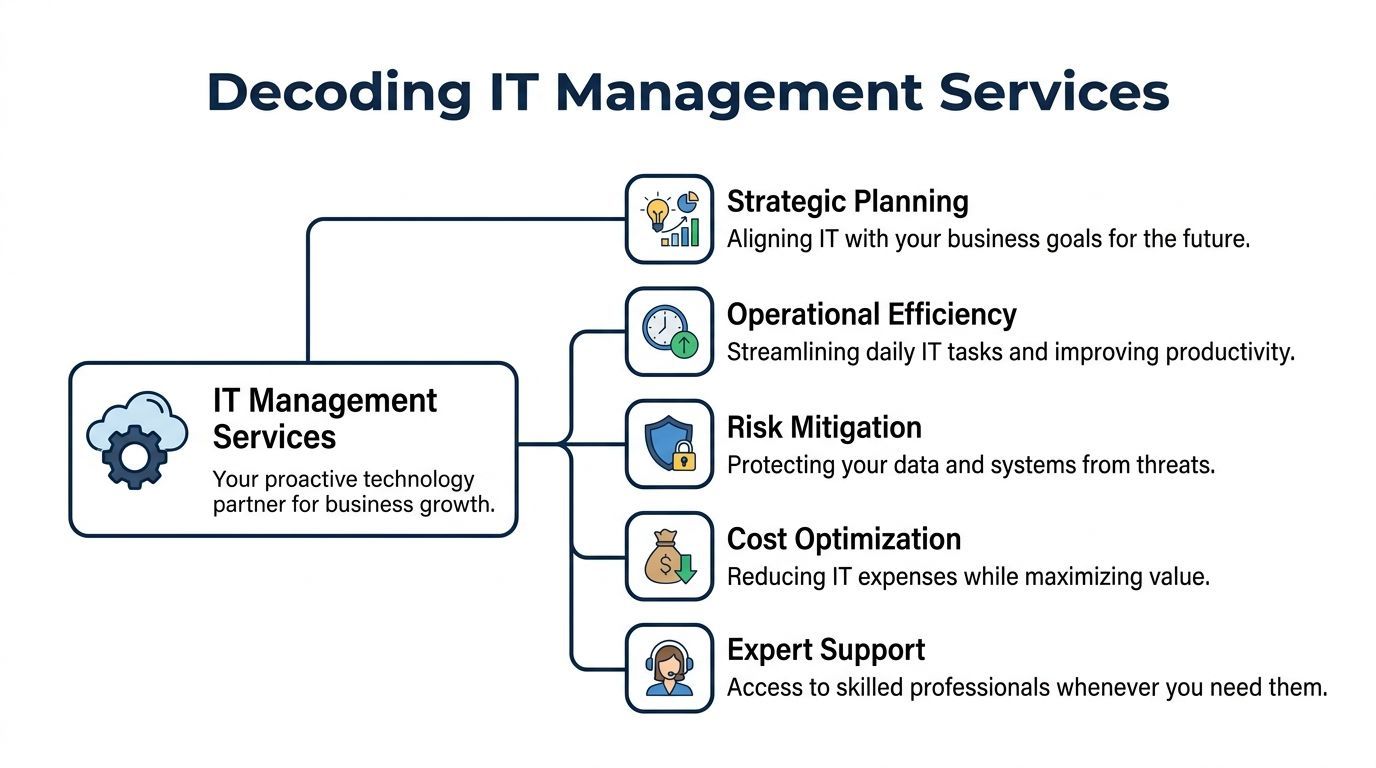
An it management service is an ongoing partnership where a provider helps monitor, maintain, secure, support, and improve your technology environment. That environment usually includes devices, servers, cloud platforms, collaboration tools, backups, user support, cybersecurity controls, and IT planning.
The important word is ongoing.
You’re not hiring someone for a one-time repair. You’re engaging a team to keep the environment healthy and aligned with how your business operates.
Most managed service relationships boil down to five business functions:
Many firms start researching categories such as IT Service Providers (MSPs) when they realise their internal support model no longer matches the complexity of their operations.
Readers often get confused at this point. They assume managed services means outsourcing the helpdesk.
Sometimes the helpdesk is part of it. But the bigger value sits above the ticket queue.
A mature provider should help answer questions like these:
Those are management questions, not repair questions.
A strong provider doesn’t just solve user issues. They help leaders make better decisions about technology, timing, and risk.
If you want a deeper business lens on that advisory role, this guide to IT management consulting is useful because it frames IT as part of management discipline rather than as a narrow support function.
It doesn’t mean giving up control.
Some businesses keep an internal IT lead and use a managed partner for monitoring, security, vendor coordination, and after-hours support. Others hand off most day-to-day operations but keep strategy and budget ownership internally. The model can flex, but the principle stays the same. Someone is actively managing technology before it becomes a business problem.
A managed IT partnership works like an operations system for technology. One part watches for trouble, another handles user issues, another reduces security risk, and another helps leadership decide what to fix, replace, or postpone.

The foundation is continuous oversight of servers, laptops, cloud services, backups, and network equipment.
You will often hear this called RMM, short for remote monitoring and management. The term is technical. The business purpose is simple. It gives your provider an early warning system, much like a dashboard light in a vehicle. You would rather service the engine when the warning appears than wait for the car to stop on Highway 401.
For a manufacturer, that early action can prevent delays on the shop floor. For a clinic, it can prevent access issues that slow appointments and disrupt staff. If you want a clearer picture of how that operating layer works day to day, this explanation of remote monitoring and management is a useful reference.
The value is practical. Fewer surprise outages. More predictable maintenance windows. Less time spent reacting under pressure.
Security in a managed model should be layered across the environment.
That usually includes endpoint protection, email filtering, firewall oversight, patching, access controls, backup checks, vulnerability reviews, and central alerting. The goal is straightforward. If one control misses something, another control still has a chance to catch it.
Executives do not need a list of acronyms. They need to know whether the business is less exposed to ransomware, fraud, data loss, and avoidable downtime. In Canadian sectors such as healthcare, that question carries extra weight because privacy obligations under laws such as PHIPA affect how systems are configured, who can access information, and how incidents are handled.
A good managed partner treats security as an operating discipline, not a box-ticking exercise.
Even stable systems create daily friction. Password resets, mobile device setup, Microsoft 365 permissions, printing issues, and file access problems can drain hours from a workweek.
A responsive support desk protects productivity by clearing those roadblocks quickly. It also gives leadership useful pattern recognition. If the same issue appears again and again, the problem may not be the user. It may be a weak process, poor onboarding, confusing permissions, or an application that no longer fits how the team works.
That insight matters because recurring tickets are often a clue to a larger operational cost.
Here, the partnership becomes more than support coverage.
A mature provider should help leadership plan hardware refresh cycles, review software licensing, assess vendor performance, set priorities, and prepare for projects such as a new location, a Microsoft 365 migration, or a phone system change. Some firms call this vCIO support. Others assign a strategic account lead. The title matters less than the outcome. Someone should connect technical choices to financial impact and business risk.
For Canadian SMBs, that guidance should also reflect sector realities. A healthcare organisation may need stronger privacy controls and clearer audit trails. A manufacturing firm may care more about plant uptime, ERP reliability, and vendor coordination across production systems. The service model should reflect those differences rather than force every business into the same template.
One of the least visible benefits of managed services is coordination.
Few businesses run on one platform from one vendor. They use Microsoft 365, internet and phone providers, backup tools, line-of-business applications, printers, mobile devices, and industry-specific systems. When something breaks across those boundaries, internal teams often get stuck acting as messengers between suppliers.
A managed partner should own that coordination process. That means tracing the issue, contacting the right vendors, keeping records, and pushing toward resolution without your managers spending half the day in email threads.
In practical terms, an it management service gives your business a control layer across many moving parts. That is what turns scattered tools into a managed environment.
A 40-person manufacturer in Ontario loses access to its ERP system for half a day. Orders stall, the production schedule slips, and supervisors start phoning vendors instead of managing the floor. The IT invoice for that month may look ordinary, but the business cost is not. That gap defines the starting point for ROI.
Executives usually evaluate an it management service the same way they would evaluate equipment maintenance or insurance. Does it reduce downtime, prevent expensive surprises, and help the business operate with more confidence? That framing is more useful than treating IT as a line item that should get cheaper.
The first return often comes from regained productive time.
If your team spends less time dealing with password resets, unstable Wi-Fi, application slowdowns, and recurring support tickets, that time goes back into revenue-producing work. In a clinic, that can mean fewer appointment delays and less staff frustration at the front desk. In a manufacturing business, it can mean steadier scheduling and fewer disruptions to shipping or inventory updates.
There is also a management cost that many firms underestimate. Every hour a controller, operations manager, or office lead spends chasing an IT issue is an hour not spent on forecasting, staffing, or customer commitments. A managed service reduces that hidden drain by creating clearer ownership and faster resolution.
Some of the strongest returns never appear as dramatic wins. They appear as avoided losses.
If backup monitoring catches a failed job before a restore is needed, you avoid a painful scramble. If patching and device oversight prevent a ransomware incident, you avoid downtime, legal costs, and reputation damage. For Canadian organisations handling health information, that risk lens matters even more because privacy obligations can turn a technical failure into a compliance problem. The regulatory context also differs from the U.S., which is why resources like HIPAA in Canada are useful for clarifying what applies, what does not, and where Canadian rules such as PHIPA create their own requirements.
This is one reason ROI should be measured in both savings and exposure reduction. A quieter month in IT often means the business was protected from issues that would have been far more expensive than the service fee.
Without regular review, SMBs often carry licences no one uses, renew overlapping tools, delay hardware replacement until failure forces a rushed purchase, or move workloads to the cloud without a clear cost model. A managed partner can spot those patterns early and help leaders make decisions on a schedule that fits the business, not on the day something breaks.
That matters in Canada, where sector needs vary sharply. A healthcare practice may need stronger audit trails, tighter access control, and documented processes that support PHIPA obligations. A manufacturer may care more about plant uptime, vendor coordination, and stable connectivity between office systems and production operations. The right service model should improve spending in the areas that affect margin and risk.
A practical ROI review does not need to be complicated. Start with a few questions.
How many hours did staff lose to recurring IT issues last quarter? What would one day of downtime cost your operation? Which systems create compliance exposure if they fail or are misconfigured? How much are you spending on tools, support, and reactive fixes that could be reduced with better oversight?
That approach turns managed IT from a vague support expense into an operating model with measurable outcomes. If you want a broader view of how those outcomes show up across uptime, support load, and planning, this summary of the benefits of managed IT services is a useful companion.
In most Canadian SMBs, the business case is cumulative. Fewer interruptions. Better purchasing decisions. Lower compliance exposure. More predictable operations. Those gains add up, especially in sectors where a single outage or privacy incident can erase months of apparent savings.
A ransomware hit at 7:15 a.m. looks different in a Toronto clinic than it does in a Windsor machine shop. In one case, staff may lose access to patient records and appointment systems. In the other, production can stall while office and plant systems stop talking to each other. The common issue is not just cybersecurity. It is whether your IT service model reduces operational risk in a way that fits Canadian compliance rules and industry-specific conditions.

A mature it management service handles security like facility maintenance in a regulated building. Locks, alarms, visitor logs, inspections, and emergency procedures all have to work together every day. The same applies to IT. Tools matter, but routines matter just as much.
That means endpoint protection, patching, identity controls, backup checks, log review, and clear escalation paths for high-risk alerts. It also means someone is accountable for the details. Who reviews suspicious activity. How quickly critical issues are contained. Whether access rights are removed when staff roles change. Whether recovery steps are tested before an emergency, not during one.
For healthcare organisations, that operational discipline also has to line up with Canadian privacy law. Many executives hear US language first and assume it applies directly. Overlap exists, but the legal obligations are not identical. This explainer on HIPAA in Canada is useful because it separates familiar US terminology from what Canadian organisations need to address.
In Canada, compliance often sits at two levels at once. There is the federal layer, such as PIPEDA, and there are provincial rules and sector-specific duties, such as PHIPA in Ontario healthcare. A provider that only talks about antivirus, firewalls, and backups is missing part of the job.
Executives should listen for business-language answers to practical questions. If a laptop is lost, what is the reporting process? If an employee leaves, how fast is access removed? If records need to be restored, is the recovery process documented and tested? If an auditor asks for logs or policy records, can your provider produce them without a scramble?
That is where many SMBs discover the core value of managed services. Good support fixes problems. Good governance reduces the chance that a small incident turns into a privacy breach, a reporting issue, or an expensive interruption.
A useful starting point is this guide to data security management practices for Canadian businesses, which focuses on governance, control design, and follow-through rather than just tool selection.
A downtown accounting office with stable fibre, centralised staff, and on-site support has one risk profile. A rural clinic, a multi-site manufacturer, or a distributed field operation has another. Limited bandwidth, shared devices, older line-of-business systems, and inconsistent local support can all weaken security controls, even if the software stack looks adequate on paper.
That is why Canadian SMBs should evaluate providers by fit, not by checklist length. A healthcare practice may need stronger audit trails, stricter role-based access, and clearer PHIPA procedures. A manufacturer may need tighter backup planning for production data, better coordination with equipment vendors, and faster incident response across multiple locations.
If your provider can name the tools but cannot explain how those tools support PIPEDA, PHIPA, or your industry’s reporting duties, your risk has not been reduced enough.
Not every business needs the same kind of IT relationship. The right model depends on your internal capacity, risk profile, growth plans, and how much responsibility you want a provider to carry.
Some firms only need occasional support. Others need a partner to run daily operations. Many sit in the middle.
The easiest way to compare them is by responsibility, not marketing language.
| Model | Best For | Cost Structure | Key Benefit |
|---|---|---|---|
| Break-Fix | Very small organisations with simple environments and low strategic dependence on IT | Variable, issue-based billing | Pay only when something needs repair |
| Co-Managed IT | Businesses with an internal IT person or team that needs added capacity or specialist support | Recurring service fees with a shared scope | Extends internal capability without replacing it |
| Fully Managed IT | Organisations that want a provider to handle most day-to-day IT operations and oversight | Predictable recurring monthly cost | Transfers operational burden so leadership can focus on the business |
There are cases where reactive support is acceptable.
If your environment is small, your compliance burden is minimal, and downtime has limited business impact, break-fix can be a practical short-term fit. The trade-off is that you accept more unpredictability and less prevention.
Co-managed IT is often the sweet spot for mid-sized firms.
You may have an internal IT manager who knows the business well but can’t cover every specialty, every after-hours event, or every strategic initiative. In that case, the provider handles areas such as monitoring, security operations, patching, cloud support, or project execution while your internal team retains governance and local leadership.
This model is especially useful when internal staff are strong on relationship management and business knowledge but need help with bandwidth or specialised tooling.
A fully managed model works well when the business wants one accountable partner handling support, maintenance, security operations, vendor coordination, and roadmap guidance.
That doesn’t mean leadership gives up visibility. It means the organisation stops carrying the burden of supervising many fragmented IT tasks internally.
Choose the model that matches your management capacity, not the one that sounds most advanced.
An it management service should fit the way your business operates. A mismatch creates friction even if the technical service is competent.
Once you know the model you want, the next question is harder. Which provider can deliver it well?
Most proposals look similar at first glance. The useful differences appear when you test how the provider works, how they communicate, and how much they understand your sector.
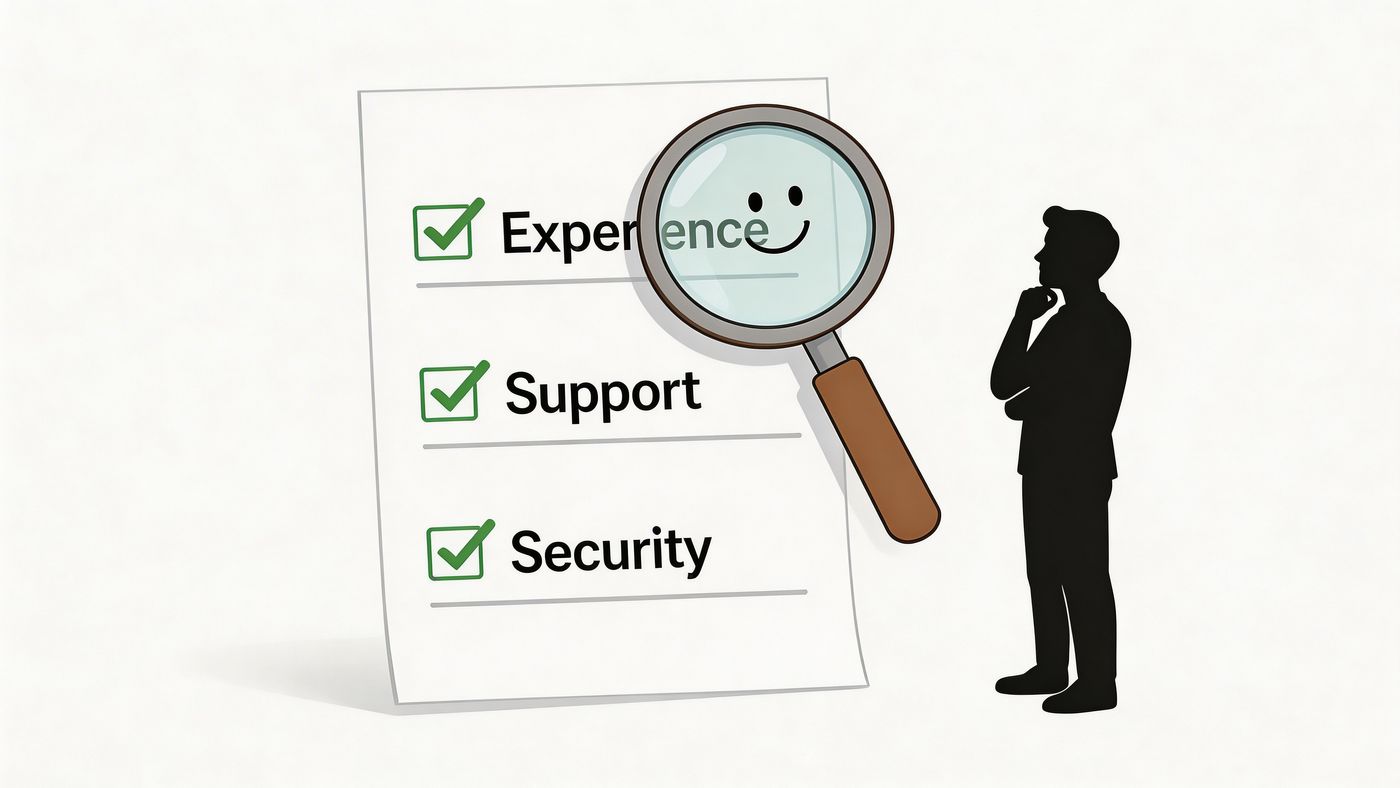
Use this shortlist in discovery calls and proposal reviews:
Strong providers answer directly. They can explain how tickets are prioritised, how they document assets, how they onboard users, and how they manage security events without drowning you in jargon.
They should also be comfortable talking about limits. If they don’t provide local field support in a region, or if some project work sits outside the monthly agreement, that should be clear upfront.
One practical benchmark is whether the provider has a defined operating model rather than a collection of ad hoc habits. For example, CloudOrbis Inc. documents a structured engagement process, provides a 100% Canada-based 24/7 helpdesk, supports Microsoft 365 and Dynamics optimisation, and offers a one-click IT Button for support escalation. Those details are useful not as slogans, but as examples of what to look for when judging service maturity.
Some warning signs show up only if you listen carefully:
Ask a simple question: “What happens in the first month after we sign?” The quality of that answer tells you a lot.
A provider isn’t just taking over systems. They’re stepping into business operations that people depend on every day.
Most providers price managed IT in one of three ways: per user, per device, or a hybrid of both.
A per-user model often fits offices where each employee relies on a laptop, email, collaboration tools, and help desk support every day. A per-device model often fits manufacturing floors, clinics, and other settings with shared terminals, specialty equipment, or a large number of endpoints not tied to one person.
What matters most is not the label on the pricing model. It is whether the agreement clearly defines scope. You should be able to see what is covered each month, what counts as project work, how after-hours support is handled, and where extra charges begin. For a Canadian SMB, that clarity matters because it makes budgeting easier and reduces unpleasant surprises.
A good transition works like taking over the maintenance of a building. Before anyone promises lower costs or better performance, they need a clear map of the wiring, the locks, and the service records.
In practice, that means discovery, documentation, access review, tool setup, standards alignment, and communication with your staff. It should also include a plan for inherited problems such as outdated devices, inconsistent permissions, and systems no one has properly documented.
Expect some cleanup early on.
That is normal. A provider that identifies risk and fixes it methodically is usually a better sign than one that promises instant stability without asking many questions.
Yes, if the provider understands the business conditions on the ground.
A clinic in Ontario has different needs than a manufacturer in Alberta or a professional services firm in downtown Toronto. Healthcare leaders may need support that aligns with PHIPA obligations and privacy-sensitive workflows. Manufacturers may care more about uptime on shared devices, plant connectivity, and support outside standard office hours. Remote and rural sites add another layer, because limited connectivity can change how monitoring, patching, and user support need to be delivered.
The lesson for executives is straightforward. Industry fit matters as much as technical fit. A provider should be able to explain how they would handle your compliance obligations, location constraints, and operating schedule in plain language.
You should gain structure, visibility, and accountability.
A well-run managed IT relationship gives your leadership team clearer reporting on assets, service levels, security work, and budget decisions. You still approve priorities and spending. The provider handles the day-to-day execution, but the business keeps decision rights.
That is why many SMBs choose managed services. It is less like handing over the keys and more like hiring an experienced operations team with a defined playbook.
If your team is stuck reacting to recurring IT issues, CloudOrbis Inc. can help you assess whether a co-managed or fully managed model makes more sense for your business, especially if you’re balancing Canadian compliance requirements, Microsoft 365 adoption, and the need for dependable 24/7 support.
Book a 30-minute call with a senior engineer. No sales script, just straight answers about your environment.


