8 Cloud Migration Strategies for SMBs
Compare 8 cloud migration strategies for SMBs, including costs, risks, compliance considerations, use cases, and practical planning guidance.

Compare 8 cloud migration strategies for SMBs, including costs, risks, compliance considerations, use cases, and practical planning guidance.

The popular advice is simple: move everything to the cloud, choose one migration method, and modernize later. That approach creates avoidable risk. A clinic's patient platform, a manufacturer's production system, and a legal firm's document archive rarely share the same tolerance for downtime, data movement, compliance exposure, or operational change.
The right cloud migration strategies balance speed with control. Some workloads suit lift and shift. Others need targeted platform improvements, a SaaS replacement, a full redesign, or no migration at all. Regulated organizations may also need hybrid architecture, while medium-sized teams often reduce risk by moving in carefully governed waves.
Canada's cloud market reflects this shift toward structured modernization. The market reached an estimated USD 818.8 million in 2023 and is projected to reach USD 2,422.6 million by 2028, representing a projected 24.2% CAGR over that period, according to Canada cloud migration market data. This article focuses on practical decisions, implementation details, and planning checkpoints. For a workload-specific example, compare this framework with a Sitecore to cloud strategy.
Lift and shift moves an application and its data to cloud infrastructure with minimal architectural change. The team preserves the existing operating model, configurations, and major dependencies, then runs the workload on services such as Microsoft Azure or Amazon Web Services.
This approach works well when a legacy application is stable, business-critical, and difficult to redesign safely. A manufacturing company might move its production planning system to Azure without changing user workflows. A legal firm could move document management servers to cloud infrastructure to support remote work and business continuity. A healthcare provider might rehost an established electronic health record environment while preserving familiar clinical processes.
The main advantage is speed with limited application change. The main drawback is that the organization may carry inefficient infrastructure patterns into the cloud. Rehosting also doesn't automatically deliver cloud-native scalability, lower operating costs, or simpler administration.
Start with application dependency mapping. Document databases, scheduled jobs, authentication services, file shares, network routes, integrations, custom scripts, and backup processes before moving anything. Azure Migrate and AWS Application Migration Service can help automate replication, but tools won't identify every undocumented business dependency.
Data transfer also needs a realistic schedule. Large datasets may require extended replication, a controlled cutover window, or a staged transfer. Schedule the final migration during a low-usage period, keep the source environment available until validation is complete, and test backups and recovery before decommissioning on-premises systems.
Practical rule: Rehost for controlled relocation, not permanent optimization. Create a post-migration review that examines cost, performance, security configuration, and unused capacity.
Replatforming changes selected components while preserving an application's core design. A team might move an on-premises SQL Server database to Azure SQL Database, adopt a managed container service, upgrade middleware, or add caching.
A logistics company could move its application to Azure while transferring container operations to a managed platform. A manufacturer might update an older Java runtime and continue hosting the application on Kubernetes. These targeted changes can improve maintainability without committing the organization to a full rewrite.
The trade-off is scope control. Replatforming can deliver more cloud value than rehosting, while each platform change introduces testing, compatibility, and skills requirements. A database migration may affect connection strings, stored procedures, reporting tools, permissions, backup methods, and performance assumptions.
Select changes with a clear business or operational outcome. Managed databases, platform-supported backups, caching, and container orchestration may reduce administration, but each added service creates another dependency to secure, monitor, and support. Automated regression testing helps expose compatibility issues. Where the workload allows it, run the legacy and cloud versions in parallel before cutover.
For regulated Canadian organizations, classify the workload before choosing the platform change. A system containing sensitive records may require stronger access controls, audit coverage, data-residency review, and a tested continuity plan. A lower-criticality internal application may justify a faster transition with fewer modifications.
Document every version change, configuration update, and operating procedure. The post-migration team needs runbooks, ownership assignments, monitoring rules, escalation paths, and rollback instructions, not only an architecture diagram.
CloudOrbis's guidance on Azure migration services can help teams assess which platform changes fit their environment. Set a firm boundary around migration work, then place broader modernization in a later phase with its own funding, testing, and risk review.
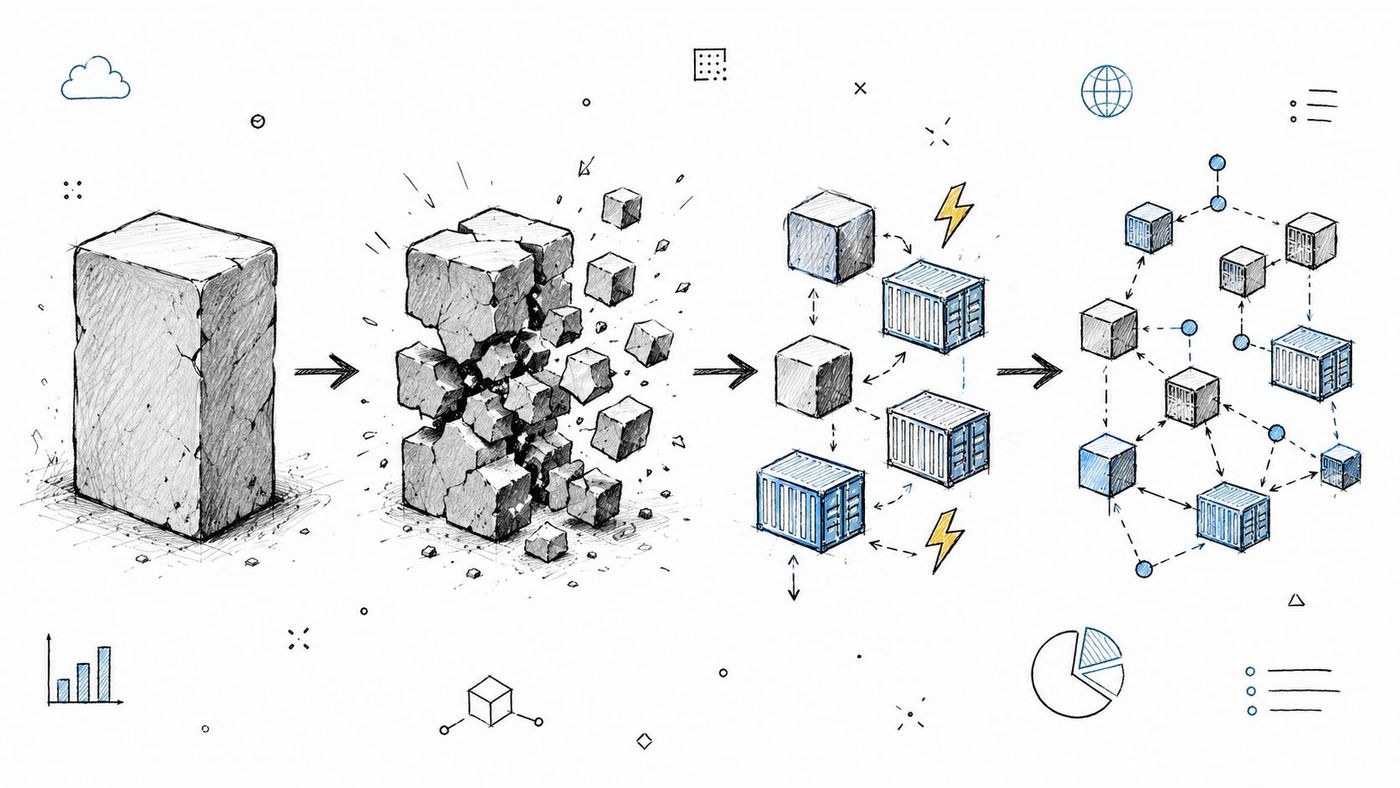
Start by identifying which workloads warrant a full redesign. Refactoring rebuilds an application around cloud-native patterns, such as service-based components, containers, serverless functions, redesigned APIs, or new data-processing methods.
Choose this path when elasticity, resilience, faster feature delivery, analytics, or automation justify the engineering effort. A healthcare organization might separate appointment scheduling, lab results, and telehealth features so each can evolve independently. A construction company could use serverless functions for project events and resource allocation. A legal practice might split document indexing, search, permissions, and compliance reporting into separately managed services.
The trade-off is operational complexity. Refactoring demands architecture skills, thorough testing, observability, disciplined deployment, and experience with distributed systems. Microservices can separate responsibilities, while also increasing network calls, logging volume, failure modes, and coordination between teams.
Select workloads using business value, criticality, compliance requirements, technical complexity, cost profile, and continuity needs. A lower-risk service can provide a controlled starting point. Define API boundaries early, and use containers as an intermediate design when the team is not ready to operate serverless workloads.
Testing and monitoring should be in place before production rollout. Feature flags, canary deployments, centralized logs, tracing, and rollback procedures limit exposure during a redesign. Data changes may require a new model, event handling, synchronization logic, or a managed period in which old and new components operate together.
Plan for the workforce impact as well. Developers may need training in container security, API design, infrastructure as code, service observability, and cloud cost management. CloudOrbis's IT consulting services can support an architecture assessment when the internal team needs additional experience.
Repurchase replaces an on-premises application with a cloud-delivered SaaS product. Instead of moving the existing system, the organization adopts a service that provides the same business capability through a subscription model.
This approach often suits standard functions that don't differentiate the business. A clinic may evaluate a cloud practice-management platform. A law firm may move from local case management to Clio or LexisNexis. A manufacturer may replace a legacy ERP with Microsoft Dynamics 365 or NetSuite. An accounting firm may adopt Xero or QuickBooks Online for shared financial access.
SaaS reduces responsibility for infrastructure, patching, and application upgrades, but it doesn't remove governance. The organization still owns decisions about data, access, integrations, retention, user training, and vendor risk. A product that looks suitable in a demonstration may not support a specialized workflow, reporting requirement, or integration with existing systems.
Map current business processes before selecting a vendor. Identify where the SaaS platform matches existing work, where employees must change their process, and where customization or integration will be necessary. Request trials, test representative data, and involve the staff who perform the work every day.
Regulated organizations should review service-level commitments, security controls, audit access, data residency, subcontractors, retention, export procedures, and termination terms. Canadian public-sector guidance offers a useful reference point because it emphasizes accredited security controls, vetted cloud services, and Canadian server locations for sensitive or confidential government data. Review the Government of Canada cloud adoption strategy when residency and control boundaries shape the decision.
Use phased rollout and structured training. CloudOrbis's perspective on legacy system modernization is relevant when the replacement decision affects data migration, integrations, and retirement of the old platform. Compare subscription, implementation, integration, training, support, and exit costs across the planned operating life, not just the monthly licence.
Retirement removes a workload, application, server, or duplicate data store that no longer justifies ongoing operation. For regulated organizations, it can be one of the safest migration decisions because it reduces the systems requiring security controls, monitoring, backups, licences, and user support.
A manufacturer may retire an inventory application after adopting cloud ERP. A healthcare organization may eliminate redundant document storage after implementing a governed content platform. A legal firm might discontinue an old billing system once its practice-management platform handles time, billing, and reporting. The decision depends on workload criticality, record-retention obligations, technical dependencies, and the cost of keeping the system available.
The risk in retirement is deleting an active dependency or destroying records the organization must retain.
Create an application inventory covering ownership, business purpose, usage, dependencies, licensing, data types, integrations, and criticality. Interview stakeholders across departments. A system that appears unused may support a scheduled export, regulatory archive, reporting process, or undocumented manual workaround.
Trace data flows before shutdown and confirm where records will reside. Establish retention and archival rules for healthcare, finance, legal, and other regulated information. Separate inactive data from information that must remain accessible, then document who may retrieve it, how access is approved, and what evidence must be retained for audits.
A controlled retirement process should include:
Use staged validation for high-criticality workloads. A medium-sized Canadian healthcare, finance, or legal organization may first disable new transactions, preserve read-only access, and monitor dependent processes before final deletion. Lower-risk duplicate stores can follow a shorter approval path, provided retention and recovery requirements are documented.
Schedule retirement with related migrations where possible, but do not let a target cloud date force premature deletion. Decommissioning savings can fund modernization, staff training, or stronger security controls.
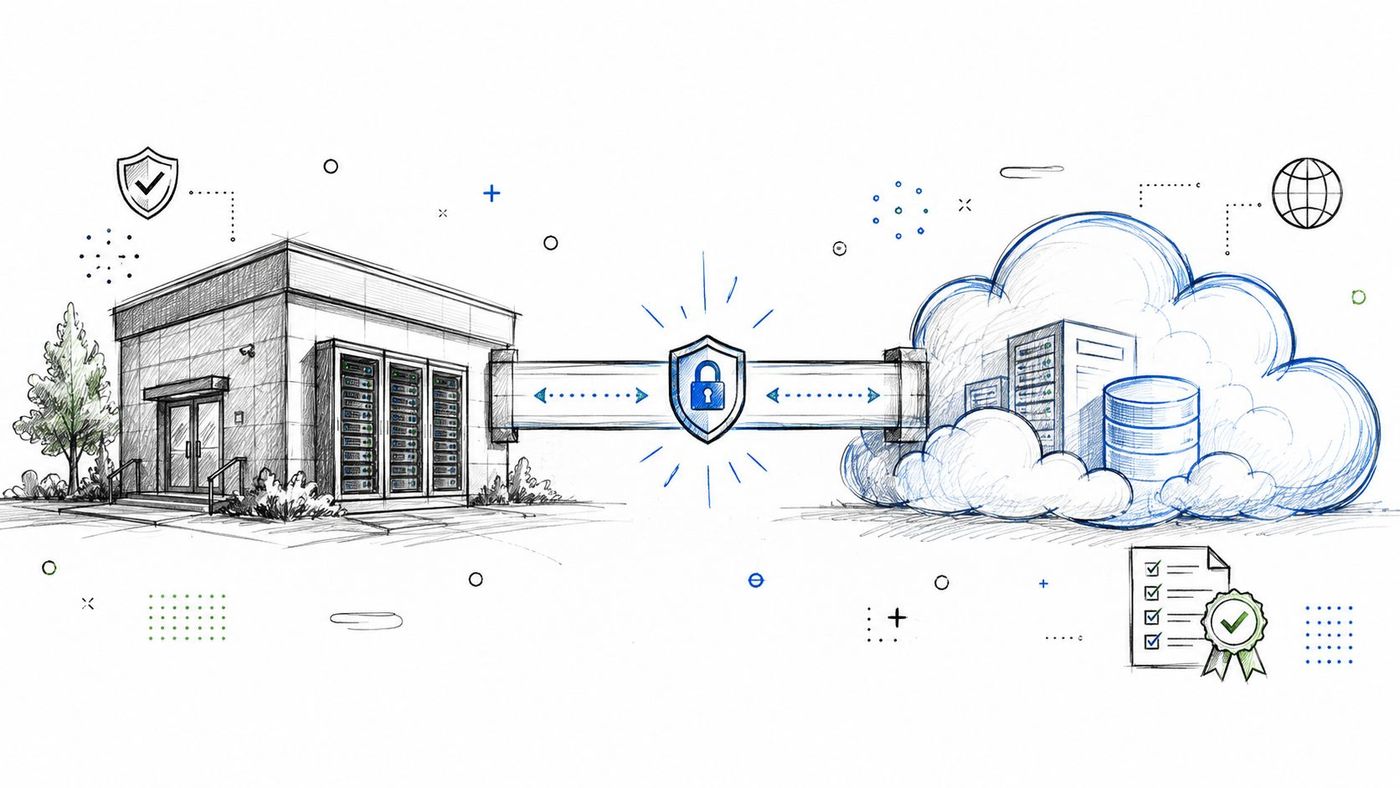
For Canadian regulated organizations, hybrid cloud is often the primary operating model for aligning workload placement with data classification. It combines on-premises infrastructure, private cloud, and public cloud services, allowing teams to move suitable workloads while retaining systems with strict residency, latency, performance, or integration requirements.
A healthcare provider might keep patient databases and imaging systems in a controlled environment while moving email and collaboration to Microsoft 365. A financial organization could retain sensitive customer systems on private infrastructure and use public cloud for analytics and disaster recovery. A legal firm may preserve core client data in its existing environment while adopting Teams and SharePoint for collaboration.
Canadian government guidance emphasizes accredited controls, a Canadian public-sector community cloud, and Canadian residency for sensitive or confidential government data. These requirements should shape workload decisions alongside business continuity, cost, technical complexity, and recovery objectives.
Create workload classes based on confidentiality, residency, regulatory obligations, latency, recovery needs, cost, and operational complexity. Define where each class may run, who may access it, how data may cross environments, and what evidence must be retained for audits. High-criticality systems may remain in a controlled environment until connectivity, recovery, and support processes have been tested.
Network architecture affects both performance and risk. Dedicated connectivity, such as Azure ExpressRoute or AWS Direct Connect, may provide predictable access between environments. Segmentation and encryption protect data in transit. Unified identity through Microsoft Entra ID and Active Directory can reduce access sprawl, provided administrators set clear privilege rules and lifecycle processes.
Centralize monitoring, logging, backup oversight, and incident response across all environments. Otherwise, teams may miss failures or inconsistent controls between public cloud and on-premises systems. CloudOrbis's managed cloud computing services can support ongoing visibility and operational coordination.
Adopting two or more cloud providers is justified only when workload requirements diverge across providers. A healthcare organization might run core clinical systems on Azure and use AWS for research analytics. A logistics company could use Azure for ERP and AWS for IoT processing. A manufacturer may use Google Cloud for predictive maintenance while keeping traditional applications and backup on AWS.
The decision should follow workload criticality, compliance obligations, data residency, latency, recovery objectives, cost profile, and technical complexity. A regulated organization may place sensitive production systems with the provider offering the clearest controls, while using another provider for specialized analytics or regional requirements. Each placement needs an accountable owner and a documented reason.
Multi-cloud increases operational responsibility. Providers differ in identity controls, networking models, logging tools, service limits, billing structures, and security configuration. Without shared standards, teams can create inconsistent access policies and lose visibility into total consumption.
Define placement criteria before selecting a second provider. Confirm support arrangements, portability requirements, recovery procedures, and the skills available to operate both environments. Avoid using multi-cloud only as a symbolic response to vendor lock-in. If the organization cannot maintain consistent controls and incident response, the added flexibility may increase risk.
Federated identity, common policy, and provider-neutral deployment practices can reduce friction. Kubernetes, Terraform, standardized APIs, and shared observability patterns support repeatable operations, but abstraction has a cost. It can limit access to provider-specific capabilities that might deliver greater value for a particular workload.
Cost ownership must cross provider boundaries. CloudOrbis's guidance on cloud cost management can help teams establish budgets, allocation rules, and review practices. A multi-cloud strategy guide can support broader planning, but the final design should match the organization's compliance obligations, recovery model, and operating capacity.
Divide your application portfolio into controlled waves, then execute each wave as a self-contained learning cycle. Group workloads by business unit, dependency, criticality, technical similarity, or data classification, and select the grouping that best controls operational risk.
This approach fits medium-sized organizations that must protect continuity while building cloud capability. A healthcare provider might start with collaboration tools, then move non-critical clinical systems before addressing patient-facing applications. A manufacturer could sequence office systems, reporting, ERP, and real-time production workloads. A legal firm might move collaboration, document storage, billing, and case management in that order.
Choose a first wave that is manageable and useful. A low-risk workload with little business value will not build support. A complex system with hidden dependencies can damage confidence before the team understands how to operate the target environment. For regulated organizations, review compliance requirements, recovery objectives, data sensitivity, and business ownership before approving the sequence.
Map dependencies before assigning workloads. Establish a steering group, technical working group, change-control process, communications plan, acceptance criteria, rollback procedure, and named business owner. Keep migration leadership consistent so lessons carry into later waves.
After each cutover, review technical results and user experience. Check authentication, data integrity, integrations, performance, backups, monitoring, support demand, and cost controls. Document findings, update the runbook, and change the next wave when evidence supports a different approach.
A successful wave leaves the service usable, supportable, and recoverable. Confirm that users can complete their work, administrators can handle incidents, and the organization can restore service before expanding the program.
CloudOrbis's Azure migration Calgary services can support wave planning, implementation, and ongoing operations. A managed migration partner may also help preserve governance when internal teams must maintain daily operations throughout a longer program.
| Strategy | Implementation complexity | Resource requirements | Expected outcomes | Ideal use cases | Key advantages |
|---|---|---|---|---|---|
| Lift and Shift (Rehost) | Low–Medium, rapid move with minimal changes | Low development effort; migration tooling; bandwidth for data transfer | Fast migration with preserved functionality; limited cloud optimization | Stable legacy systems, tight timelines, limited refactoring resources | Fastest path to cloud, low upfront dev cost, minimal disruption |
| Replatform (Lift, Tinker, and Shift) | Medium, selective changes to leverage cloud services | Moderate engineering and testing; managed service expertise | Improved performance/cost vs rehost; partial cloud-native benefits | Mid-sized businesses seeking efficiency without full redesign | Better operational efficiency, reduced ops burden, incremental modernization |
| Refactor / Re-architect | Very High, full redesign to cloud-native patterns | High engineering effort, cloud-native skills, CI/CD and observability investments | Maximum scalability, resilience, and long-term cost/performance gains | Strategic/high-growth applications where modernization drives value | Full cloud-native benefits, faster innovation, long-term cost savings |
| Repurchase (Replace) | Low–Medium, adopt SaaS instead of migrating apps | Low development; integration, change management, and vendor evaluation | Rapid functional replacement; vendor-managed updates and compliance | Non-differentiated functions; orgs lacking dev resources | Eliminates infra management, predictable subscriptions, built-in compliance |
| Retire (Decommission) | Low–Medium (can be high if undocumented dependencies) | Assessment, stakeholder coordination, data archival and legal reviews | Reduced portfolio size, immediate cost savings, simplified environment | Unused/duplicate legacy systems or high technical debt assets | Cuts costs and complexity, reduces attack surface, frees resources |
| Hybrid Cloud Strategy | High, multi-environment integration and governance | Significant networking, security, identity, and orchestration effort | Flexible workload placement balancing compliance, performance, cost | Regulated industries; workloads needing on-premises residency | Compliance flexibility, workload optimization, phased modernization |
| Multi-Cloud Strategy | Very High, cross-provider architecture and governance | High multi-platform skills, unified tooling, and governance overhead | Provider diversity, resilience, best-of-breed service access | Organizations needing specialized services, resilience, or flexibility | Reduces vendor lock-in, cost/service optimization, improved resilience |
| Phased / Wave-Based Migration | High (managed via waves), sequential, governed execution | Dedicated migration teams, governance, dual-running costs during waves | Lower per-wave risk, iterative learning, steady value delivery | Large complex portfolios or teams new to cloud migrations | Risk reduction, incremental value, controlled resource and budget use |
The strongest migration plan rarely uses one strategy across the entire application portfolio. A regulated Canadian organization may retire duplicate systems, repurchase standard business functions, rehost stable workloads, replatform applications that need targeted improvements, and reserve refactoring for products with clear long-term value. It may also retain selected systems temporarily, use a hybrid cloud architecture for residency or performance reasons, and apply waves to control the order of change.
Canada's adoption baseline makes this portfolio discipline important. Statistics Canada reported that 48% of Canadian businesses used cloud computing in 2023, up 3 percentage points from 2021, making cloud computing the most commonly used business technology in its survey, as summarized by Canadian cloud adoption coverage. Many organizations therefore aren't starting from zero. They already have cloud accounts, SaaS tools, remote access, identity dependencies, or unmanaged workloads that the migration program must account for.
Start with an application and data inventory. Map dependencies, owners, integrations, recovery needs, and business processes. Classify workloads by compliance requirements, residency, criticality, technical complexity, cost profile, performance, and tolerance for disruption. Then compare each possible strategy against both total cost and operational risk.
Canadian organizations also need to account for sovereignty concerns as part of architecture, not as a procurement detail. A 2026 compliance survey reported that 40% of Canadian respondents identified Canada-U.S. data-sharing changes as their top regulatory concern, while 23% were actively migrating away from U.S. cloud providers and 79% reported full compliance maturity, according to Canada-focused data sovereignty findings. Those figures don't prescribe one provider or architecture, but they reinforce the need for region-locked data classification, workload segmentation, and auditable control boundaries.
The operating model matters as much as the migration method. Canadian cloud decision-makers continue to identify security, talent and skills, and C-suite alignment as common barriers, according to Forrester's State of Cloud in Canada 2026. Teams should assign ownership for cloud security, cost management, access reviews, backup testing, incident response, and service performance before the first production wave.
CloudOrbis can assess an organization's current environment and help connect migration decisions with managed IT, cybersecurity, backup, disaster recovery, and consulting requirements. The goal isn't to move everything quickly. It is to create a controlled roadmap that improves resilience and business capability without transferring old risks into a new environment.
CloudOrbis Inc. offers cloud migration planning, server migration, managed IT, cybersecurity, backup, disaster recovery, and consulting support for Canadian small and mid-sized organizations. Visit CloudOrbis Inc. to discuss a workload assessment and a migration roadmap crafted for your applications, compliance requirements, and continuity needs.
Book a 30-minute call with a senior engineer. No sales script, just straight answers about your environment.


