Data Backup Solutions for Canadian SMBs: A Practical Guide
Explore data backup solutions for Canadian SMBs, from cloud and hybrid to on-prem options. Learn RTO/RPO planning, encryption, compliance, and best practices.

Explore data backup solutions for Canadian SMBs, from cloud and hybrid to on-prem options. Learn RTO/RPO planning, encryption, compliance, and best practices.

A backup that has never been restored is only a promise. In Canada, only 36% of organizations said they could fully restore data and systems from backups when needed, while 21% said they couldn't recover at all, according to CDW Canada's 2022 security study. That gap changes how Canadian SMBs should evaluate data backup solutions. Storage capacity, dashboards, and low monthly pricing matter, but verified recovery and appropriate Canadian data residency matter more.
A 22-employee Toronto accounting firm once lost a full week of client files after ransomware reached its file server. Its local USB drive hadn't been rotated in nine months. The business had a backup device, but it didn't have a dependable recovery system.
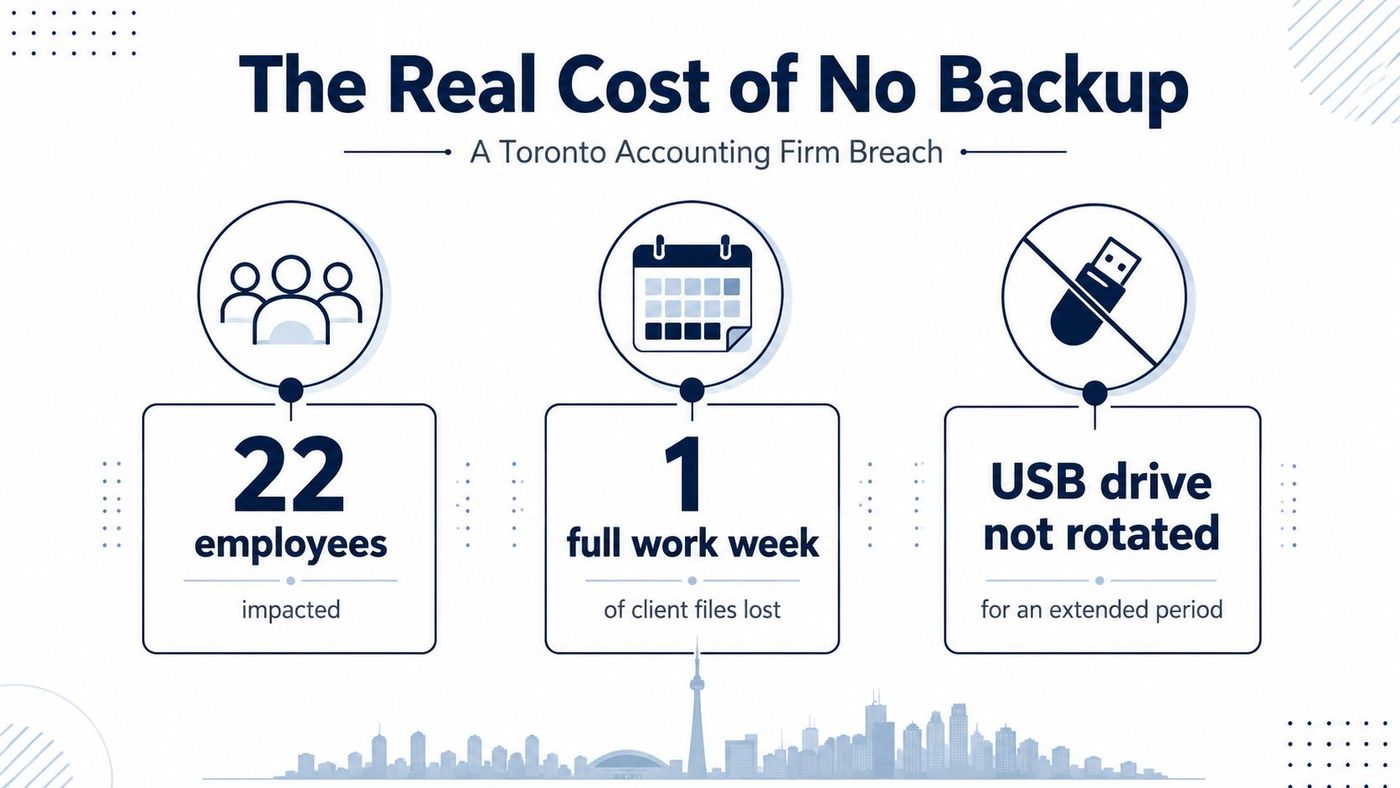
That scenario exposes the decision every owner must make: how much downtime and capital should the business trade for a fast, reliable restore? A backup strategy should answer that question by system, not by choosing the cheapest storage tier.
RAID keeps a server available when a disk fails. Replication can copy a problem quickly to another system. Cloud synchronization can make files available across devices. None of these controls is a complete backup. Deletion, corruption, malicious encryption, and compromised administrator accounts can affect the original and its synchronized copies.
The Government of Canada recommends the 3-2-1 backup rule, three copies of information, on two different media types, with one copy kept off site, as outlined in Canadian government backup guidance. For a Canadian SMB, that usually means a local recovery copy, a separate offsite copy, and an isolated or immutable copy that an attacker can't rewrite.
Canadian backup behaviour remains inconsistent. A 2020 Government of Canada report found that 15% of Canadians said they never backed up their files, while only 6% automatically backed up files to the cloud as they were created. The report also found that 23% backed up once or twice a year, and 20% never backed up.
Practical rule: Treat backups as operational insurance. The policy isn't complete until someone has demonstrated that the business can restore its critical systems.
Start with a data inventory, identify systems that generate revenue or carry regulated information, and document the consequences of losing access. CloudOrbis's business continuity and disaster recovery guidance is a useful reference when connecting backup design to broader continuity planning. The two differentiators deserve particular attention: where Canadian data is stored and whether restores are tested on a recurring schedule.
No single backup model fits every Canadian SMB. A downtown professional-services firm with strong connectivity has different constraints from a rural manufacturer or a northern operation that depends on limited bandwidth. Choose the architecture after defining recovery needs, sovereignty requirements, and the staff available to operate it.
| Criteria | On-Premises | Cloud | Hybrid |
|---|---|---|---|
| Cost profile | Higher capital spend, ongoing hardware maintenance | Predictable operating cost, storage and transfer fees | Combines local investment with recurring cloud cost |
| Restore speed | Fastest for local failures | Depends on internet bandwidth and provider access | Fast local recovery, offsite recovery for larger incidents |
| Sovereignty fit | Strong physical control, provided the second site is appropriate | Depends on the selected region and contract | Strong when local and cloud copies are deliberately located |
| Ransomware resilience | Requires offline, immutable, or isolated copies | Stronger when immutability and isolation are included | Strongest when local recovery is paired with immutable cloud storage |
| Best-fit SMB profile | Firms with capable IT staff and dependable facilities | Distributed teams seeking less hardware management | Most SMBs balancing speed, resilience, and operational effort |
A NAS, local backup appliance, tape rotation to a second site, or managed USB rotation can provide quick file and system recovery. The weakness is operational discipline. Someone must monitor job failures, protect the backup console, rotate media, verify offsite custody, and replace aging hardware.
A local copy also won't protect the business from a fire, flood, theft, or site-wide compromise if it remains in the same facility. On-premises storage works best as one layer, not the entire strategy.
Cloud backup removes much of the hardware burden and makes offsite storage easier. Services built on platforms such as Amazon S3 or Azure Blob can be flexible, while a Canadian-hosted provider may better suit sovereignty-sensitive workloads. The trade-off is bandwidth. A large restore can take materially longer when the business must pull data across an internet connection, especially in rural or northern locations.
Teams comparing architectures can also review top-rated VM backup tools when virtual machines form a significant part of the environment. The product must protect the full recovery chain, including hosts, identity services, applications, and configurations, not just individual VMs.
Hybrid backup is my default recommendation for many Canadian SMBs. Keep a local copy for routine restores, then send a separate encrypted copy to Canadian-resident or otherwise approved cloud storage with immutability enabled. This approach costs more than a single destination, but it avoids forcing every recovery through the internet while preserving protection if the primary site is unavailable.
For a broader infrastructure comparison, see CloudOrbis's on-premises versus cloud computing overview. The important distinction is that hybrid isn't automatic redundancy. The copies must use separate credentials, locations, and recovery paths.
Recovery Time Objective, or RTO, is the maximum acceptable time to restore service. Recovery Point Objective, or RPO, is the amount of recent data the business can afford to lose. Owners shouldn't leave these definitions to a vendor brochure. They should set them with the people responsible for revenue, patients, clients, production, and compliance.
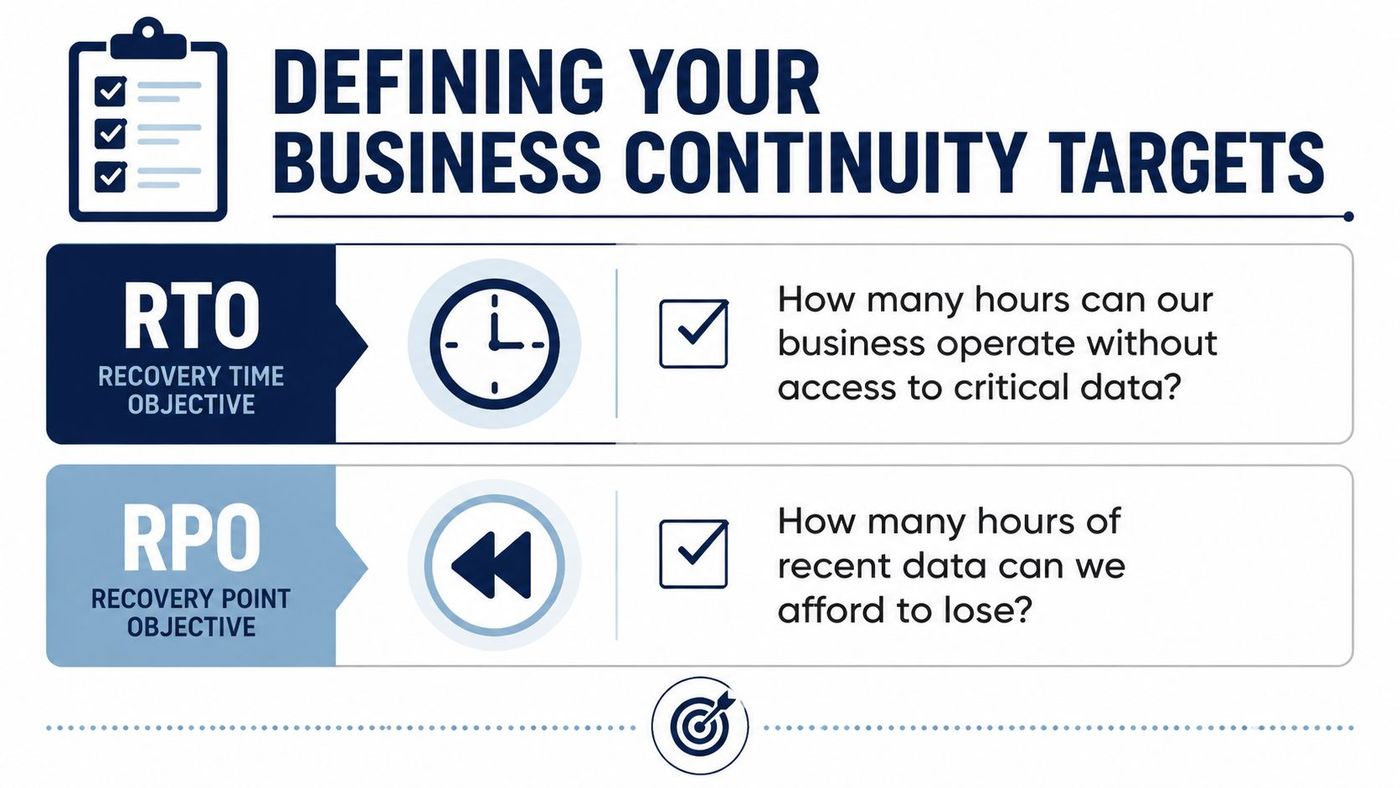
Ask which systems must return within hours and which can wait until the next business day. A dental clinic may need patient records and practice management software within two hours. A construction firm might tolerate a longer interruption for project files, provided payroll, estimating, and communications remain available.
RPO should be expressed in time, not storage volume. If losing an afternoon of invoices creates a serious reconciliation problem, the backup schedule must capture data more often than once daily. If an archive changes rarely, a longer interval may be acceptable.
Use a simple worksheet for each system:
Canadian privacy obligations reinforce the need for defensible safeguards. That includes PIPEDA, Alberta's PIPA, BC's PIPA, Quebec's Law 25, and PCI DSS for businesses accepting payment cards. The exact implementation depends on the information and sector, but an undocumented recovery process creates avoidable questions during an incident or audit.
For practical terminology and planning context, CloudOrbis's Recovery Time Objective guide provides a useful starting point. RTO and RPO must come before architecture. A fast platform that misses the required recovery point is still the wrong platform.
Healthcare, legal, and finance businesses shouldn't buy backup software as if it were ordinary file storage. Their architecture must protect confidentiality, restrict access, preserve records, and produce evidence that the organisation can recover responsibly.
Healthcare practices dealing with patient information under provincial rules such as PHIPA or Alberta's HIA should encrypt data in transit and at rest, log access, and document recovery procedures. Law firms must preserve client confidentiality under professional conduct obligations, including controlled access and a clear chain of custody for restored files. Finance and accounting firms need retention schedules that align with their records obligations and business requirements.
Use AES-256 encryption before information leaves the production environment where the platform supports client-side or source-side encryption. Keep encryption keys under the SMB's control or with a Canadian-resident managed service provider, rather than assuming the storage vendor should control every key.
Require multi-factor authentication on backup consoles, separate backup administration from ordinary user accounts, and enable immutable storage tiers. Immutability helps prevent ransomware from rewriting recovery points after it gains access to production credentials.
Restore logs should feed the same security information and event management process or audit trail used for production systems. Keep encryption posture reports, retention policies, access reviews, restore results, and breach-notification procedures together. That package gives an auditor or regulator evidence of how the organisation protects and recovers information.
| Sector | Governing rule | Encryption requirement | Retention | Key control |
|---|---|---|---|---|
| Healthcare | Provincial privacy and health-information rules, such as PHIPA or Alberta's HIA | Encrypt records at rest and in transit | Follow clinical, legal, and organisational retention schedules | Log access and document recovery |
| Legal | Professional conduct and client-confidentiality obligations | Protect client files and restored copies | Follow matter and legal-record requirements | Maintain controlled keys and chain of custody |
| Finance | PIPEDA and applicable financial-sector controls | Encrypt personal and financial information | Align retention with approved records policies | Preserve audit trails and restrict administration |
| Payment card operations | PCI DSS | Protect cardholder data and backup copies | Follow approved PCI and business retention rules | Use strong access control and monitoring |
Canadian organisations also need to consider privacy governance beyond encryption. CloudOrbis's overview of Canadian data privacy laws can help teams map obligations before selecting a provider. Residency, contractual access rights, key ownership, and deletion procedures should be documented before deployment.
Most SMBs don't have a backup specialist. They have a generalist who handles Microsoft 365, endpoints, printers, firewalls, vendors, and urgent user requests. Asking that person to design backup architecture, monitor jobs, test restores, maintain evidence, and lead a crisis response creates a predictable weakness.
A managed backup service transfers those daily responsibilities to a team focused on keeping recovery usable. A practical service package may include licensing, Canadian-region storage, monitoring, restore testing, and compliance reporting under a predictable commercial model. The value isn't the dashboard. It's the accountability behind every failed job and every unresolved restore warning.
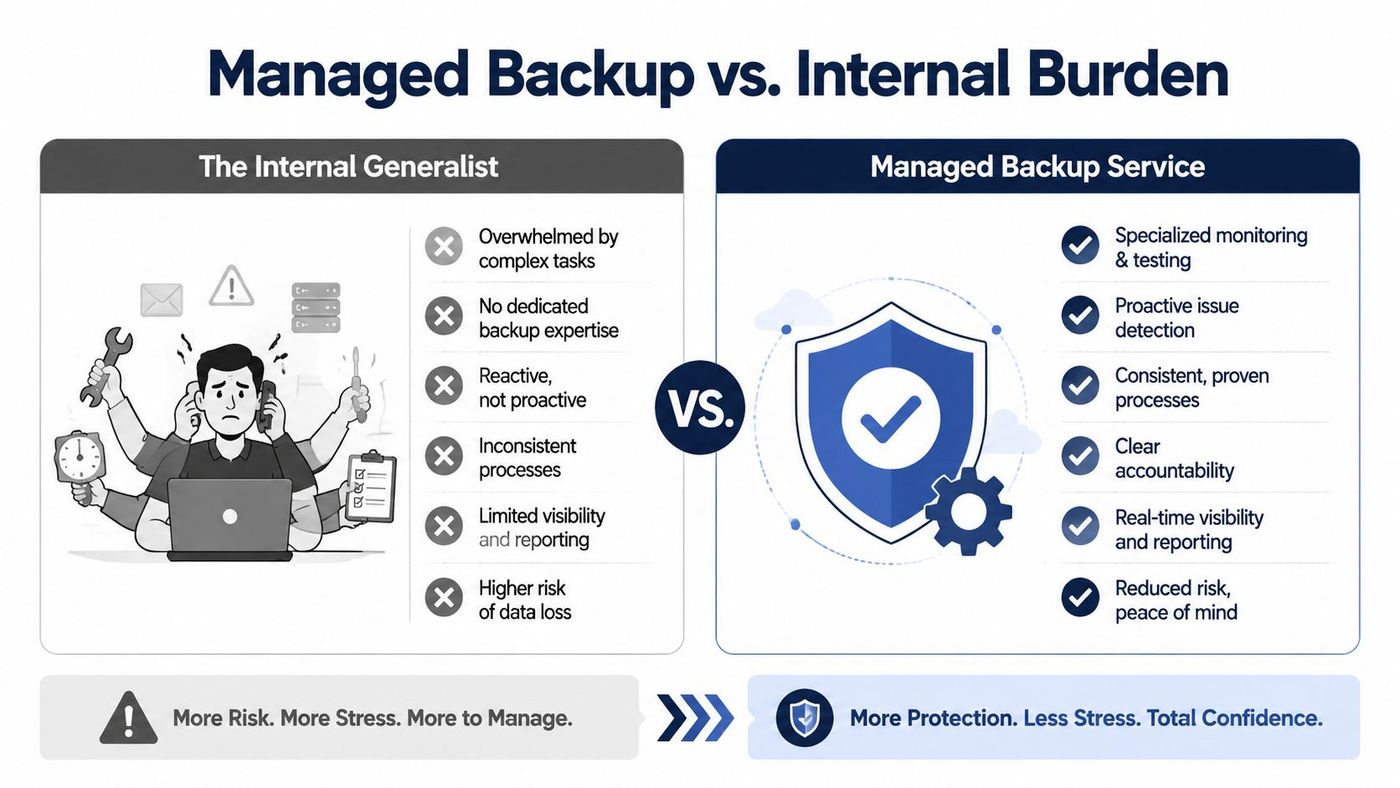
A self-managed solution can work when the organisation has time, skills, and clear ownership. It fails when backup administration becomes a task completed only after higher-priority tickets. A provider brings established recovery playbooks for ransomware, hardware failure, vendor outages, and auditor requests.
That experience matters during a midweek incident when leadership needs a documented recovery plan, not a search through old setup notes. The data backup as a service explanation from CloudOrbis describes the managed model in a Canadian business context.
Managed service contracts still require scrutiny. Include data portability, open export formats, documented deletion, access to backup reports, and exit assistance. Vendor lock-in becomes expensive when an organisation discovers that its only usable recovery path depends on a provider it can no longer retain.
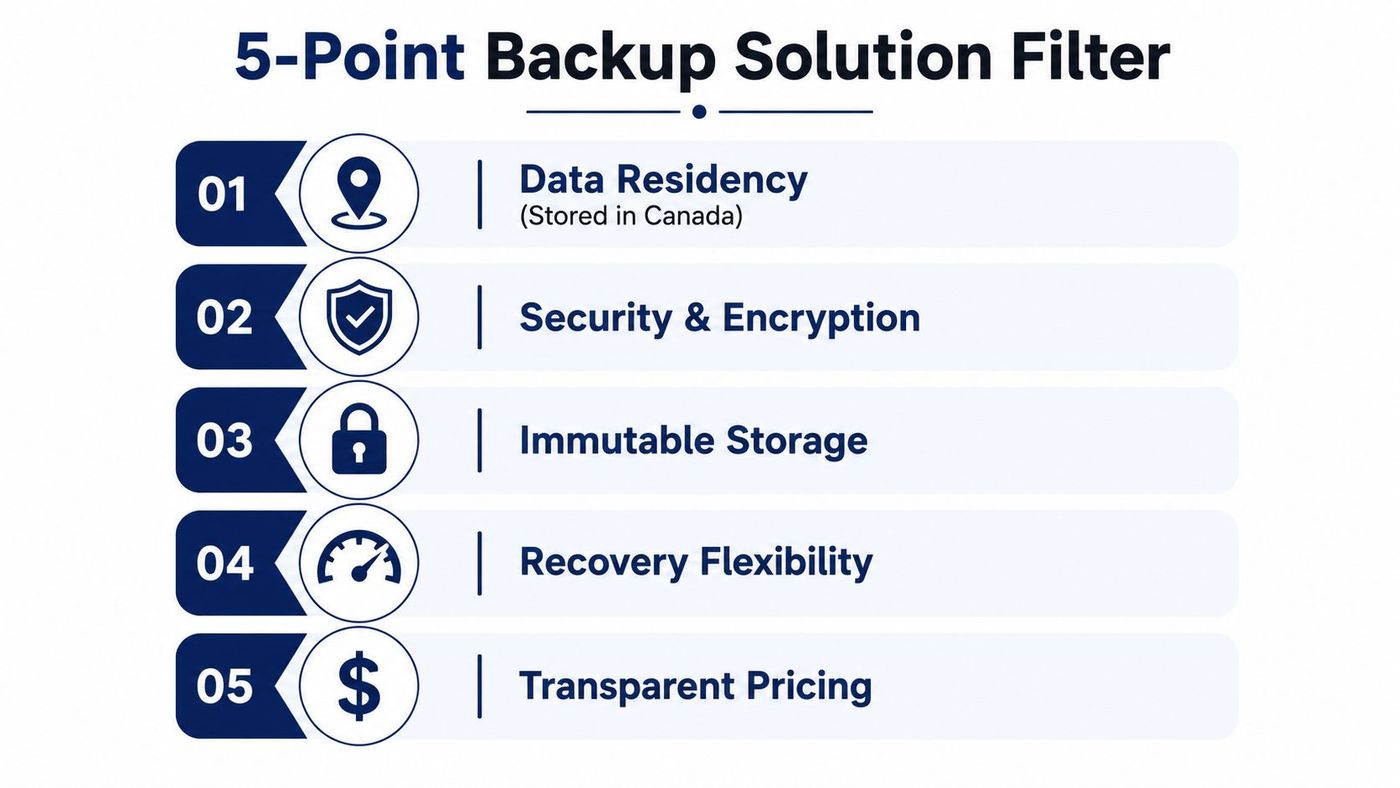
A feature list won't tell you whether a backup platform is suitable for a Canadian SMB. Filter every option through the business's geography, recovery targets, threat model, application environment, and exit plan.
Where is the data stored? Ask for the exact Canadian region, not a general statement that the provider serves Canada. BDC's guidance on online data backup options highlights Canada-stored data and Canadian-language support as practical buying considerations. Require the residency commitment in the contract, and ask how support staff, subprocessors, and disaster-recovery copies handle cross-border access.
What does recovery cost in time and bandwidth? A continuously replicated hot site may support very short recovery objectives, but it costs more than nightly backup to cold storage. Protect high-impact systems with the premium tier and use less expensive retention for inactive archives.
Can ransomware reach the copies? Look for immutability, air-gapped copies, separate credentials, anomaly detection, and a recovery process that doesn't rely on the compromised production identity system.
Does it cover the environment? Verify support for physical servers, virtual machines, Microsoft 365, Google Workspace, databases, line-of-business applications, configurations, and identity services. A platform that protects only file shares creates a silent gap.
How do you leave? Confirm that the provider will return data in a usable format and provide migration assistance. Export rights should be clear before signing, not negotiated during a crisis.
Recovery design also affects product selection. Teams comparing bare metal and image recovery should ask whether the platform can restore a complete operating environment, not just files. That distinction matters after a server failure, when rebuilding applications and configurations manually can extend downtime.
Backups earn their value only when they produce a working system under pressure. A completed job or downloadable file does not prove that applications, permissions, dependencies, and users can recover together. Treat restore testing as a standing operational requirement, not an annual exercise.
A practical schedule tests recovery at several levels:
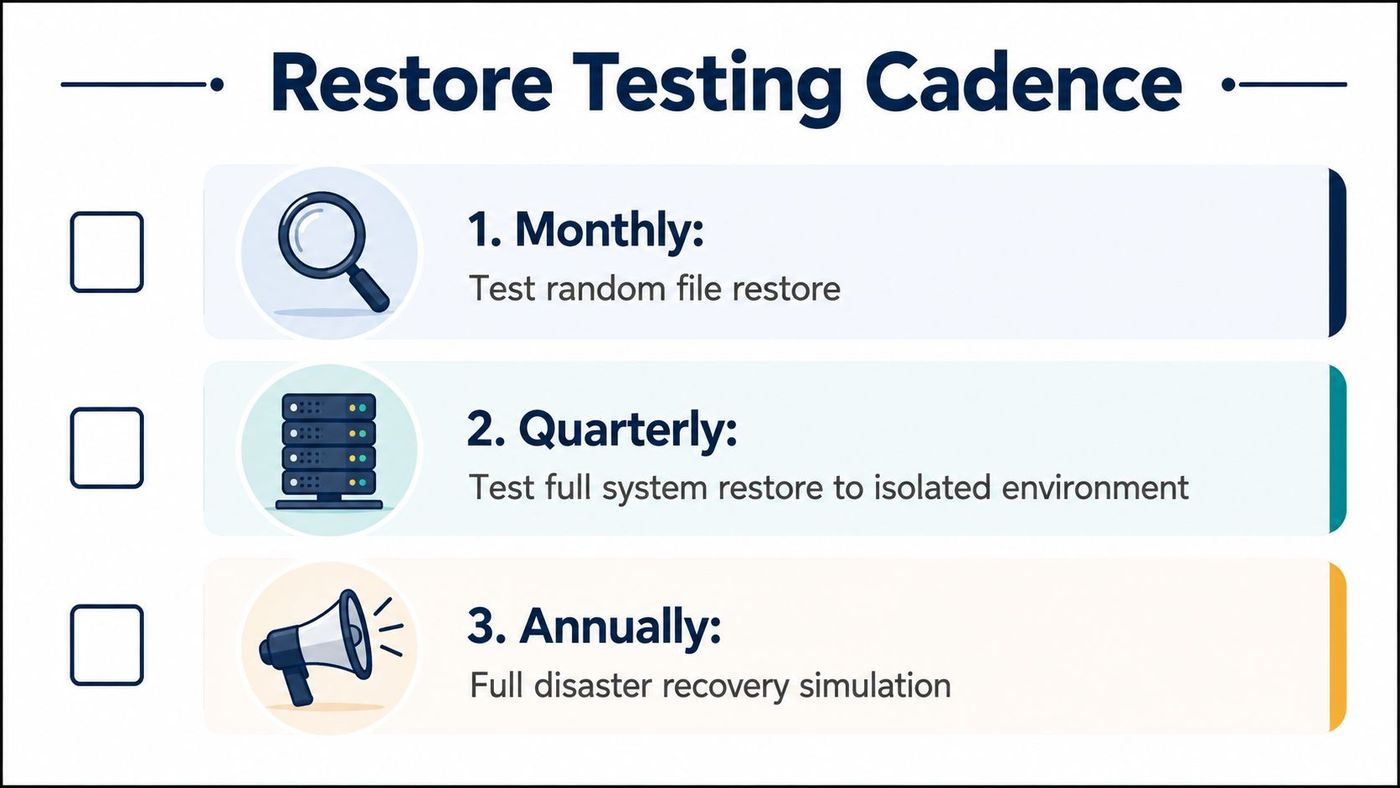
Measure each rehearsal against the RTO. Verify data integrity, restore dependencies in the correct order, and record every failed component. A tabletop discussion can expose communication gaps, but only a technical restore can show whether a virtual machine, directory service, database, and email dependency work together.
Set the cadence according to data change rates and business risk. Concordia University's backup management guideline identifies monthly backups as a baseline for restoring or recovering data and ties retention to records classification and retention plans. The Canadian Baseline Control for backup and recovery includes weekly testing for data that changes less often, such as system configurations.
Keep test evidence with the backup records. Record the restore point, duration, systems tested, failures, corrective action, and owner. If a failed physical drive or damaged device requires hard drive and data recovery services, specialists may help retrieve data, but they do not replace a tested backup programme.
Every failed rehearsal exposes a fixable weakness, whether it involves permissions, dependencies, retention, or documentation. For Canadian SMBs, that evidence matters as much as storage location. A backup held in Canada may support sovereignty requirements, but only a successful restore demonstrates that the organisation can recover.
A resilient backup programme comes from sequencing decisions correctly. Buying a product first usually produces a collection of jobs and storage targets without a defensible recovery plan.
Use this order:
Canadian businesses also need a retention policy that supports audit readiness. Guidance for Canadian businesses says core tax and business records are generally expected to be kept for six years from the end of the last tax year to which they relate, and electronic backup copies should always be maintained at another location protected from hazards such as magnetic fields, direct light, and excessive moisture, according to CFIB's record-keeping requirements.
Recovery economics make this discipline urgent. The Canadian Centre for Cyber Security's ransomware playbook cites Statistics Canada data showing that total cyber-recovery costs in 2023 doubled to CA$1.2 billion, and it recommends multiple backups in multiple locations, as described in this Canadian ransomware recovery case analysis. TELUS's Canadian Ransomware Study reported that only 44% of affected organisations fully restored their data, while 49% restored only partially. It also reported an average ransom payment of CA$140,000, representing 16% of total recovery cost, in its Canadian ransomware recovery analysis.
CloudOrbis Inc. offers managed offsite backup and recovery for Canadian businesses, with automated backups, secure storage, monitoring, and recovery support across redundant locations. If your organisation's last restore test is overdue, start with an inventory and recovery review rather than another product demo.
CloudOrbis Inc. can assess your backup coverage, Canadian data residency, encryption controls, recovery objectives, and restore-testing process. Visit CloudOrbis Inc. to request a backup review and build a recovery plan your team can prove under pressure.
Book a 30-minute call with a senior engineer. No sales script, just straight answers about your environment.


