Core Network Solutions for Canadian SMBs
Explore core network solutions for Canadian SMBs. Learn about SD-WAN, routing, switching, VPN, cloud interconnect, and how to choose the right setup.

Explore core network solutions for Canadian SMBs. Learn about SD-WAN, routing, switching, VPN, cloud interconnect, and how to choose the right setup.

Your Toronto office is handling a video call, staff are syncing files to Microsoft 365, and someone at a newer site is trying to use the same business applications over a VPN. The call breaks up. A cloud app stalls. Your team blames the internet, but the actual issue may be a network designed for a smaller, simpler business.
That's a common growing pain for Canadian SMBs. Core network solutions aren't a shopping list of routers and switches. They're a way to map what your business depends on, then connect and protect those systems with performance you can test and resilience you can verify.
Network strain often shows up in ordinary work. A clinic adds remote staff who need dependable access to records. A manufacturer connects another site and relies on cloud tools for planning. A law firm shifts more collaboration into Microsoft 365 while business VoIP carries client calls. Each change adds demand to a network that may still depend on one circuit and a few assumptions about how traffic behaves.
Those assumptions are getting harder to defend. The CRTC reports that fixed broadband was available to 96.1% of Canadian households in 2024–25, up from 91.9% in 2022–23, and that approximately 72% had access to fibre-to-the-home by the end of 2024. More than 85% of fixed Internet subscribers used plans exceeding 50 Mbps, while nearly one-third had plans offering at least 1 Gbps. These figures describe national availability and adoption, not the service quality at a particular business address, but they establish a higher baseline expectation for cloud applications and connected operations (CRTC broadband and telecommunications data).
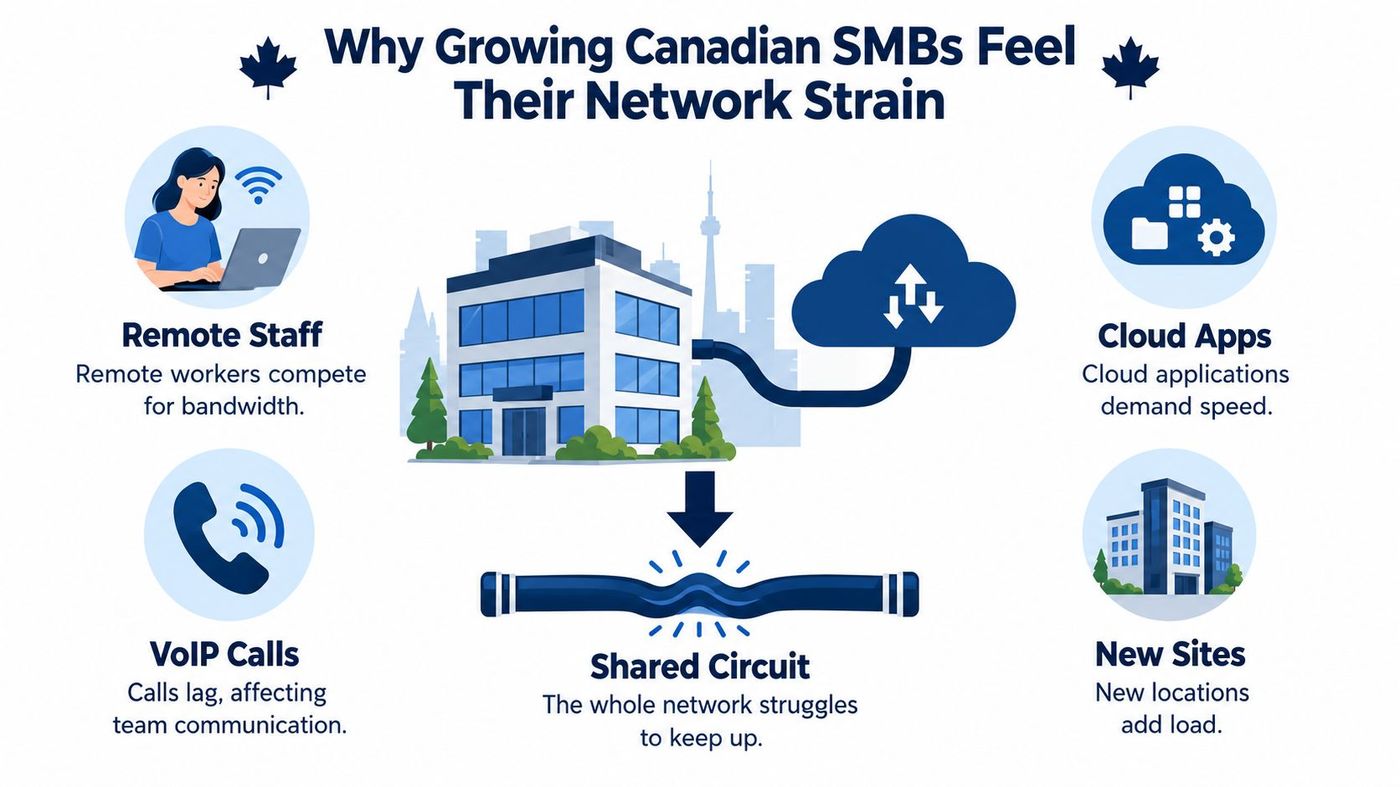
| Pressure Point | What It Looks Like | Why It Matters |
|---|---|---|
| Remote staff | VPN sessions and cloud files compete with office traffic | Users need reliable access without exposing internal systems broadly |
| Cloud apps | Microsoft 365 or cloud ERP feels inconsistent | Bandwidth alone doesn't explain slow, interactive tasks |
| VoIP calls | Audio clips or becomes hard to follow | Delay and packet loss can undermine calls even when a speed test looks fine |
| New sites | A new office or warehouse shares the same design assumptions | Each location adds dependencies, access needs, and failure points |
The answer isn't automatically buying a faster circuit. First map which people, sites, applications, and devices depend on the network. Then decide how to route, secure, monitor, and recover that traffic. That turns a vague complaint about “the internet” into a plan your provider can design and test.
Think of a business network as a transport system. Some parts move traffic between buildings, others guide it inside each site, and security controls decide who can use which route. You probably already have several of these components. The important question is whether they work together.
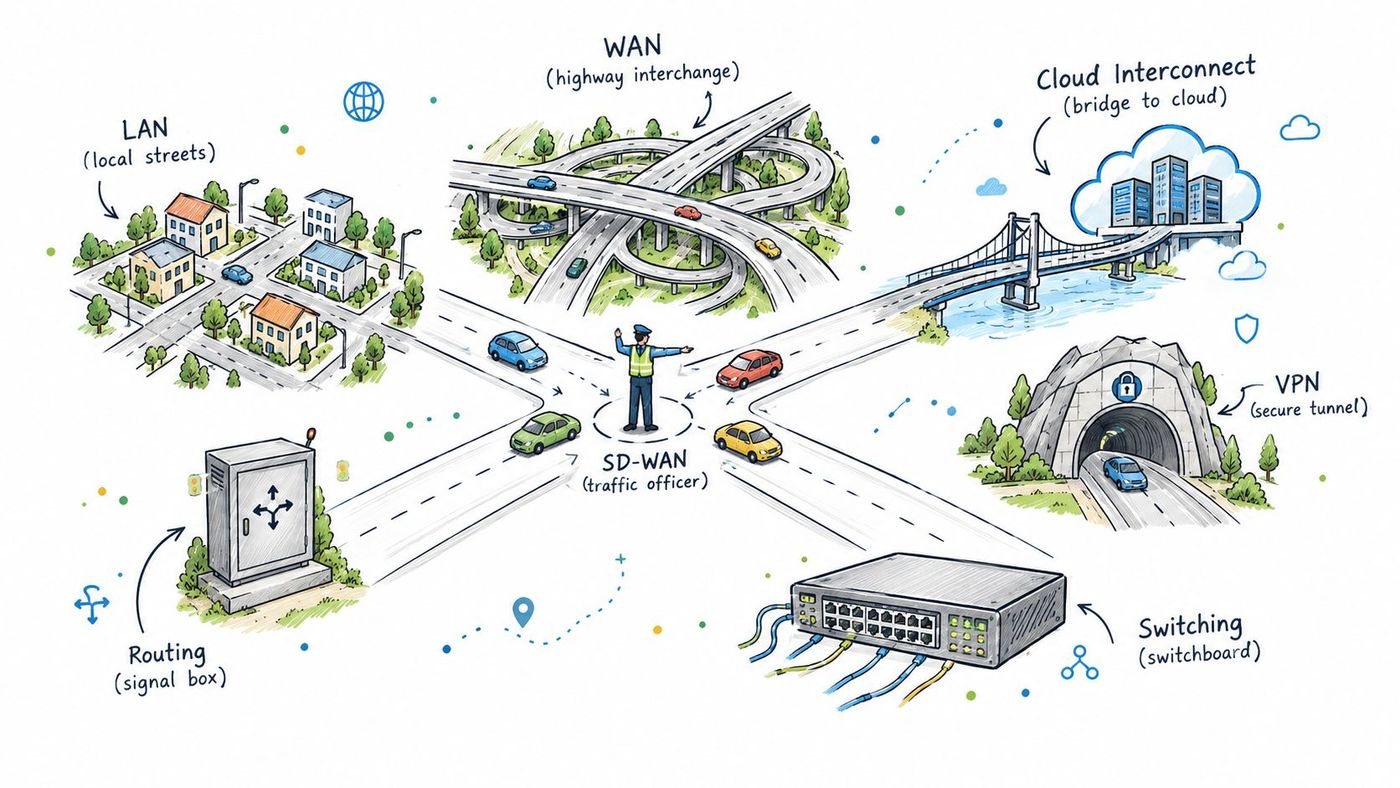
Practical rule: Buy the level of control your sites and workloads need, not an enterprise architecture chart you'll struggle to operate.
These components fit alongside security services, not instead of them. A managed firewall, for example, can enforce traffic rules at the network edge; understand what that service should cover in this overview of managed firewall services. The simplest useful design is usually the one your provider can explain, monitor, and support consistently.
A legacy design often sends every user, application, and site through one circuit and one set of assumptions. If that carrier has an outage, or the connection performs poorly during busy periods, staff may lose access to several services at once. Adding another circuit without changing the design can leave you with extra capacity but no clear failover behaviour.
A modern architecture treats connectivity as layers, with an assigned purpose for each one. At the bottom, fibre or cable provides the site's access to the internet. Where the business impact justifies it, a second carrier or diverse path gives the SD-WAN appliance an alternative route. Managed switching separates the traffic of staff, guests, phones, and business devices. Identity-aware VPN access lets remote workers and approved vendors reach only the systems they need. Cloud traffic then follows a deliberate path to Microsoft 365 and SaaS workloads.
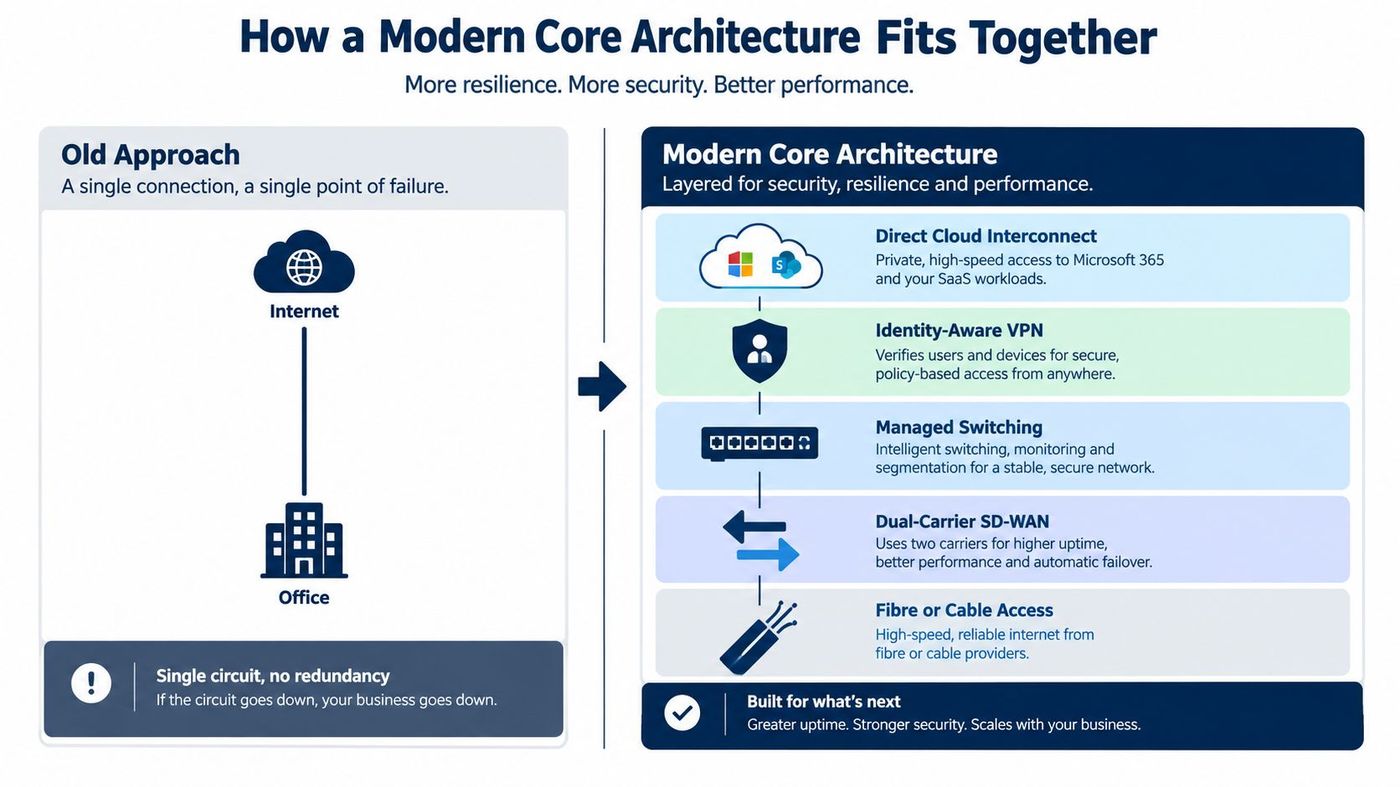
| Capability | Legacy Single-Link | Modern Resilient Core |
|---|---|---|
| Internet access | One circuit carries all traffic | Primary and alternate paths are designed around site needs |
| Traffic handling | Limited visibility into application priorities | SD-WAN rules can steer traffic and support defined failover |
| Internal network | Flat or inconsistently managed | Managed switching supports deliberate network segmentation |
| Remote access | Broad VPN access may outlast its purpose | Identity-based access is scoped to users and systems |
| Operations | Problems surface through user complaints | Monitoring and documented escalation help teams act earlier |
Redundancy only helps when the backup is meaningfully independent. Ask whether the circuits use separate carriers or paths, what happens to active calls and sessions during failover, and how the provider will test the change. A geographically distant backup route may remain technically available but still perform poorly for interactive work.
Switch configuration is another place where a careful design matters. These RV network switch setup tips offer useful context on managed switching. For multi-site SMBs, the core design should also spell out which traffic belongs in which segment; this guide to network segmentation explores why that separation matters.
Don't accept “the speed test looked good” as proof that a circuit is ready for business. The CRTC's fixed-network high-quality broadband thresholds are at least 50 Mbps download, 10 Mbps upload, no more than 50 ms round-trip latency, and no more than 0.25% packet loss during weekday peak hours, from 7–11 p.m. The CRTC specifies measurement from the customer-premises modem to an off-net server at an Internet exchange point in a Canadian Tier 1 city (CRTC broadband measurement methodology).
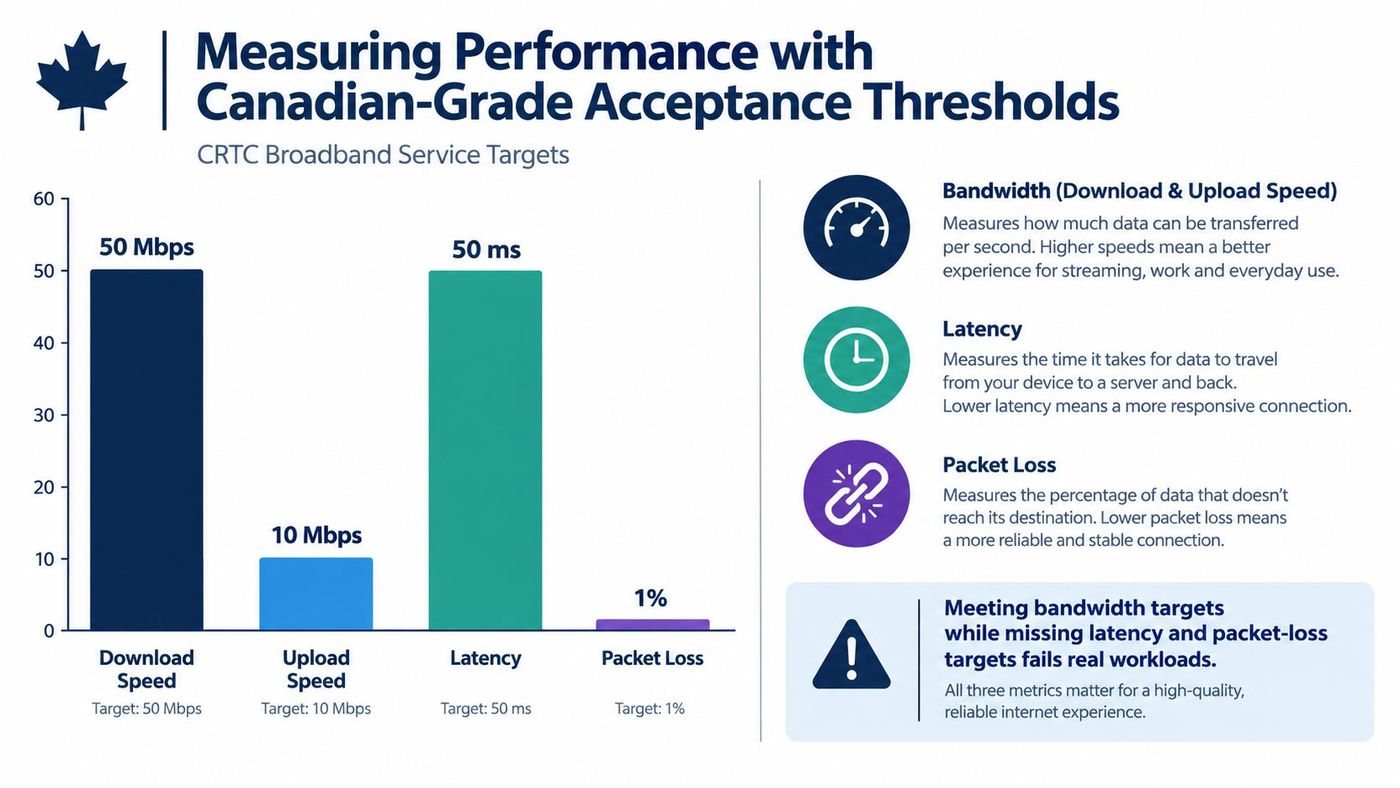
These figures are acceptance thresholds, not a guarantee that every application will perform well. A circuit can meet its bandwidth target and still struggle with VoIP, Microsoft 365 collaboration, cloud ERP, or remote desktops if latency or packet loss exceeds those levels. Interactive applications depend on timely, consistent delivery, not just a large download number.
Vendor test: Require results from peak hours, not only the quiet period when the installer is on site.
Ask your ISP or SD-WAN provider to report throughput, round-trip latency, packet loss, jitter, and failover behaviour separately. Set escalation thresholds for each metric, and specify how the provider will investigate when a site degrades. Test primary and backup paths under realistic workloads, including a voice call and access to the cloud applications your staff use.
Access technology and location affect the result. CRTC measurements found fibre-to-the-home latency around 11.5–11.7 ms, cable/HFC around 17.2–21.7 ms, and DSL ranging from 16.7 to 30.0 ms depending on speed tier; regional averages also varied, with central Canada near 15.2 ms and eastern regions reaching 39.6 ms (CRTC access technology and latency measurements). For a business with sites across provinces or in remote areas, baseline latency by location and application. Network monitoring best practices can help frame what to monitor and how to act on changes.
A fast connection doesn't make a system safe to share. A clinic may need electronic medical records, diagnostic devices, remote staff, and external providers to exchange information, but that doesn't mean every device or vendor should have broad access to patient systems. Network design should begin with a map of data flows and clinical dependencies, then use identity-based access, segmented clinical devices, controlled vendor access, encrypted links between sites, and central logging.
That distinction matters in Canadian healthcare. Statistics Canada reported that 92% of Canadian healthcare providers had access to a digital health system in 2024, while 52% used one to exchange clinical information with providers outside their main practice setting (Statistics Canada reporting on digital health systems). Digital access and useful, secure exchange aren't the same thing. Governance, identity, and inconsistent systems can constrain interoperability even when network capacity is available.
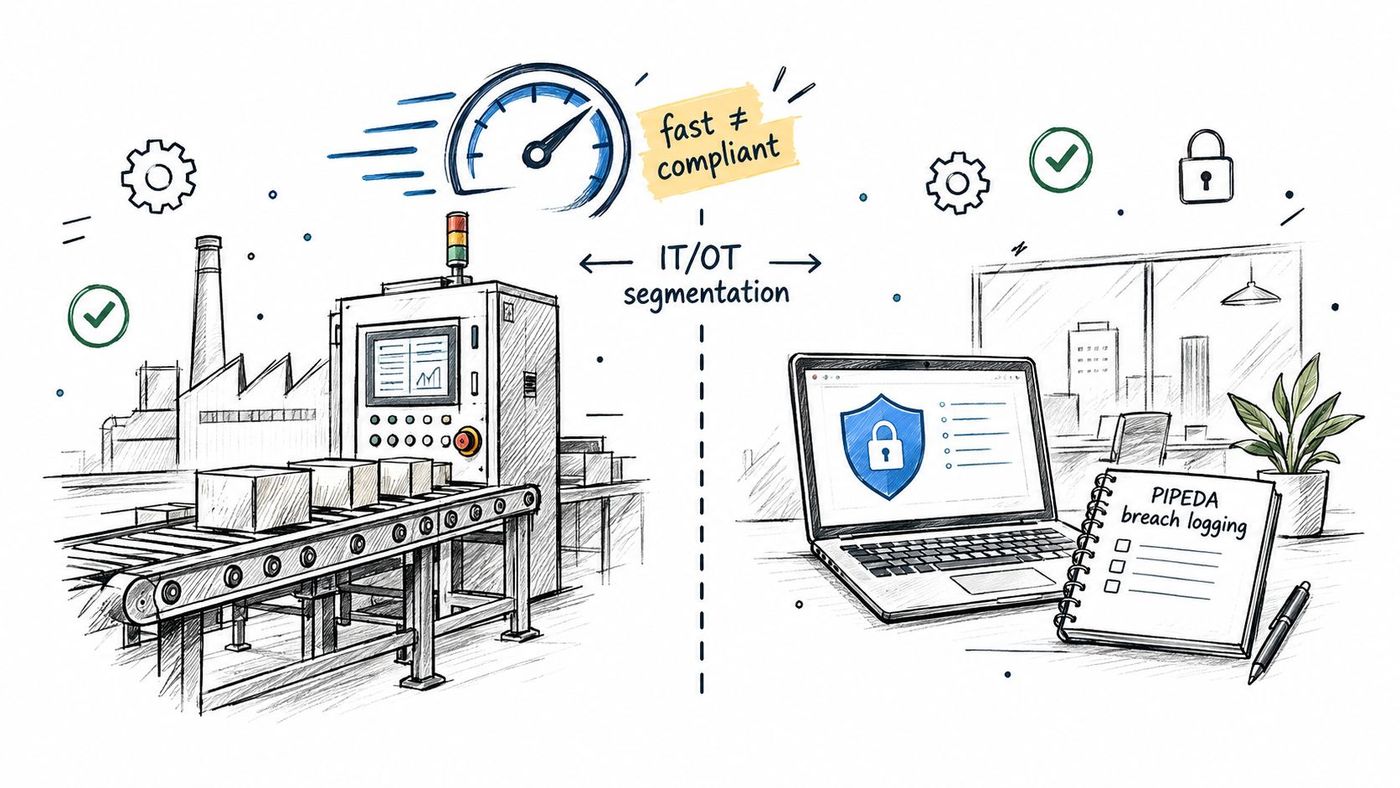
Manufacturers face a related challenge: connecting operational technology without creating an easy path from office systems into the plant. Canadian manufacturing research reports that 68% of surveyed manufacturers experienced a cyber breach or attack, while 62% had implemented a cybersecurity strategy and 51% had completed a risk assessment (Statistics Canada manufacturing cybersecurity reporting). Don't rush legacy equipment into a broad cloud migration. Use asset discovery, passive monitoring, an industrial DMZ, allow-listed traffic, controlled vendor access through jump hosts, and tested offline backups. Production equipment can't always be rebooted or patched on an office IT schedule.
PIPEDA also makes breach records part of the operational picture. Organizations subject to the law must report breaches that create a real risk of significant harm, notify affected individuals, and keep records of every breach involving personal information for at least two years (Office of the Privacy Commissioner guidance on breach records). Centralized logs, named incident owners, and tested escalation procedures help teams preserve evidence and respond. Review the relevant Canadian data privacy laws alongside your network and incident-response design.
Start with the business, not the product label. A single-site office with a few cloud applications may need a well-managed router, switches, secure remote access, and clear monitoring more than it needs complex SD-WAN. A multi-site clinic, manufacturer, or logistics company has more reasons to consider SD-WAN, diverse circuits, segmented traffic, and a provider who can coordinate response across locations.
The right managed service partner should show how it will operate the design after installation. Ask who monitors the network, how alerts become tickets, how changes are documented, and who takes ownership when an ISP issue affects business applications. CloudOrbis Inc. is one Canadian provider that designs and manages LAN, Wi-Fi, WAN, segmentation, VPN, and network monitoring as part of managed IT services.
| Decision Area | What to Confirm | Why It Matters |
|---|---|---|
| Fibre and access | Check available providers and service options at each address | A national availability figure doesn't establish performance at your site |
| Redundancy | Ask whether the alternate circuit has a separate carrier or path | A backup that shares the same failure point may not protect operations |
| SD-WAN and routing | Request documented traffic policies and failover tests | The design should reflect application priorities and site needs |
| Switching and Wi-Fi | Confirm how staff, guest, clinical, IoT, and operational devices are separated | Segmentation reduces unnecessary access between device groups |
| Security integration | Review identity controls, VPN access, firewall rules, and logging | Connectivity should align with security and compliance procedures |
| Support and monitoring | Confirm alert ownership, escalation, and Canadian support coverage | Your team needs a clear route to help when service affects work |
Use this IT infrastructure optimization guide to think through dependencies across your wider environment before finalizing a network project. Then ask each shortlisted provider to present a site-by-site design, acceptance tests, support responsibilities, and a change plan. If a proposal lists equipment but can't explain how it will protect your workloads during an outage, it isn't finished.
Return to that broken call and stalled cloud app. The answer may be a different circuit, but it may also be a routing rule, a poorly managed switch, an overloaded VPN, or a design that gives no one clear visibility into performance. A useful core network solution identifies the dependencies first, then builds a layered design that your team can test, monitor, and support.
That work protects more than uptime. It gives leaders a clearer view of operational risk, helps staff reach the tools they need, and makes growth into new sites or cloud services easier to plan. It also replaces guesswork with documented responsibilities for monitoring, access, failover, and recovery.
CloudOrbis's approach combines network design and management with proactive monitoring, layered cybersecurity, and Canadian-based support. For an SMB that's outgrown its current setup, the practical next step is to assess the sites, applications, and devices the business depends on, then compare the current design against measurable acceptance criteria.
CloudOrbis Inc. provides managed IT, network design and management, cybersecurity, backup and recovery, business VoIP, and strategic IT consulting for Canadian SMBs. Visit CloudOrbis Inc. to discuss a network assessment and a support plan built around your sites, workloads, and operational requirements.
Book a 30-minute call with a senior engineer. No sales script, just straight answers about your environment.


